
When schools consider upgrading their classroom technology, one of the first questions administrators ask is: how much do smart boards actually cost? The answer isn’t straightforward¡ªpricing varies significantly based on screen size, features, brand, and installation requirements. This comprehensive guide breaks down everything you need to know about smart board pricing for educational environments, helping you make an informed investment decision that fits your budget and pedagogical goals.
Understanding Smart Board Pricing: What Influences the Cost?
Smart board costs for schools typically range from $1,500 to $8,000 per unit, with the average classroom installation falling between $2,500 and $4,500. However, several critical factors determine where your investment will land within this spectrum.
Screen size represents the most significant pricing variable. A 65-inch interactive display suitable for smaller classrooms might cost $1,800-$3,000, while a 75-inch model for standard classrooms ranges from $2,800-$5,000. Large lecture halls often require 86-inch or larger displays, which can exceed $6,000-$8,000 before installation costs.
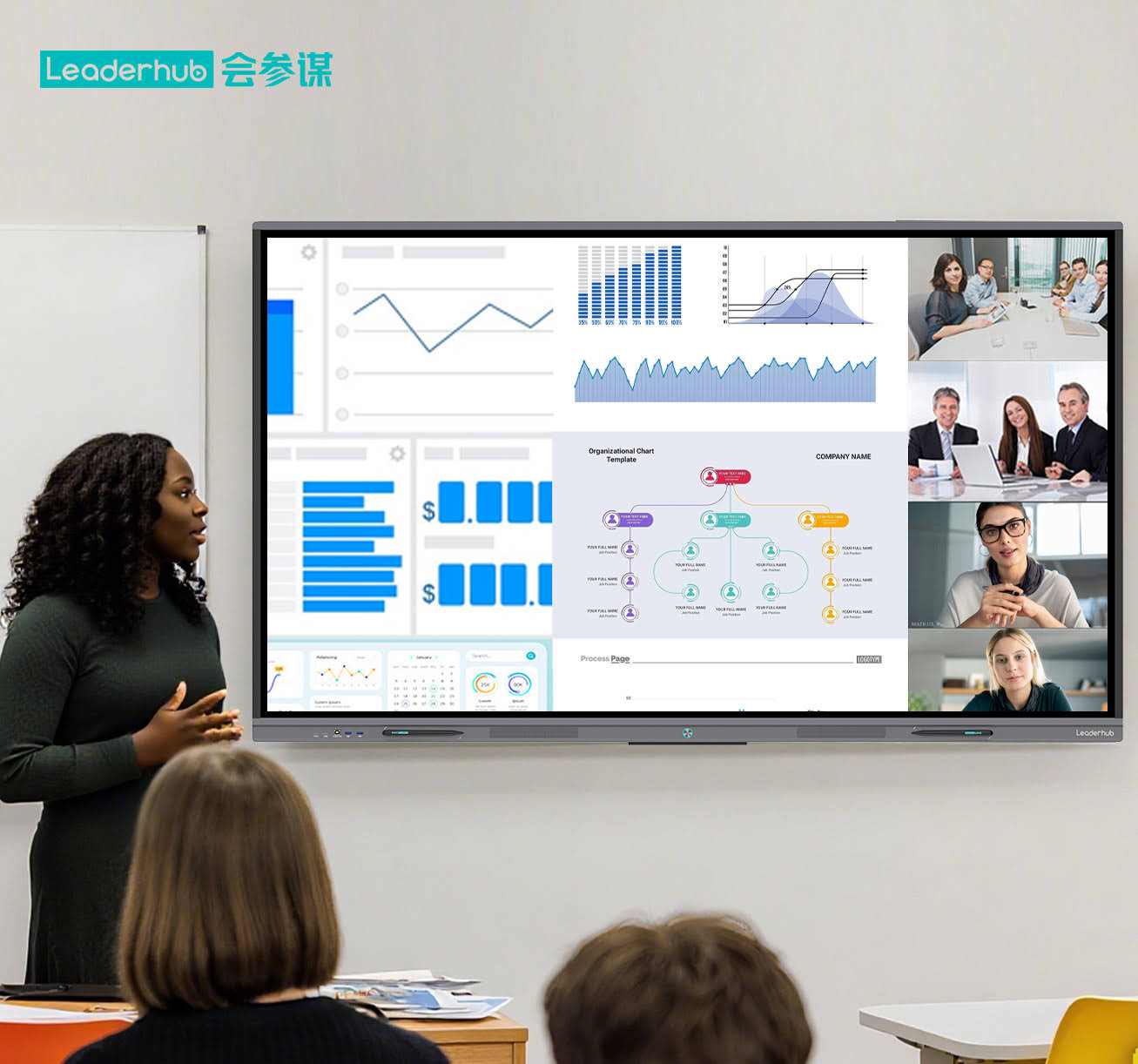
Touch technology also impacts pricing. Infrared touch systems, the industry standard for educational displays, offer excellent durability and accuracy at moderate cost. Capacitive touch technology, which provides smartphone-like responsiveness, typically adds $300-$600 to the base price but delivers superior multi-touch performance for collaborative activities.
Display Resolution and Panel Quality
Most educational smart boards now feature 4K UHD resolution (3840¡Á2160 pixels), which has become the standard rather than premium option. Budget-friendly models with Full HD (1920¡Á1080) resolution still exist in the $1,500-$2,200 range, but the visual quality difference becomes noticeable on screens larger than 65 inches.
Panel brightness matters significantly in classroom environments with varied lighting conditions. Educational-grade displays should provide at least 350-400 nits of brightness. Premium models offering 450+ nits with anti-glare coating add approximately $400-$700 to the cost but dramatically improve visibility near windows or in brightly lit spaces.
Breaking Down Smart Board Cost Categories
To accurately budget for classroom technology upgrades, schools must consider both direct and indirect costs associated with interactive flat panel displays. Here’s a detailed breakdown:
| Cost Component | Price Range | Notes |
|---|---|---|
| Base Smart Board Unit | $1,500 – $8,000 | Varies by size and features |
| Mobile Stand or Wall Mount | $200 – $800 | Height-adjustable stands cost more |
| Professional Installation | $300 – $1,200 | Includes mounting, wiring, calibration |
| Extended Warranty (3-5 years) | $250 – $600 | Highly recommended for schools |
| Teacher Training | $150 – $500 | Per teacher or group session |
| Software Licenses (annual) | $0 – $400 | Many include free educational software |
Hidden Costs Schools Often Overlook
Beyond the sticker price, several additional expenses can impact your total investment. Infrastructure upgrades sometimes prove necessary¡ªolder buildings may require electrical outlet installation near mounting locations, adding $150-$400 per classroom. Network infrastructure must support multiple high-resolution displays streaming video content simultaneously, potentially requiring switch or router upgrades.
Maintenance and replacement parts represent ongoing costs. Stylus pens typically cost $30-$60 each and should be budgeted as consumable supplies. Screen cleaning supplies designed for interactive displays run approximately $50-$100 annually per classroom. While rare, screen replacements due to damage can cost 40-60% of the original unit price.
Price Comparison by Screen Size
Selecting the appropriate screen size depends on classroom dimensions and typical viewing distances. Educational experts recommend that the farthest student should sit no more than six times the screen height away for optimal visibility.
65-Inch Smart Boards: Compact Classrooms
Ideal for small group instruction rooms, resource centers, or elementary classrooms with 15-20 students, 65-inch models represent the entry point for most schools. Budget options start around $1,500-$2,200 and typically include basic touch functionality with 4K resolution. Mid-range models ($2,200-$3,200) add features like built-in Android systems, wireless screen sharing, and improved audio. Premium options ($3,200-$4,000) incorporate advanced AI features, superior brightness, and comprehensive educational software bundles.
75-Inch Smart Boards: Standard Classroom Sweet Spot
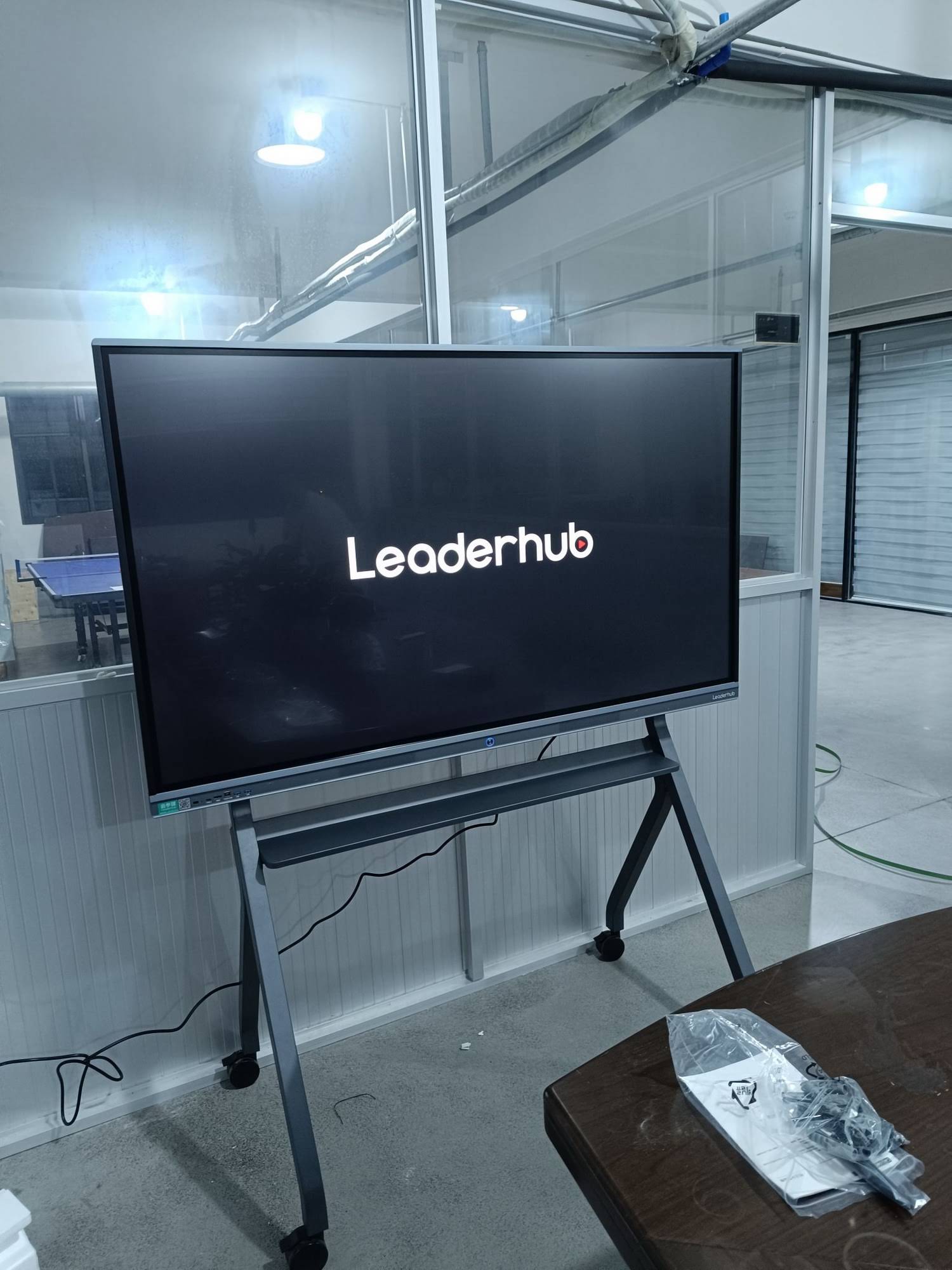
The 75-inch size dominates K-12 installations because it balances visibility, cost, and classroom ergonomics for 25-30 students. Entry-level 75-inch displays cost $2,500-$3,500, offering solid performance for most teaching applications. Mid-tier options ($3,500-$5,000) provide enhanced touch responsiveness, better built-in computing power, and longer warranties. Premium 75-inch boards ($5,000-$6,500) deliver exceptional image quality, advanced annotation tools, and integration with learning management systems.
86-Inch and Larger: Lecture Halls and Large Spaces
Universities, auditoriums, and large presentation spaces require 86-inch or larger displays. These professional-grade units start at $5,500-$7,000 for basic models and can exceed $10,000 for feature-rich systems with advanced collaboration tools. The investment makes sense for spaces where 40+ people need clear visibility or where the display serves as the primary instructional medium for multiple daily sessions.
Smart Board Features That Affect Pricing
Understanding which features justify higher costs helps schools maximize educational value per dollar spent. Not every classroom needs every premium feature, but certain capabilities dramatically enhance teaching effectiveness.
Operating System and Built-In Computing
Smart boards with integrated Android or Windows systems eliminate the need for separate computers, saving $400-$800 per classroom. These systems allow teachers to access educational apps, web browsers, and cloud storage directly from the display. Budget-friendly models with basic Android systems add approximately $200-$400 to the base price, while premium Windows-based systems with Intel processors increase costs by $800-$1,200.
Display-only models cost less initially but require external computers for full functionality. For schools with existing computer infrastructure or BYOD (Bring Your Own Device) policies, display-only options may offer better value. However, integrated systems provide cleaner installations and reduce troubleshooting complexity.
Wireless Connectivity and Screen Mirroring
Modern classrooms increasingly depend on wireless connectivity for student engagement. Built-in WiFi, Bluetooth, and screen mirroring capabilities (supporting AirPlay, Miracast, and Chromecast protocols) typically add $150-$350 to hardware costs. This investment proves worthwhile in BYOD environments where students regularly share work from personal devices.
Advanced wireless collaboration features¡ªallowing 4-9 simultaneous device connections with split-screen display¡ªappear in mid-to-premium models and increase costs by $300-$600. These capabilities particularly benefit project-based learning and collaborative problem-solving activities.
Educational Software and Content Integration
Software represents a significant value consideration. Many manufacturers bundle educational software suites worth $200-$500 at no additional cost. LeaderHub smart boards, for example, include comprehensive whiteboarding applications, screen recording tools, and lesson library access with no subscription fees¡ªa substantial advantage over competitors charging annual licensing fees.
Integration with popular learning management systems (Canvas, Google Classroom, Schoology) and assessment tools often requires premium models or additional software purchases. Schools heavily invested in specific educational ecosystems should verify compatibility before purchasing and budget for any necessary middleware or subscription costs.
Brand Comparison: Value vs. Premium Options
The smart board market offers options from budget-friendly manufacturers to established premium brands, each with distinct pricing strategies and value propositions.
Budget-Friendly Brands ($1,500-$3,000)
Emerging manufacturers from Asia have disrupted the market with competitively priced options offering solid core functionality. These displays typically provide 4K resolution, basic touch responsiveness, and standard connectivity at prices 30-50% below premium brands. While these options work well for budget-conscious districts, considerations include limited local service networks, shorter warranty periods (often 1-2 years standard), and less comprehensive technical support.
Mid-Range Brands ($2,500-$5,000)
This category represents the sweet spot for most school districts, balancing cost, features, and reliability. Companies like LeaderHub, with over 16 years of interactive display experience and products deployed in 82+ countries, offer professional-grade displays with comprehensive warranties, responsive technical support, and proven durability in educational environments. Mid-range options typically include robust educational software, advanced touch technology, and reliable performance backed by established service infrastructure.
Premium Brands ($4,000-$8,000+)
Established technology giants charge premium prices for their smart board solutions, often 40-70% more than functionally comparable mid-range options. This premium buys brand recognition, extensive professional development resources, and integration with proprietary educational ecosystems. For districts standardized on specific platforms or requiring guaranteed long-term software support, premium brands may justify the investment despite higher upfront costs.
Total Cost of Ownership: Beyond the Purchase Price
Smart financial planning requires examining costs over the expected 7-10 year lifespan of educational technology investments. Total cost of ownership (TCO) includes purchase price, installation, training, maintenance, software subscriptions, and eventual replacement.
5-Year TCO Calculation Example
Consider a typical 75-inch smart board installation for a standard classroom:
- Initial hardware purchase: $3,500
- Wall mount and installation: $600
- Extended 5-year warranty: $400
- Teacher training: $250
- Annual software licenses: $200 ¡Á 5 years = $1,000
- Replacement styluses and supplies: $50 ¡Á 5 years = $250
- Minor repairs/maintenance: $300 (average over 5 years)
Total 5-Year Cost: $6,300 or approximately $1,260 per year. When divided across 180 school days and 5-6 class periods daily, this investment costs roughly $1.40 per class session¡ªa modest expense for technology that fundamentally transforms instruction delivery and student engagement.
Energy Consumption Considerations
Modern LED-backlit smart boards consume significantly less power than previous projection-based systems. A typical 75-inch interactive display draws 150-250 watts during active use and 0.5-2 watts in standby mode. At commercial electricity rates ($0.12-0.15/kWh), annual energy costs run $40-$80 per classroom¡ªnegligible compared to other operational expenses. Energy Star certified models reduce consumption by an additional 15-25%.
Financing Options and Funding Sources for Schools
Many districts leverage creative financing strategies to afford classroom technology upgrades without overwhelming annual budgets. Understanding available options helps make smart board investments more accessible.
E-Rate Program Funding
The FCC’s E-Rate program provides discounts of 20-90% on telecommunications and internet services for eligible schools and libraries. While E-Rate traditionally focused on connectivity infrastructure, the program has expanded to support internal connections and managed WiFi services that enable interactive displays. Schools in low-income areas qualify for higher discount rates, potentially covering significant portions of the network infrastructure needed to support smart boards.
Title I and Title IV Funding
Federal Title I funds, designed to improve educational outcomes for disadvantaged students, can support technology purchases that demonstrably enhance instruction quality. Title IV funds explicitly support technology infrastructure and professional development. Districts should work with grant specialists to document how interactive displays address specific educational gaps and align with comprehensive improvement plans.
State and Local Technology Grants
Many states offer competitive technology grants or pilot programs supporting classroom innovation. These opportunities typically require detailed proposals outlining implementation plans, teacher training strategies, and assessment metrics. Successful applications emphasize measurable outcomes, equity considerations, and sustainability beyond the grant period.
Lease and Payment Plans
Educational technology vendors and third-party financing companies offer lease-to-own and multi-year payment plans that spread costs across 3-5 years. While adding 5-15% in total cost due to interest, these arrangements preserve capital budgets for other priorities and include upgrade options at lease end. Some plans bundle hardware, software, training, and support into single monthly payments, simplifying budget management.
Making the Right Choice for Your School
Selecting appropriate smart board solutions requires balancing budget constraints against pedagogical needs and long-term strategic goals. Schools should begin by assessing current teaching practices, identifying specific pain points traditional technology doesn’t address, and envisioning how interactive displays could enhance instruction delivery.
Conducting a Needs Assessment
Before requesting quotes, gather input from teachers across grade levels and subject areas. What features do they currently lack? How would interactive capabilities change their teaching approaches? What concerns do they have about technology integration? This feedback ensures purchases align with actual classroom needs rather than vendor marketing claims.
Consider classroom-specific requirements. Elementary classrooms benefit from height-adjustable mounts accommodating younger students, while secondary science labs need displays with excellent color accuracy for detailed diagrams. Music and art departments may prioritize superior audio systems and pressure-sensitive stylus input.
Pilot Programs Before Large Purchases
Smart districts install pilot units in 2-4 classrooms representing diverse grade levels and teaching styles before committing to building-wide or district-wide deployments. Pilot programs lasting one semester provide realistic performance data, reveal unexpected technical challenges, validate training needs, and build teacher enthusiasm¡ªor identify mismatched solutions before substantial investments.
Pilot feedback should inform final specifications. Teachers may discover that certain screen sizes work better than anticipated, specific software features prove essential or unnecessary, or installation locations need adjustment. These insights justify modest pilot costs through avoided large-scale mistakes.
Negotiating Volume Pricing
Schools purchasing multiple units simultaneously gain significant leverage in price negotiations. Educational discounts of 10-20% commonly apply to orders of 5+ units, with deeper discounts (25-35%) possible for district-wide standardization commitments spanning 50+ classrooms. Volume purchases also justify complimentary services like extended training, expedited installation, or additional warranties.
Consider forming purchasing cooperatives with neighboring districts to increase collective buying power. Regional educational service agencies often coordinate technology purchases, securing pricing individual districts couldn’t match. While requiring coordination overhead, cooperative purchasing maximizes budget efficiency.
Implementation Best Practices
Successful smart board deployments extend beyond hardware installation to encompass comprehensive change management, ongoing support, and continuous improvement processes.
Phased Rollout Strategies
Rather than attempting simultaneous installation across all classrooms, consider phased approaches prioritizing highest-impact spaces first. Many districts begin with common areas (media centers, teacher collaboration rooms) where multiple educators experience the technology. Early adopters become internal champions, providing peer support and sharing effective practices with colleagues.
Subsequent phases target departments or grade levels showing strongest interest and readiness. This approach concentrates training resources, allows technical staff to refine support procedures, and builds momentum through visible success stories rather than overwhelming skeptical teachers with forced adoption.
Comprehensive Professional Development
Technology purchases fail without adequate teacher preparation. Effective training programs extend beyond basic operation to pedagogical integration¡ªhow interactive features support specific learning objectives and instructional strategies. Initial training should occur before school starts, with follow-up sessions addressing questions that emerge during actual classroom use.
Consider train-the-trainer models where technology-savvy teachers receive advanced preparation, then support department or grade-level colleagues. This approach builds sustainable internal capacity and costs less than external trainers for ongoing support. Companies like LeaderHub often provide comprehensive training resources and ongoing support to help maximize the educational impact of their interactive displays.
Establishing Support Infrastructure
Even reliable technology occasionally malfunctions. Schools need clear procedures for reporting problems, rapid response protocols for classroom disruptions, and backup plans ensuring instruction continues during repairs. Technology coordinators should maintain spare styluses, cables, and basic replacement parts to resolve common issues without vendor involvement.
Remote management capabilities in modern smart boards enable IT staff to troubleshoot software issues, update firmware, and adjust settings without classroom visits. These features reduce downtime and lower support costs over the equipment lifespan.
Evaluating Return on Investment
Quantifying smart board impact on learning outcomes justifies initial investments and informs future technology decisions. While direct causation proves difficult to establish, several metrics indicate educational value.
Student Engagement Metrics
Teachers consistently report increased student participation and attention when lessons incorporate interactive displays. Observable indicators include more voluntary responses to questions, higher completion rates for classroom activities, and improved attendance during units using interactive technology. While anecdotal, these patterns suggest enhanced engagement¡ªa critical precursor to improved learning.
Academic Performance Indicators
Some research studies show modest positive correlations between interactive display use and standardized test performance, particularly in mathematics and science subjects where visual representations enhance understanding. Districts should track assessment data for classrooms with and without smart boards, controlling for teacher experience and student demographics, to evaluate local impact.
Teacher Satisfaction and Retention
Modern instructional tools contribute to teacher job satisfaction and professional effectiveness perceptions. Districts investing in classroom technology report improved teacher retention and recruiting advantages. While difficult to monetize, reducing teacher turnover generates substantial savings in hiring and training costs while maintaining instructional continuity beneficial for students.
Looking Ahead: Smart Board Technology Trends
Understanding emerging trends helps schools make future-proof investments that remain relevant throughout their operational lifespan.
AI-Enhanced Features
Artificial intelligence integration represents the most significant near-term development in interactive display technology. AI-powered features include real-time handwriting recognition that converts teacher notes to typed text, automatic language translation enabling multilingual instruction, content recommendations based on learning objectives, and intelligent lesson planning assistants that suggest activities matching curriculum standards.
While still emerging, these capabilities will likely become standard in mid-range and premium models within 2-3 years. Schools purchasing today should verify that hardware specifications support software updates enabling AI features as they mature.
Cloud Integration and Remote Learning
The shift toward cloud-based educational resources continues accelerating. Modern smart boards seamlessly integrate with cloud storage services, allowing teachers to access resources from any device and automatically save lesson content for later review or distribution to absent students. This capability proved essential during remote learning periods and remains valuable for hybrid instructional models.
Future developments will likely enhance remote participation features, allowing students joining virtually to interact with displayed content as if physically present. These capabilities expand access for homebound students, support credit recovery programs, and enable specialist teachers to serve multiple schools.
Improved Accessibility Features
Manufacturers increasingly prioritize accessibility features supporting diverse learning needs. Current and emerging capabilities include high-contrast display modes for visually impaired students, integrated text-to-speech for reading support, adjustable UI elements accommodating motor skill differences, and compatibility with assistive technologies. Schools serving significant special education populations should prioritize displays with robust accessibility features and verify compatibility with existing assistive devices.
Conclusion: Investing in Educational Excellence
Smart board pricing for schools reflects a significant but justified investment in modern educational infrastructure. While costs range from $1,500 for basic 65-inch displays to $8,000+ for premium large-format systems, the total cost of ownership over 5-7 years represents reasonable value when properly implemented and supported.
Success requires careful needs assessment, appropriate feature selection matching pedagogical goals, comprehensive teacher training, and ongoing support infrastructure. Schools should prioritize reliable mid-range options from established manufacturers over either budget models with limited features or premium brands charging for name recognition beyond functional advantages.
By understanding the true costs, available financing options, and implementation best practices outlined in this guide, educational leaders can confidently invest in interactive display technology that transforms teaching effectiveness and student engagement for years to come.








