
Choosing the right adjustable height smart whiteboard can transform the way teachers instruct and teams collaborate. With mobile stands, motorized lifts, and 4K touch panels now standard on many models, schools and offices have more options than ever — but also more decisions to make. This guide breaks down exactly what to look for, based on real deployment experience across classrooms, training centers, and corporate meeting rooms.
Why Adjustable Height Matters
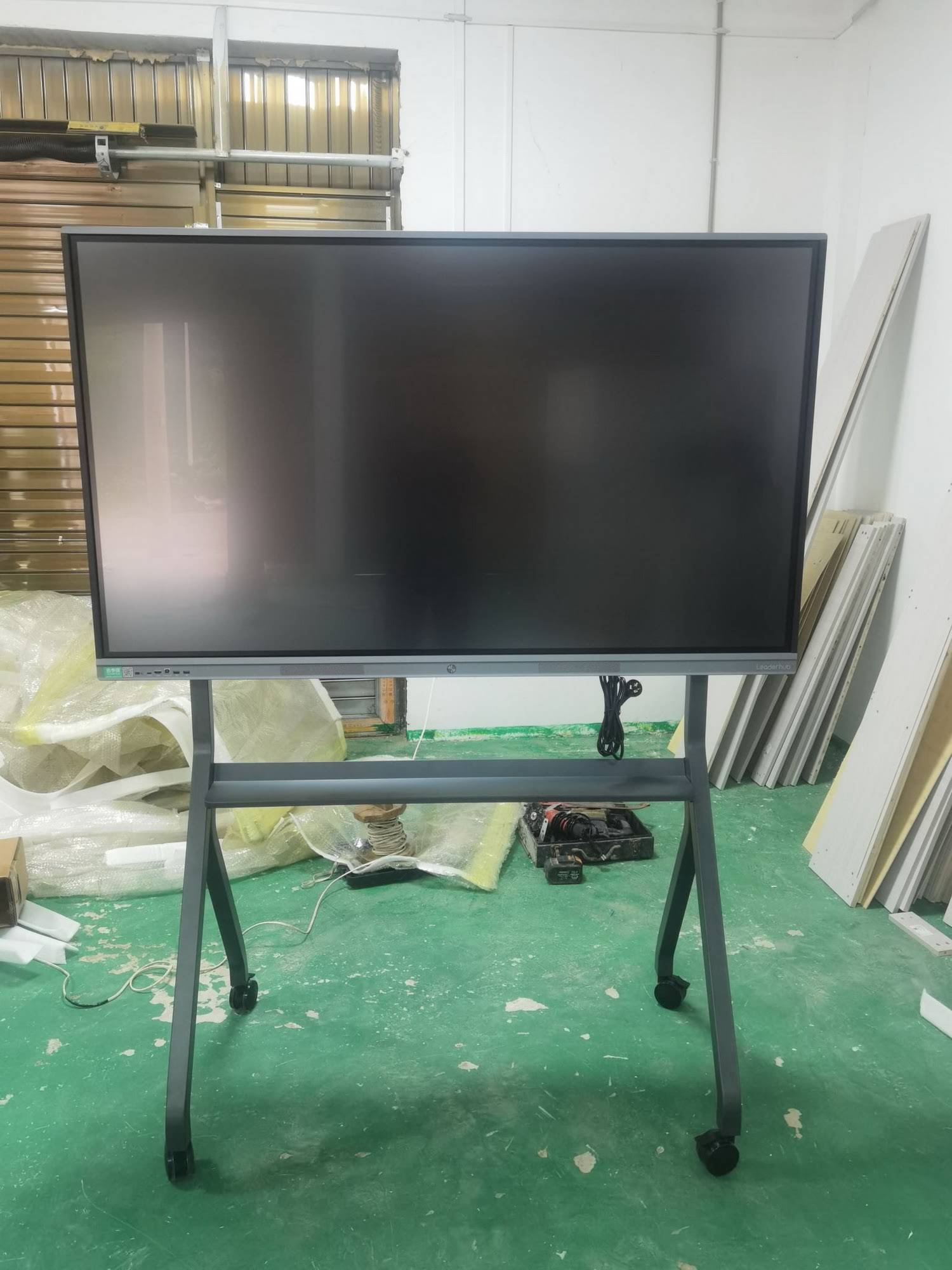
Not every user is the same height, and not every room is used the same way. A fixed-height board might work fine for a high school classroom but becomes a barrier in an elementary setting, a wheelchair-accessible office, or a multi-purpose training room. An adjustable height smart whiteboard solves this by letting users raise or lower the screen — either manually or via motorized controls — to match the task at hand.
In our experience deploying interactive panels across education and enterprise environments, height adjustability consistently ranks as one of the top three requested features, right after display resolution and touch accuracy. Teachers switching between grade levels, and office teams alternating between standing and seated meetings, both benefit directly from this flexibility.
Key Factors to Consider Before Buying
When evaluating options, it helps to break the decision down into a few core categories. Below is a practical checklist we recommend to IT administrators and procurement teams.
| Factor | What to Look For |
|---|---|
| Height Range | A mobile stand that adjusts from at least 60cm to 190cm accommodates students, wheelchair users, and standing meetings. |
| Lift Mechanism | Motorized electric lifts are smoother and safer than manual crank systems, especially in shared spaces. |
| Display Resolution | 4K UHD panels provide sharper text and imagery, critical for detailed presentations and lesson content. |
| Touch Technology | Infrared or capacitive multi-touch with low latency ensures natural writing and annotation. |
| Operating System | Android-based systems with built-in whiteboard apps reduce dependency on external devices. |
| Connectivity | HDMI, USB-C, wireless casting, and OPS slots for mini PC integration add long-term flexibility. |
Classroom Use Cases: What Teachers Actually Need
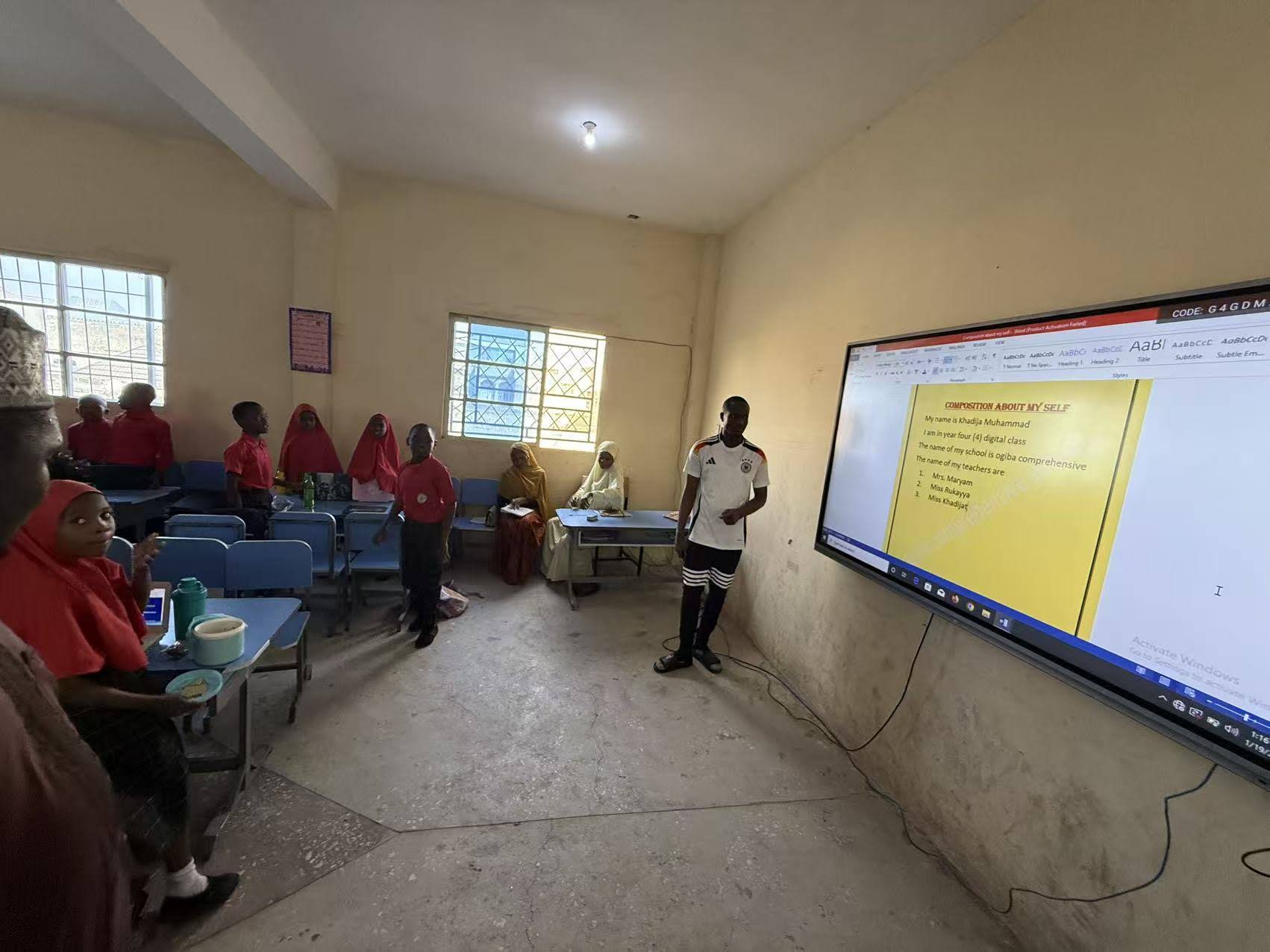
Based on feedback from educators using smart whiteboards daily, three practical needs stand out repeatedly:
- Reachability for younger students — lowering the board so children can interact directly with content improves engagement significantly.
- Quick height changes between classes — motorized lifts that adjust in under 30 seconds keep lesson transitions smooth.
- Stability at full height — a wide, weighted base prevents tipping when the board is raised for taller students or presenters.
Schools that have switched from traditional fixed whiteboards to height-adjustable interactive panels often report a noticeable increase in student participation, particularly in lower grades where physical interaction with the screen matters most.
Office and Meeting Room Considerations
In corporate environments, the calculus shifts slightly. Meeting rooms host people of varying heights, and hybrid meetings often require the board to be positioned for camera framing as much as for writing comfort. An interactive flat panel with height adjustment allows the same unit to serve seated boardroom discussions and standing brainstorming sessions without needing separate equipment.
Enterprise buyers should also weigh integration with existing conferencing software. Panels that support wireless screen sharing and have embedded mini PC slots (such as OPS modules) tend to reduce cable clutter and setup time — a small but meaningful factor when meetings run back-to-back.
Recommended Size Guide
| Room Size | Recommended Screen Size |
|---|---|
| Small classroom / huddle room (up to 8 people) | 55″ – 65″ |
| Medium classroom / meeting room (8–20 people) | 65″ – 75″ |
| Large lecture hall / boardroom (20+ people) | 86″ – 110″ |
Technical Specifications That Actually Matter
It’s easy to get distracted by marketing terms. Here is what genuinely impacts day-to-day usability of an adjustable smart whiteboard:
- Touch points — 20-point or higher infrared touch allows multiple users to write simultaneously, which matters in group classroom activities.
- Anti-glare glass — reduces eye strain under classroom lighting and improves visibility during video calls.
- Built-in speakers and microphones — reduce the need for external AV equipment in smaller rooms.
- Software ecosystem — pre-installed whiteboard, annotation, and screen-mirroring apps save setup time for non-technical staff.
- Stand mobility — locking wheels combined with height adjustment let one unit serve multiple rooms.

Real-World Example: Training Center Deployment
A vocational training center in Southeast Asia recently replaced fixed classroom projectors with mobile, height-adjustable interactive whiteboards. Their facilities manager reported that the ability to move boards between rooms and adjust height for different course levels reduced equipment costs by nearly 30%, since one unit could now serve multiple room configurations instead of requiring dedicated fixed installations per classroom. This kind of flexibility is increasingly cited by IT and facilities teams as a primary reason for choosing mobile, adjustable units over wall-mounted fixed panels.
Budget Planning: What to Expect
Pricing for adjustable height smart whiteboards varies significantly based on screen size, touch technology, and lift mechanism quality. As a general reference:
- 65″ models with motorized stands typically range from $1,000 to $1,600
- 75″ models range from $1,400 to $2,500
- 86″ and larger models with advanced features range from $3,000 and above
It’s worth noting that the adjustable stand itself often adds $200–$500 to the total cost compared to a fixed wall mount, but the added flexibility usually pays for itself within the first year through reduced relocation and reinstallation expenses.
Maintenance and Longevity Tips
To get the most out of an adjustable height smart whiteboard, a few maintenance habits go a long way:
- Clean the touch screen with a microfiber cloth — avoid ammonia-based cleaners that can degrade anti-glare coatings.
- Periodically check the lift mechanism for smooth operation; motorized lifts should be serviced or inspected annually.
- Keep firmware and software updated to maintain compatibility with new conferencing and annotation tools.
- Lock stand wheels during use to prevent unnecessary strain on the height adjustment column.
Making the Final Decision
When narrowing down options, it helps to test a unit in the actual environment where it will be used, if possible. Watch how easily the height adjusts, how the screen responds to multiple touch points, and how quickly staff or teachers can connect their own devices. These practical tests reveal more than spec sheets alone.
Companies with long-term experience in interactive display manufacturing tend to offer better after-sales support and more reliable lift mechanisms, since these components undergo more real-world testing across different climates and usage patterns. LeaderHub, a Shenzhen-based manufacturer with 16 years of experience serving 82 countries, is one example of a company focused specifically on refining smart whiteboard and interactive flat panel technology for both education and enterprise use.
Frequently Asked Questions
What height range should a classroom smart whiteboard support?
Most classrooms benefit from a range of 60cm to 190cm, which accommodates elementary students standing at the board as well as taller high school or adult learners.
Is a motorized lift worth the extra cost?
For shared spaces where the board is adjusted frequently throughout the day, motorized lifts save time and reduce physical strain compared to manual cranks.
Can adjustable height whiteboards be used in offices without teaching purposes?
Yes. Many businesses use height-adjustable interactive panels for standing brainstorm sessions, client presentations, and hybrid video conferencing where camera framing matters.
Selecting the right adjustable height smart whiteboard ultimately comes down to matching the height range, touch technology, and mobility features to how the space will actually be used day-to-day. Testing a unit firsthand, checking real usage data from similar institutions, and choosing a manufacturer with a proven track record are the most reliable ways to make a confident purchase decision.








