
Smart boards have revolutionized the way we teach, present, and collaborate. From classrooms to corporate meeting rooms, these interactive whiteboards have become essential tools for modern communication. But how exactly do smart boards work? In this comprehensive guide, we’ll explore the technology behind interactive whiteboards, their core components, and why they’ve become indispensable in education and business environments worldwide.
What Is a Smart Board?
A smart board, also known as an interactive whiteboard, is a large interactive display that connects to a computer and projector (or uses built-in display technology) to present digital content. Unlike traditional whiteboards, smart boards allow users to control computer applications, write notes, draw diagrams, and manipulate content directly on the screen using touch gestures, styluses, or other input methods.
The technology combines hardware and software to create an intuitive interface that responds to user input in real-time. Modern smart boards have evolved significantly since their introduction in the 1990s, now incorporating advanced features like artificial intelligence, cloud connectivity, wireless screen sharing, and built-in collaboration tools.
Core Components of Smart Board Technology
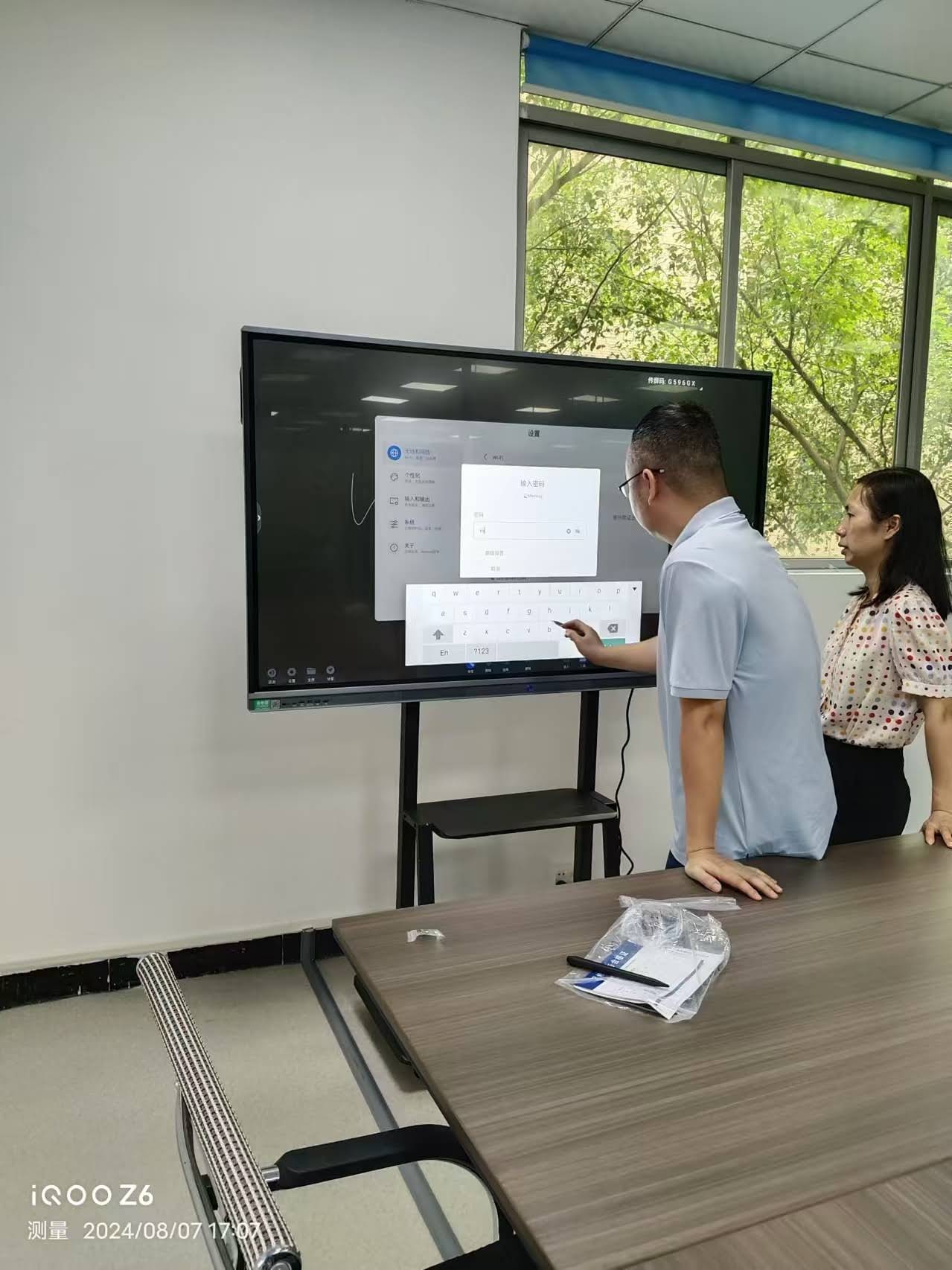
Understanding how smart boards work requires examining their fundamental components. Each element plays a critical role in creating the seamless interactive experience users have come to expect.
Touch-Sensitive Display Surface
The most visible component is the touch-sensitive surface that detects user input. Modern smart boards employ several technologies to achieve this:
- Resistive Touch Technology: Uses two flexible layers separated by a small gap. When pressure is applied, the layers make contact, registering the touch location. This technology works with any input method (fingers, stylus, or pointer) but typically offers lower precision than other methods.
- Capacitive Touch Technology: Detects changes in electrical charge when a conductive object (like a finger) touches the screen. This provides more accurate and responsive input, supporting multi-touch gestures and simultaneous inputs from multiple users.
- Infrared Technology: Uses a frame of infrared LED lights and sensors around the display perimeter. When an object touches or approaches the surface, it interrupts the infrared beams, and sensors calculate the precise location. This method supports any input object and works well with large displays.
- Electromagnetic Technology: Employs a grid of wires behind the display surface that detects electromagnetic signals from a special stylus. This offers high precision for writing and drawing but requires the specific stylus to function.
Display Technology
Smart boards utilize different display methods depending on their design and intended use:
| Display Type | Technology | Advantages | Common Applications |
|---|---|---|---|
| Projection-Based | External projector displays content on board surface | Cost-effective for large sizes, replaceable components | Budget-conscious schools, training rooms |
| LCD Panel | Integrated liquid crystal display | Bright, clear images; no shadows or calibration | Corporate conference rooms, modern classrooms |
| LED Panel | Light-emitting diode display | Energy efficient, excellent brightness and contrast | Premium education and business environments |
Processing Unit and Software
Smart boards rely on sophisticated software and processing hardware to interpret touch inputs, run applications, and manage content. The processing unit may be:
- External Computer: Traditional smart boards connect to a separate PC or laptop that runs the operating system and applications
- Built-in System: Modern interactive flat panels include integrated computing systems (similar to large tablets) with processors, memory, and storage built directly into the display
- Hybrid Approach: Some systems offer both built-in computing and the ability to connect external devices for additional functionality
The software component includes the operating system (often Android, Windows, or specialized systems), interactive whiteboard applications, annotation tools, and device management utilities that control how the board responds to touch and stylus input.
How the Technology Works: Step-by-Step Process
When you interact with a smart board, multiple technological processes occur simultaneously within milliseconds:
- Input Detection: The touch-sensitive surface detects when and where contact occurs using one of the technologies described earlier (capacitive, infrared, electromagnetic, or resistive).
- Signal Processing: Sensors convert the physical touch into electrical signals containing coordinate data (X and Y position) and sometimes pressure information.
- Data Transmission: These signals travel to the processing unit through wired connections (USB, HDMI) or wireless protocols (Wi-Fi, Bluetooth).
- Software Interpretation: The operating system and interactive software interpret the input data, determining whether it’s a tap, swipe, pinch, or other gesture.
- Action Execution: Based on the interpreted input, the software executes the corresponding command¡ªopening an application, drawing a line, moving an object, or triggering a specific function.
- Visual Feedback: The display updates to show the result of the action, providing immediate visual confirmation to the user.
Key Technologies Enabling Smart Board Functionality
Multi-Touch and Gesture Recognition
Modern smart boards support multi-touch technology, allowing multiple users to interact with the display simultaneously. Advanced gesture recognition algorithms can distinguish between different touch patterns:
- Single-tap for selection
- Double-tap for opening items
- Drag for moving objects
- Pinch and spread for zooming
- Two-finger swipe for scrolling
- Palm rejection to differentiate between intentional touch and accidental contact
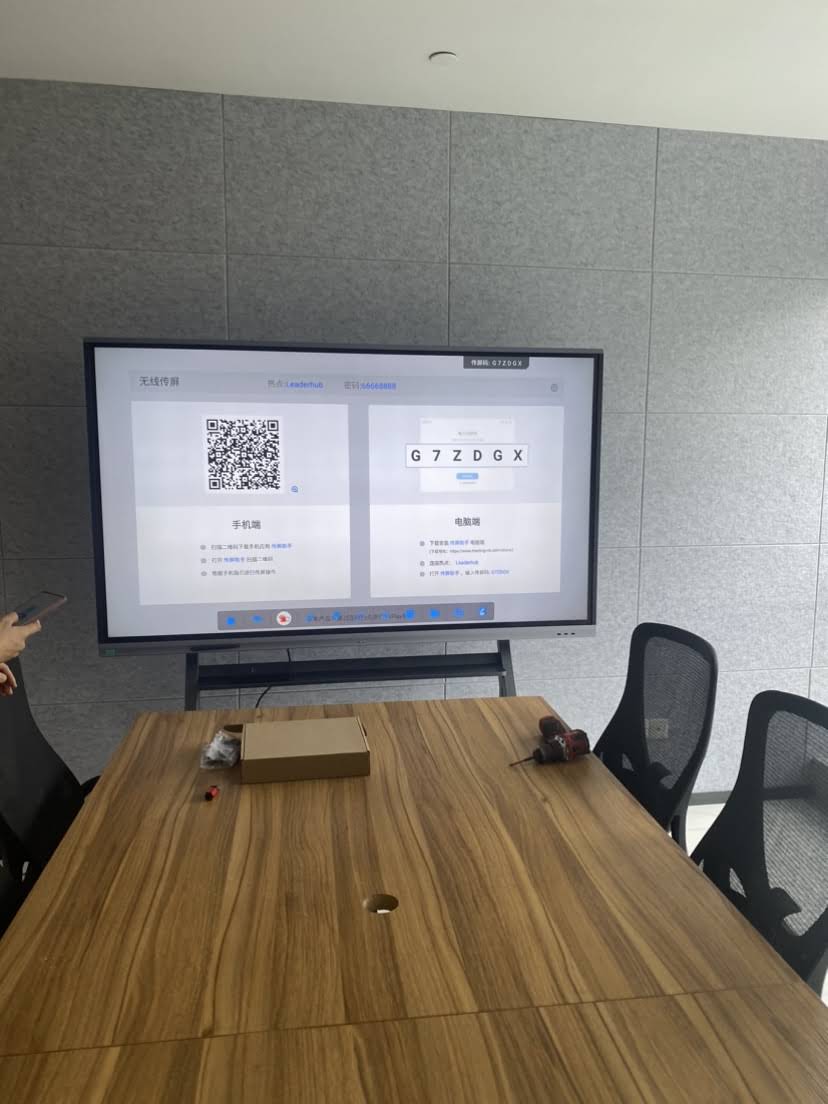
Wireless Connectivity
Contemporary smart boards incorporate various wireless technologies that enhance flexibility and collaboration:
- Wi-Fi connectivity enables internet access, cloud integration, and network resource sharing
- Bluetooth allows connection to keyboards, mice, speakers, and mobile devices
- Screen mirroring protocols (Miracast, AirPlay, Chromecast) let users wirelessly project content from laptops, tablets, and smartphones
- NFC (Near Field Communication) enables quick device pairing and user authentication
Artificial Intelligence Integration
Leading manufacturers like LeaderHub, with over 16 years of experience developing interactive display technologies, are incorporating AI-powered features into their smart boards:
- Handwriting recognition: Converts handwritten notes into typed text with high accuracy
- Shape recognition: Automatically converts rough drawings into perfect geometric shapes
- Intelligent object recognition: Identifies and categorizes drawn elements for easier manipulation
- Voice control: Allows hands-free operation through natural language commands
- Auto-translation: Real-time translation of written or spoken content across languages
- Smart recommendations: Suggests relevant content, tools, or actions based on usage patterns
Different Types of Smart Board Systems
Smart board technology has evolved into several distinct formats, each optimized for specific use cases and environments.
Interactive Flat Panels (IFPs)
These all-in-one systems integrate the display, touch technology, computing hardware, and speakers into a single unit. IFPs represent the current standard for educational and business environments due to their:
- Zero calibration requirements
- Bright, high-resolution displays (typically 4K)
- Built-in Android or Windows operating systems
- Multiple connectivity options
- Lower maintenance needs compared to projector-based systems
Projection-Based Interactive Whiteboards
The original smart board design uses a touch-sensitive whiteboard surface combined with a projector. While less common in new installations, these systems remain popular where:
- Budget constraints limit equipment purchases
- Existing projection infrastructure can be leveraged
- Very large display sizes are needed at lower costs
Portable Smart Displays
Compact, movable interactive displays (typically 55-75 inches) on rolling stands provide flexibility for organizations that need to move technology between spaces. These portable solutions offer:
- Easy relocation between rooms
- Quick setup without installation
- Battery-powered options for complete portability
- All the features of larger fixed installations
Software Ecosystem and Applications
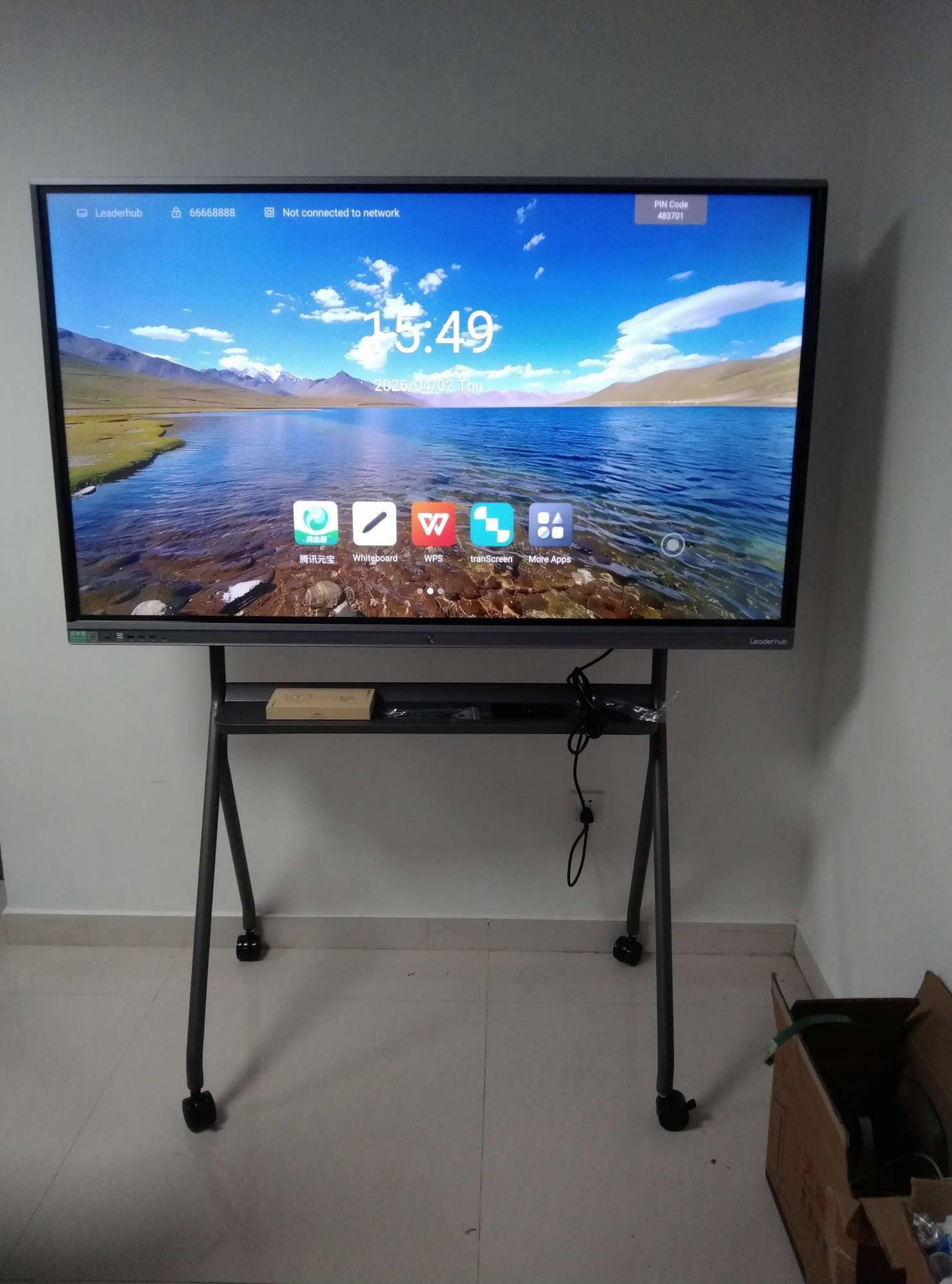
The hardware is only half of the smart board equation. Specialized software transforms the display into a powerful collaboration and learning tool.
Interactive Whiteboard Software
Dedicated whiteboarding applications provide tools specifically designed for interactive displays:
- Digital pens and highlighters with customizable colors and thicknesses
- Shape and line tools for creating diagrams
- Text insertion and formatting capabilities
- Image import and manipulation
- Page management for multi-page presentations
- Screen capture and recording features
- Export options to PDF, image formats, or cloud storage
Collaboration Platforms
Smart boards integrate with popular collaboration tools to facilitate remote and hybrid work/learning:
- Video conferencing: Zoom, Microsoft Teams, Google Meet with optimized display and audio
- Cloud storage: Direct access to Google Drive, OneDrive, Dropbox for saving and retrieving content
- Document editing: Microsoft Office, Google Workspace with touch-optimized interfaces
- Annotation tools: Mark up any content displayed on screen, from web pages to videos
Educational Applications
Purpose-built educational software leverages smart board capabilities for enhanced learning experiences:
- Interactive lesson creation tools with pre-built templates
- Subject-specific applications (mathematics manipulatives, science simulations, language learning tools)
- Student response systems for real-time assessment
- Gamification features to increase engagement
- Accessibility tools including text-to-speech, magnification, and contrast adjustment
Connectivity and Integration Capabilities
Modern smart boards function as central hubs in connected environments, offering extensive integration options:
| Connection Type | Purpose | Common Uses |
|---|---|---|
| HDMI Input | Display content from external devices | Laptops, document cameras, media players |
| USB Ports | Connect peripherals and storage devices | Keyboards, mice, flash drives, touchscreen control |
| Ethernet | Wired network connection | Stable internet access, network resource access |
| Audio Output | Connect external speakers or sound systems | Large room audio, enhanced sound quality |
| OPS Slot | Modular computer installation | Upgradeable computing power, easy maintenance |
Power Management and Performance Optimization
Smart boards incorporate intelligent power management systems to reduce energy consumption and extend component lifespan:
- Automatic brightness adjustment based on ambient light conditions
- Presence detection using infrared sensors to power down when no users are present
- Scheduled operation to automatically turn on/off based on usage patterns
- Eco modes that reduce power consumption during extended use
- Quick wake functionality for instant-on performance when needed
Performance optimization includes processor management, memory allocation, and thermal regulation to ensure smooth operation even during intensive tasks like 4K video playback or complex multi-app scenarios.
Real-World Applications and Use Cases
Education Environments
Smart boards have transformed teaching methodologies across educational levels:
- Elementary education: Interactive games, visual learning aids, and collaborative activities that keep young students engaged
- Secondary education: Complex diagram creation, video annotation, and interactive problem-solving for older students
- Higher education: Lecture capture, remote student participation, and advanced visualization for technical subjects
- Special education: Customizable interfaces and accessibility features that accommodate diverse learning needs
Corporate and Business Settings
Organizations leverage smart board technology to enhance productivity and collaboration:
- Meeting rooms: Dynamic presentations, real-time brainstorming, and video conferencing integration
- Training facilities: Interactive training modules, hands-on learning experiences, and progress tracking
- Design studios: Digital sketching, collaborative design reviews, and instant iteration
- Control rooms: Real-time data visualization, system monitoring, and incident response coordination
Other Professional Applications
- Healthcare: Medical imaging display, patient education, and telemedicine consultations
- Government: Emergency operations centers, public presentations, and collaborative planning
- Retail: Interactive product demonstrations, digital signage, and customer engagement
- Hospitality: Event presentations, digital concierge services, and conference facilities
Technical Specifications and Performance Metrics
When evaluating smart board technology, several technical specifications determine performance and suitability:
Display Specifications
- Resolution: Modern smart boards typically offer 4K UHD (3840¡Á2160) resolution, providing sharp text and detailed images even on large displays
- Brightness: Measured in nits or cd/m2, with quality panels delivering 350-450 nits for clear visibility in various lighting conditions
- Contrast ratio: Determines the distinction between dark and light areas, typically 1200:1 or higher for professional displays
- Viewing angle: Premium panels offer 178-degree viewing angles both horizontally and vertically
- Response time: Lower response times (typically 6-8ms) ensure smooth video playback and reduce motion blur
Touch Performance
- Touch points: Number of simultaneous touches supported, ranging from 10 to 40+ points on advanced systems
- Touch accuracy: Precision of touch detection, critical for detailed work like handwriting and drawing
- Response time: Latency between touch and on-screen response, with quality systems achieving less than 10ms
- Touch technology: Method used for detection (capacitive, infrared, etc.) affects performance characteristics
Computing Performance
- Processor: CPU specifications determine application performance and multitasking capability
- RAM: Memory capacity affects system responsiveness, typically 4-8GB for business/education use
- Storage: Built-in storage capacity for applications and content, usually 32-128GB
- Operating system: Android (various versions), Windows, or proprietary systems, each with different capabilities
Installation and Setup Considerations
Proper installation significantly impacts smart board performance and longevity:
Physical Installation
- Mounting height: Display center typically positioned 48-55 inches from the floor for optimal accessibility
- Wall mounting: Requires appropriate wall anchors and support structures to handle the display weight (80-200+ pounds depending on size)
- Power requirements: Dedicated electrical circuits recommended for large displays to ensure stable operation
- Ventilation: Adequate air circulation around the display to prevent overheating
- Cable management: Professional cable routing for clean appearance and safety compliance
Network Configuration
- Network access: Wired or wireless connection to organizational networks
- Security settings: Firewall configuration, access controls, and encryption protocols
- IP addressing: Static or DHCP assignment based on network architecture
- Cloud integration: Account setup for cloud storage and collaboration services
Software Setup
- Initial configuration: Language, time zone, network settings, and basic preferences
- Application installation: Required software, teaching tools, or business applications
- User account setup: Administrator and user accounts with appropriate permissions
- Updates and patches: Ensuring the latest firmware and software versions are installed
Maintenance and Troubleshooting
Proper maintenance extends smart board lifespan and ensures reliable operation:
Regular Maintenance Tasks
- Screen cleaning: Using appropriate non-abrasive cleaners and microfiber cloths to remove fingerprints and dust
- Software updates: Regularly checking for and installing firmware, operating system, and application updates
- Connection inspection: Verifying all cables and connections remain secure
- Ventilation check: Ensuring air vents remain clear of obstructions
- Touch calibration: Periodic recalibration if touch accuracy degrades (mainly for older projection systems)
Common Issues and Solutions
- Touch not responding: Check USB connections, restart the system, or recalibrate touch sensors
- Poor image quality: Adjust brightness and contrast settings, verify input source resolution
- Audio problems: Check volume settings, verify audio output selection, test with different sources
- Connectivity issues: Verify network settings, check cables, restart network devices
- Application crashes: Clear cache, reinstall problematic applications, ensure adequate storage space
Future Developments in Smart Board Technology
The smart board industry continues evolving with emerging technologies and user needs:
Advanced AI Integration
Future smart boards will incorporate more sophisticated artificial intelligence capabilities:
- Predictive text and content: AI anticipating user needs and suggesting relevant materials
- Automatic meeting summaries: AI-generated notes and action items from collaborative sessions
- Enhanced language processing: More accurate speech recognition and real-time translation
- Personalized learning: AI adapting content difficulty and presentation style to individual users
- Intelligent content organization: Automatic categorization and retrieval of saved materials
Enhanced Display Technologies
- MicroLED displays: Offering superior brightness, contrast, and energy efficiency
- Higher resolutions: 8K displays for ultra-detailed visualization in specialized applications
- Flexible and curved displays: New form factors for unique installation scenarios
- Improved anti-glare coatings: Better visibility in challenging lighting environments
Expanded Connectivity
- 5G integration: Faster wireless connectivity for bandwidth-intensive applications
- IoT integration: Seamless connection with smart building systems and sensors
- Extended reality: Integration with AR and VR devices for immersive experiences
- Advanced device interoperability: Better compatibility across diverse hardware ecosystems
Choosing the Right Smart Board Technology
Selecting appropriate smart board technology requires evaluating several factors:
Use Case Requirements
- Environment: Classroom, conference room, training facility, or public space
- User count: Number of simultaneous users requiring touch interaction
- Content types: Presentations, interactive lessons, video conferencing, or specialized applications
- Integration needs: Compatibility with existing systems and software platforms
Technical Considerations
- Display size: Typically ranging from 55 inches to 98 inches or larger, chosen based on room size and viewing distance
- Touch technology: Capacitive for precision, infrared for large displays and multi-user scenarios
- Computing platform: Android for simplicity and cost-effectiveness, Windows for compatibility with enterprise software
- Connectivity options: Required ports and wireless capabilities
Budget and Total Cost of Ownership
- Initial purchase price: Hardware cost varies significantly based on size, features, and brand
- Installation expenses: Professional mounting, cabling, and configuration
- Software licensing: Ongoing costs for applications and cloud services
- Maintenance and support: Warranty coverage, technical support, and replacement parts
- Training: User education to maximize technology adoption and effectiveness
Industry Standards and Certifications
Quality smart boards meet various industry standards and certifications:
- Safety certifications: UL, CE, FCC, and other regional safety standards
- Environmental compliance: RoHS, REACH, and Energy Star ratings
- Educational standards: Compliance with accessibility requirements (WCAG, Section 508)
- Wireless certifications: Wi-Fi Alliance, Bluetooth SIG
- Security standards: Data protection and privacy compliance for cloud-connected features
Global Market and Adoption Trends
Smart board adoption continues growing across markets and sectors. According to industry research, the global interactive display market is projected to reach significant growth through 2030, driven by:
- Digital transformation initiatives: Organizations modernizing physical spaces with smart technology
- Hybrid work and learning: Increasing demand for tools supporting remote collaboration
- Government education programs: Public investment in classroom technology worldwide
- Falling prices: Improved manufacturing efficiency making technology more accessible
- Enhanced functionality: AI and connectivity features providing greater value proposition
Companies like LeaderHub, serving customers in more than 82 countries, demonstrate the truly global reach of interactive display technology and its relevance across diverse educational and business contexts.
Conclusion: The Technology Behind Modern Collaboration
Smart boards represent sophisticated integration of multiple technologies¡ªtouch sensors, display panels, computing hardware, and intelligent software¡ªworking together to create intuitive interactive experiences. Understanding how these components function together helps users, administrators, and decision-makers maximize the value of these powerful collaboration tools.
Whether employing capacitive touch screens that respond to finger gestures, infrared sensors detecting multiple simultaneous inputs, or AI-powered features that enhance productivity, modern smart boards continue evolving to meet changing needs in education and business environments.
As technology advances, smart boards will become even more capable, integrating emerging innovations like artificial intelligence, extended reality, and advanced connectivity to further transform how we teach, learn, present, and collaborate. For organizations considering interactive display technology, understanding the underlying mechanisms provides valuable context for making informed decisions that align with specific requirements and long-term goals.
The interactive whiteboard revolution has fundamentally changed collaborative work and learning, and with continued innovation from experienced manufacturers who understand both the technology and user needs, these tools will remain central to modern communication strategies for years to come.








