
Interactive whiteboards, commonly known as smart boards, have revolutionized how we teach, present, and collaborate in modern workspaces and classrooms. Whether you’re an educator looking to enhance student engagement or a business professional seeking better meeting efficiency, understanding how these devices work can help you maximize their potential. This comprehensive guide explains the technology behind smart boards, their key components, and practical applications.
What Is a Smart Board?
A smart board is an interactive display system that combines the functionality of a traditional whiteboard with advanced digital technology. Unlike conventional whiteboards that require markers and erasers, smart boards allow users to write, draw, manipulate content, and interact with digital applications using touch gestures or specialized pens.
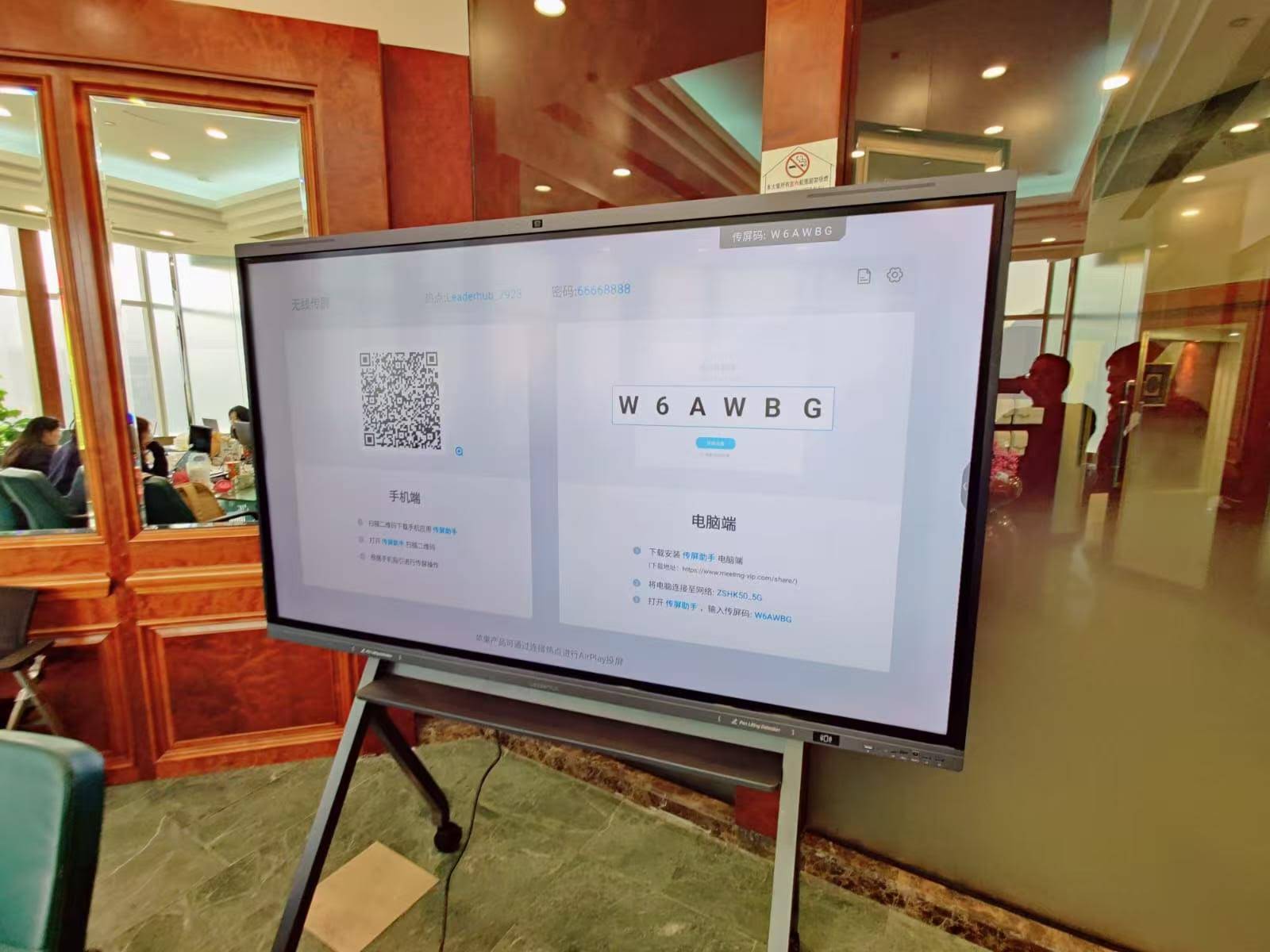
These devices typically feature a large touchscreen display connected to a computer system, enabling real-time collaboration, multimedia presentations, and seamless integration with various software applications. Modern smart boards have evolved significantly since their introduction, now incorporating artificial intelligence capabilities that enhance user experience and productivity.
Core Components of Smart Board Technology
Understanding how smart boards work requires examining their essential components and how they interact to create an interactive experience.
Touch-Sensitive Display Panel
The display panel represents the most visible component of any smart board. Most modern devices use one of several touch detection technologies:
- Capacitive Touch Technology: Similar to smartphones and tablets, capacitive screens detect electrical conductivity from your fingers. This technology offers multi-touch capabilities, allowing multiple users to interact simultaneously with the board.
- Infrared Touch Technology: These systems use an invisible grid of infrared light beams across the screen surface. When you touch the screen, you interrupt the beams, and sensors calculate the precise touch location.
- Resistive Touch Technology: Older systems may use pressure-sensitive layers that register touch when pressed together. While less common in modern high-end models, this technology works with any object, including gloved hands or styluses.
- Electromagnetic Technology: Some professional-grade boards use electromagnetic resonance, requiring specialized pens that communicate with sensors embedded in the display for highly precise input.
Integrated Computing System
Modern interactive flat panels include built-in computing power, eliminating the need for external computers. These integrated systems typically feature:
| Component | Function | Typical Specifications |
|---|---|---|
| Processor (CPU) | Executes applications and processes touch inputs | Quad-core to Octa-core ARM or x86 |
| Memory (RAM) | Enables smooth multitasking | 4GB to 8GB |
| Storage | Stores operating system, apps, and files | 32GB to 128GB internal storage |
| Operating System | Provides software platform | Android, Windows, or proprietary OS |
Connectivity and Input/Output Ports
Smart boards function as central hubs for various devices and systems. Common connectivity options include:
- HDMI/DisplayPort inputs: Connect external computers, laptops, or media players
- USB ports: Support peripherals like keyboards, mice, webcams, and storage devices
- Wireless connectivity: Wi-Fi and Bluetooth enable screen mirroring from mobile devices and wireless accessory pairing
- Network ports: Ethernet connections for stable internet access and network management
- Audio output: Built-in speakers and headphone jacks for multimedia presentations
How Touch Detection Works
The magic behind interactive whiteboards lies in their ability to accurately detect and respond to user input. Different technologies accomplish this in distinct ways.
Capacitive Touch Detection Process
Capacitive screens, found in most modern high-quality smart boards, work through the following process:
- Electrostatic Field Generation: The screen maintains a uniform electrostatic field across its surface using a transparent conductive layer.
- Touch Detection: When your finger (a conductor) touches the screen, it draws a small electrical charge to that point, creating a distortion in the electrostatic field.
- Location Calculation: Sensors at the screen’s corners measure the change in capacitance and calculate the exact coordinates of your touch.
- Signal Processing: The controller chip processes this information and sends it to the operating system, which interprets it as a mouse click, gesture, or writing input.
- Response Execution: The system executes the corresponding action, whether opening an application, drawing a line, or manipulating an object.
Infrared Touch Technology Explained
Infrared-based smart boards use a different approach that offers excellent durability and works with any input object:
The screen frame contains LED emitters and photodetectors arranged in a grid pattern. LEDs continuously emit invisible infrared light beams horizontally and vertically across the screen surface. When you touch the screen with your finger, a pen, or any object, you block specific beams. The photodetectors identify which beams were interrupted, and the processor triangulates your touch position based on the intersection points of the blocked beams.
This technology offers several advantages, including the ability to work with gloves, styluses, or pointers, and excellent resistance to scratches and screen damage since there’s no pressure-sensitive layer.
Software Integration and Operating Systems
Hardware alone doesn’t create the smart board experience¡ªsophisticated software brings interactive capabilities to life.
Native Operating Systems
Modern smart boards typically run on one of three operating system platforms:
- Android-based Systems: Many manufacturers, including LeaderHub, utilize customized Android platforms that offer familiar touch interfaces, access to educational and productivity apps through app stores, and cost-effective implementation with good performance.
- Windows-based Systems: Premium models often run full Windows operating systems, providing complete compatibility with desktop software applications, seamless integration with Microsoft 365 and collaboration tools, and the ability to run specialized professional applications.
- Proprietary Systems: Some manufacturers develop custom operating systems optimized specifically for educational or business collaboration scenarios.
Interactive Whiteboard Software
Specialized software transforms the display into a truly interactive workspace. Common features include:
- Digital Whiteboard Tools: Virtual pens, highlighters, shapes, and text tools for annotation and brainstorming
- Screen Recording and Capture: Document sessions by recording video or capturing screenshots
- Multi-user Collaboration: Enable simultaneous input from multiple users
- Cloud Integration: Save and share content through cloud storage services
- Lesson/Presentation Libraries: Access pre-built templates and educational resources
- Screen Sharing and Casting: Display content from mobile devices or remote participants
Practical Applications Across Industries
Smart boards have found applications far beyond traditional classrooms, transforming collaboration in various professional environments.
Education Sector Implementation
In educational settings, smart whiteboards enable:
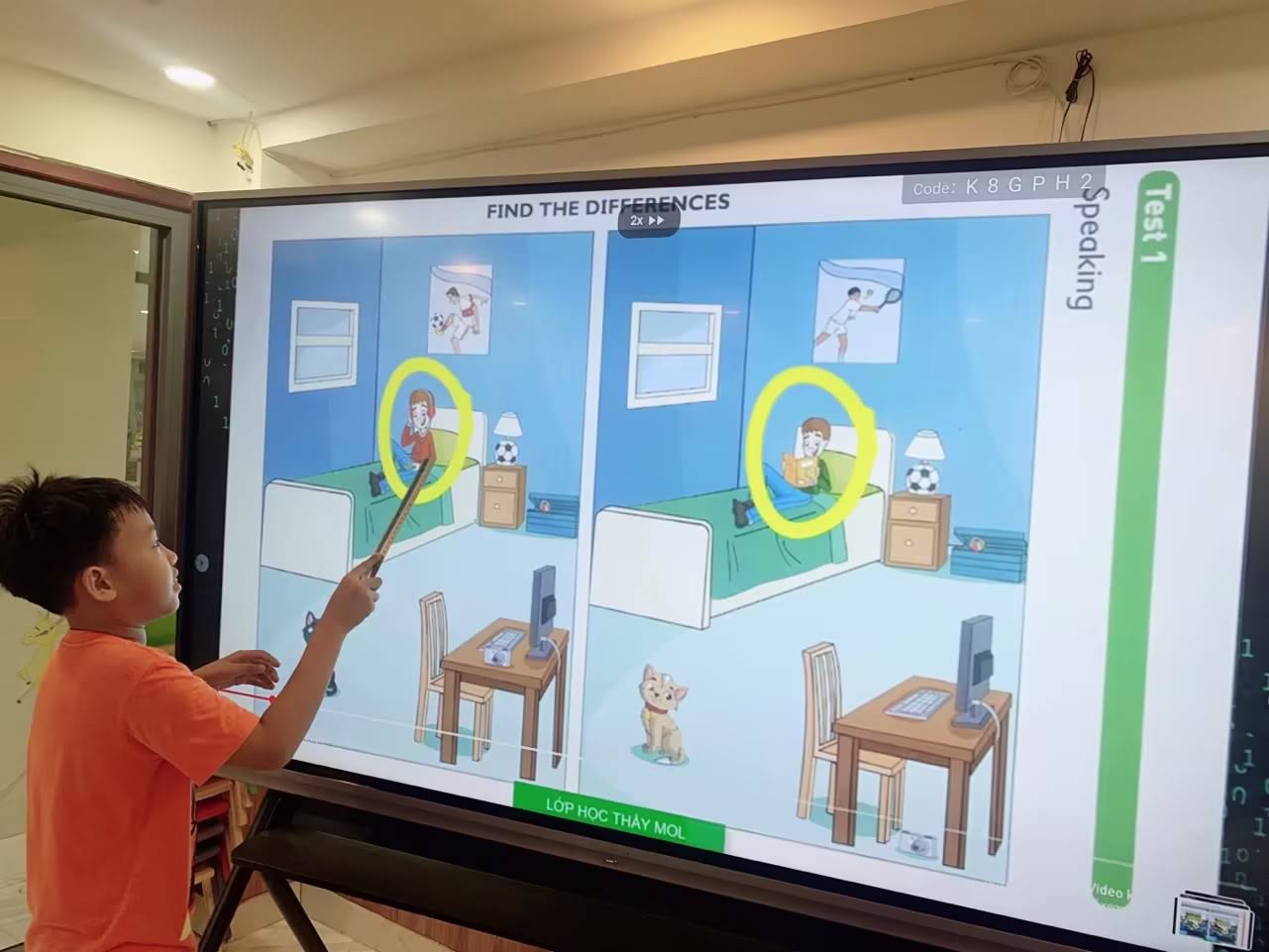
- Interactive Lessons: Teachers display multimedia content, annotate over educational videos, and manipulate 3D models in real-time
- Student Engagement: Students interact directly with lesson materials, solve problems on the board, and participate in interactive quizzes
- Remote Learning: Integrate with video conferencing platforms to teach hybrid or remote classes effectively
- Differentiated Instruction: Access various content types and difficulty levels to accommodate different learning styles
According to educational technology research, classrooms equipped with interactive displays show an average 16% improvement in student engagement and 23% faster concept comprehension compared to traditional teaching methods.
Corporate and Business Use Cases
In business environments, smart boards facilitate:
- Effective Meetings: Teams brainstorm ideas, annotate presentations, and make real-time decisions collaboratively
- Remote Collaboration: Connect distributed teams through integrated video conferencing while sharing interactive content
- Project Planning: Visualize timelines, workflows, and project structures using digital sticky notes and diagrams
- Client Presentations: Deliver professional, interactive demonstrations that engage clients and stakeholders
- Training Sessions: Conduct engaging employee training with interactive materials and immediate feedback
A 2025 workplace productivity study found that meeting rooms equipped with interactive displays reduce average meeting time by 28% while increasing participant satisfaction scores by 34%.
Advanced Features and AI Integration
Modern smart board technology continues evolving, incorporating artificial intelligence and advanced features that enhance functionality.
AI-Powered Capabilities
Contemporary smart boards leverage AI technology for:
- Handwriting Recognition: Convert handwritten notes into typed text with impressive accuracy across multiple languages
- Gesture Recognition: Understand natural hand movements for intuitive control without physical buttons
- Smart Content Suggestions: AI algorithms recommend relevant resources, images, or information based on lesson or meeting content
- Automatic Translation: Real-time translation of written content for multilingual environments
- Voice Control: Execute commands, search information, or control presentations using voice commands
- Intelligent Screen Splitting: Automatically organize multiple content sources in optimal layouts
Cloud Connectivity and Cross-Platform Integration
Modern interactive displays function as nodes in broader digital ecosystems:
- Cloud Storage Integration: Seamlessly save sessions to Google Drive, OneDrive, Dropbox, and other cloud platforms
- Calendar and Scheduling Sync: Automatically display meeting agendas and participant information from calendar systems
- Cross-Device Continuity: Start work on the smart board and continue on tablets or laptops without interruption
- Remote Access: Control and view the smart board from remote locations during hybrid meetings
Technical Specifications That Matter
When evaluating smart board technology, certain specifications significantly impact performance and user experience.
Display Quality Considerations
Key display specifications include:
| Specification | Impact on Performance | Recommended Range |
|---|---|---|
| Resolution | Determines image clarity and text readability | 4K (3840¡Á2160) for optimal quality |
| Brightness | Ensures visibility in various lighting conditions | 350-450 cd/m2 for most environments |
| Viewing Angle | Allows multiple viewers to see clearly from different positions | 178¡ã horizontal and vertical |
| Touch Response Time | Affects how quickly the board responds to input | ¡Ü6ms for smooth interaction |
| Touch Points | Enables simultaneous interaction by multiple users | 20+ points for collaborative work |
Processing Power and Performance
The computing capabilities of a smart board determine how smoothly it can run applications, process touch inputs, and handle multitasking. High-quality systems feature processors capable of handling 4K video playback, running multiple applications simultaneously without lag, processing handwriting recognition in real-time, and supporting video conferencing with screen sharing.
Installation and Setup Considerations
Proper installation ensures optimal performance and longevity of smart board systems.
Physical Installation Requirements
Professional installation should consider:
- Mounting Height: Position the board at appropriate height for the primary users (lower for elementary students, higher for adults)
- Wall Structure: Ensure wall can support the weight (typically 30-80 kg depending on size)
- Lighting Conditions: Avoid direct sunlight or bright overhead lights that create glare
- Accessibility: Provide adequate clearance for users to approach and interact with the board
- Cable Management: Plan for power, network, and peripheral cable routing
Network and Integration Setup
Connecting the smart board to existing systems requires:
- Network Configuration: Connect to institutional network with appropriate security protocols
- Software Deployment: Install necessary applications and configure cloud service connections
- User Account Management: Set up authentication and user profiles for shared environments
- Peripheral Integration: Configure cameras, microphones, and other accessories
- IT Security: Implement security policies, regular updates, and access controls
Maintenance and Longevity
Smart boards represent significant investments, making proper maintenance essential for maximizing their useful life.
Regular Maintenance Practices
To keep your smart board functioning optimally:
- Screen Cleaning: Use microfiber cloths and approved cleaning solutions to remove fingerprints and dust (avoid harsh chemicals that can damage anti-glare coatings)
- Software Updates: Regularly update the operating system and applications to ensure security and access to new features
- Touch Calibration: Periodically recalibrate touch sensitivity to maintain accuracy
- Ventilation: Keep ventilation ports clear to prevent overheating
- Cable Inspection: Check cables and connections for wear or damage
Expected Lifespan and Reliability
Quality smart boards from established manufacturers typically offer:
- Display Lifespan: 50,000+ operating hours (equivalent to 15-20 years of typical use)
- Touch System Durability: Millions of touch operations without degradation
- Component Warranty: 3-5 year coverage from reputable manufacturers
- Software Support: Long-term operating system and security updates
LeaderHub’s interactive display solutions are designed with longevity in mind, featuring robust hardware and comprehensive support backed by over 16 years of industry experience.
Comparing Smart Board Technologies
Different smart board technologies offer distinct advantages depending on your specific use case.
Interactive Flat Panels vs. Projection-Based Systems
Traditional interactive whiteboards used projectors combined with touch-sensitive surfaces, but modern flat panel displays have largely replaced them due to:
| Aspect | Interactive Flat Panel | Projection-Based System |
|---|---|---|
| Image Quality | Superior: Consistent, bright 4K resolution | Variable: Affected by ambient light and projector lamp age |
| Maintenance | Low: No lamps to replace, minimal upkeep | High: Regular lamp replacement, filter cleaning, calibration |
| Shadow Issues | None: Direct display eliminates shadows | Present: User creates shadows when standing in front |
| Installation | Simple: Wall mount or mobile stand | Complex: Projector positioning and calibration required |
| Total Cost | Higher initial, lower long-term | Lower initial, higher long-term |
Future Trends in Smart Board Technology
The interactive display industry continues evolving rapidly, with several emerging trends shaping future developments.
Enhanced AI and Machine Learning Integration
Next-generation smart boards will leverage more sophisticated AI for automatic content generation based on lesson plans or meeting agendas, predictive text and diagram completion, emotion recognition to gauge audience engagement, personalized learning path recommendations in educational settings, and automatic meeting summaries and action item extraction.
Improved Collaboration Features
Future developments focus on enhanced remote collaboration through better AR/VR integration, spatial audio for improved remote participant presence, real-time multi-language translation during presentations, simultaneous editing with conflict resolution, and persistent digital workspaces that maintain context across sessions.
Environmental and Sustainability Advances
Manufacturers are increasingly focusing on energy-efficient displays with lower power consumption, extended product lifespans to reduce electronic waste, recyclable materials and sustainable manufacturing processes, automatic power management, and eco-mode operation.
Choosing the Right Smart Board for Your Needs
Selecting an appropriate interactive display requires evaluating several factors specific to your environment and use cases.
Key Selection Criteria
Consider these factors when evaluating smart board options:
- Room Size and Viewing Distance: Larger spaces require bigger displays (typically 75-98 inches) for visibility from the back
- Primary Use Case: Educational applications may prioritize annotation tools, while business use emphasizes video conferencing integration
- User Technical Proficiency: Choose systems with appropriate interface complexity for your user base
- Existing Infrastructure: Ensure compatibility with current networks, software platforms, and authentication systems
- Budget Considerations: Balance initial cost against long-term operating expenses and expected lifespan
- Support and Service: Evaluate manufacturer support, warranty coverage, and local service availability
Educational vs. Business Models
Different environments benefit from specialized features:
Education-focused smart boards typically include subject-specific educational apps and content libraries, assessment and quiz tools with student response systems, classroom management features, durable construction for high-frequency student interaction, and anti-bacterial screen coatings.
Business-oriented models emphasize video conferencing integration with leading platforms, wireless presentation from multiple devices, calendar and room booking integration, sophisticated security and access controls, and premium aesthetics suitable for client-facing environments.
Conclusion
Smart boards represent a convergence of display technology, computing power, intuitive interfaces, and sophisticated software that transforms how we share information and collaborate. Whether in classrooms or conference rooms, these interactive displays enable more engaging, efficient, and productive work.
Understanding how smart boards work¡ªfrom touch detection mechanisms to AI-powered features¡ªhelps users and organizations maximize the value of these investments. As technology continues advancing, smart boards will become even more intelligent, intuitive, and integrated into our digital workflows.
For organizations considering interactive display solutions, prioritize systems from established manufacturers with proven track records of reliability, ongoing innovation, and comprehensive support. The right smart board becomes not just a piece of technology, but a catalyst for better communication, enhanced learning, and more effective collaboration in an increasingly digital world.








