
In today’s digitally connected world, traditional whiteboards and static presentation tools are rapidly being replaced by interactive technologies that transform how we learn, collaborate, and communicate. A smart board represents this evolution¡ªcombining the familiar experience of writing and drawing with powerful digital capabilities that enhance engagement and productivity across education and business environments.
This comprehensive guide explores what smart boards are, how they work, their key features, practical applications, and the measurable benefits they deliver to organizations worldwide.
Understanding Smart Board Technology
A smart board, also known as an interactive whiteboard or interactive flat panel display, is a large touchscreen device that connects traditional presentation methods with modern digital technology. Unlike conventional whiteboards that simply display static content, smart boards allow users to interact directly with digital content using touch gestures, styluses, or other input methods.
These advanced displays integrate computing capabilities, internet connectivity, and collaborative software into a single interactive surface. Users can write, draw, annotate, manipulate digital objects, access online resources, run applications, and save their work¡ªall through intuitive touch interactions that feel natural and responsive.
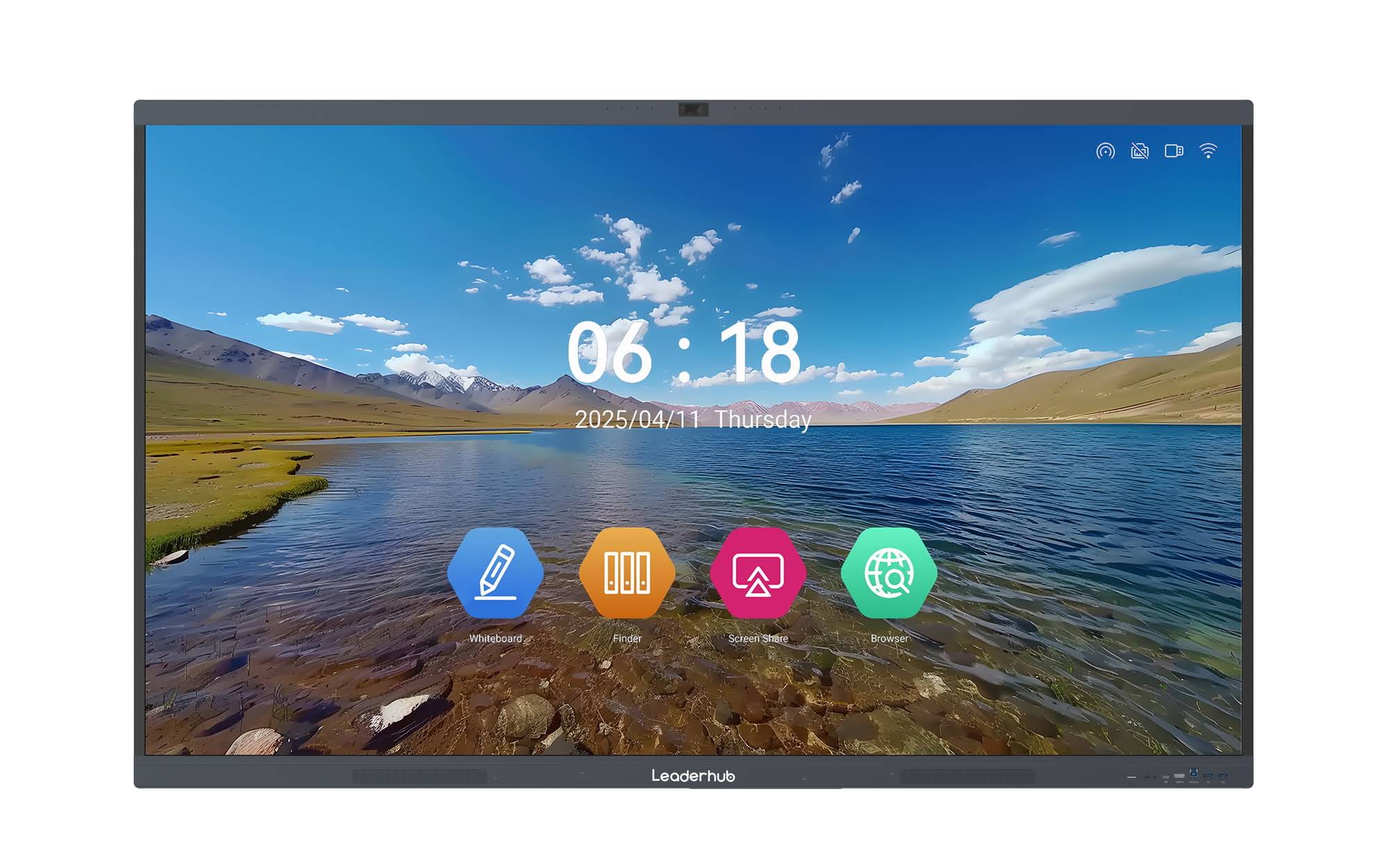
The technology behind smart boards has evolved significantly since their introduction. Early models relied on projectors and external computers, but modern interactive flat panels now feature built-in computing systems, high-resolution 4K displays, and sophisticated touch sensors that deliver precise, lag-free interaction.
Core Features That Define Modern Smart Boards
Today’s smart boards incorporate a comprehensive suite of features designed to maximize interactivity, collaboration, and ease of use. Understanding these capabilities helps organizations select the right solution for their specific needs.
Multi-Touch Interaction
Modern smart boards support simultaneous touch inputs from multiple users, enabling collaborative work where several people can write, draw, or manipulate content at the same time. Advanced models recognize up to 20 or more touch points, allowing entire teams to participate actively in brainstorming sessions, problem-solving exercises, or interactive lessons.
High-Resolution Display Technology
Contemporary smart boards feature ultra-high-definition 4K displays that deliver crystal-clear text, vibrant images, and smooth video playback. This visual clarity ensures that content remains legible from any viewing angle and distance, whether in small meeting rooms or large lecture halls.
Built-In Computing Power
Unlike earlier generations that required external computers, modern smart boards include integrated Android or Windows operating systems with sufficient processing power to run applications independently. This eliminates cable clutter, simplifies setup, and reduces overall system cost.
Wireless Connectivity
Smart boards support various wireless technologies including Wi-Fi, Bluetooth, and screen mirroring protocols like Miracast and AirPlay. These capabilities enable seamless content sharing from laptops, tablets, and smartphones without physical connections, supporting flexible collaboration in hybrid work and learning environments.
Interactive Software Platforms
Comprehensive software ecosystems provide tools for whiteboarding, annotation, screen recording, file management, and cloud integration. Many platforms include subject-specific templates, educational resources, and business presentation tools that enhance productivity and engagement.
Cloud Integration and Storage
Modern smart boards connect with popular cloud services like Google Drive, Microsoft OneDrive, and Dropbox, enabling users to access stored content, save session notes automatically, and share materials with remote participants instantly.
| Feature Category | Key Capabilities | Primary Benefit |
|---|---|---|
| Touch Technology | Multi-point touch, palm rejection, stylus support | Natural, intuitive interaction |
| Display Quality | 4K resolution, anti-glare coating, wide viewing angles | Enhanced visibility and clarity |
| Connectivity | HDMI, USB-C, wireless casting, network integration | Flexible device integration |
| Software Ecosystem | Whiteboarding, annotation, collaboration tools | Comprehensive functionality |
| AI Integration | Handwriting recognition, smart templates, content suggestions | Increased efficiency and intelligence |
How Smart Boards Work: Technology Breakdown
Understanding the underlying technology helps users maximize the potential of their smart board investment. Modern interactive displays combine several sophisticated technologies working in harmony.
Touch Detection Systems
Smart boards employ various touch detection methods, with infrared and capacitive being the most common. Infrared systems use invisible light beams across the screen surface to detect touch, while capacitive systems respond to the electrical properties of the human body¡ªsimilar to smartphone screens.
Advanced models incorporate both technologies to provide precise touch response, palm rejection (ignoring unintended hand contact while writing), and the ability to distinguish between fingers and styluses.
Processing and Operating Systems
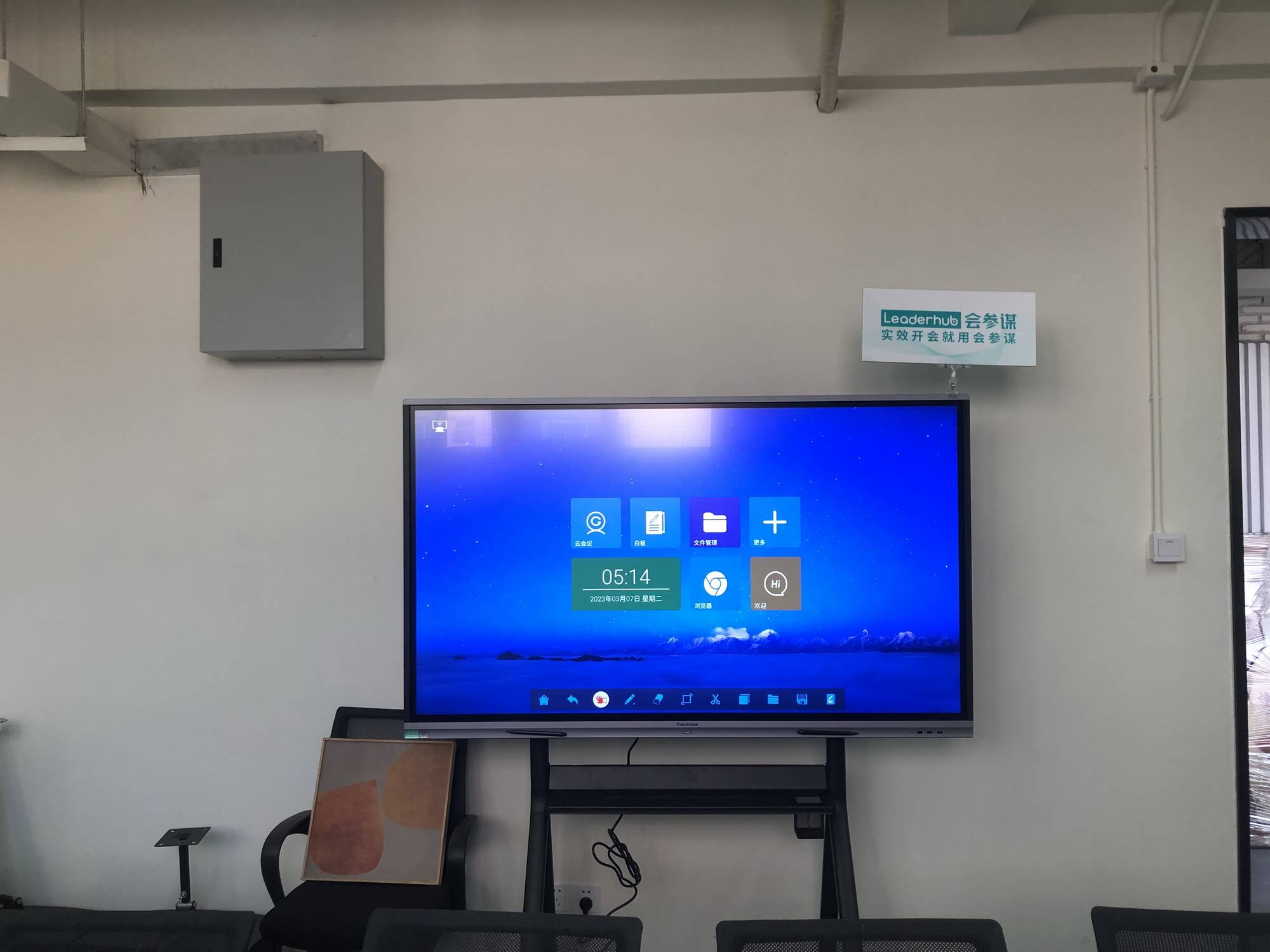
Built-in computing modules run either Android or Windows operating systems, providing the processing power needed for applications, web browsing, video playback, and multitasking. High-performance processors ensure smooth operation even when running multiple applications simultaneously or handling complex visualizations.
Display Technology
LED-backlit LCD panels deliver the visual output, with 4K resolution becoming standard in professional and educational settings. Anti-glare coatings reduce reflections from ambient lighting, while wide color gamuts ensure accurate color reproduction for presentations and media content.
Practical Applications Across Industries
Smart boards have proven valuable across diverse sectors, each leveraging the technology in ways that address specific workflow needs and communication challenges.
Education and Training
Educational institutions represent the largest adopters of smart board technology. Teachers use interactive displays to deliver dynamic lessons that incorporate multimedia content, interactive exercises, and collaborative activities. Research from the Education Technology Journal indicates that classrooms using interactive displays show a 23% increase in student engagement compared to traditional teaching methods.
Key educational applications include:
- Interactive lesson delivery with embedded videos, simulations, and animations
- Real-time annotation over educational content and student presentations
- Collaborative problem-solving where students work together on the interactive surface
- Virtual field trips and connections with remote guest speakers
- Immediate formative assessment through interactive quizzing and polling
- Accommodation for diverse learning styles through multi-sensory instruction
Corporate Meetings and Collaboration
Businesses deploy smart boards in conference rooms, huddle spaces, and executive briefing centers to facilitate more productive meetings. According to a 2024 study by the International Data Corporation, organizations using interactive collaboration displays report a 34% reduction in meeting time while achieving better outcomes.
Business use cases include:
- Visual brainstorming sessions with instant digital capture
- Remote collaboration with distributed teams through video conferencing integration
- Interactive data presentations where stakeholders can explore information in real-time
- Design review sessions with annotation and markup capabilities
- Project planning using digital sticky notes, timelines, and kanban boards
- Client presentations with professional, engaging visual delivery
Healthcare Settings
Medical facilities utilize smart boards for patient education, clinical collaboration, and medical training. The technology enables healthcare professionals to display diagnostic images, explain procedures visually, and conduct case reviews with interactive anatomical models.
Government and Public Sector
Government agencies employ smart boards for emergency operations centers, public presentations, planning sessions, and citizen engagement meetings. The ability to display complex data, maps, and real-time information proves valuable in crisis management and strategic planning scenarios.
Measurable Benefits and ROI
Organizations investing in smart board technology typically experience tangible returns across multiple dimensions. Understanding these benefits helps justify the investment and set appropriate performance expectations.
Enhanced Engagement and Participation
Interactive technology naturally encourages active participation rather than passive observation. Educational research consistently demonstrates that kinesthetic and visual learning¡ªboth supported by smart boards¡ªimprove retention and comprehension. In business contexts, interactive meetings maintain attention and generate more creative solutions than traditional presentation formats.
Improved Collaboration Efficiency
Smart boards eliminate common collaboration friction points. Teams spend less time on technical setup, content sharing, and post-meeting documentation. The ability to save sessions automatically and share them instantly with absent stakeholders ensures continuity and reduces follow-up overhead.
Cost Reduction Over Time
While the initial investment exceeds traditional whiteboards, smart boards eliminate ongoing costs associated with projector lamp replacements, whiteboard markers, printing handouts, and technical support for complex AV systems. LeaderHub, with over 16 years of experience manufacturing interactive display solutions, reports that customers typically achieve ROI within 18-24 months through reduced operational expenses and productivity gains.
Flexibility for Hybrid Work and Learning
The COVID-19 pandemic accelerated the adoption of hybrid models in both education and business. Smart boards with integrated video conferencing and content sharing capabilities enable seamless connections between in-person and remote participants, ensuring that physical location does not limit collaboration effectiveness.
Environmental Sustainability
Digital workflows enabled by smart boards reduce paper consumption, eliminate disposable markers, and decrease the carbon footprint associated with printing and physical material distribution. Organizations pursuing sustainability goals find smart boards align with their environmental commitments.
Comparing Smart Board Types and Configurations
Not all smart boards are created equal. Organizations should understand the distinctions between product categories to select the solution that best fits their requirements, space constraints, and budget.
Interactive Flat Panel Displays
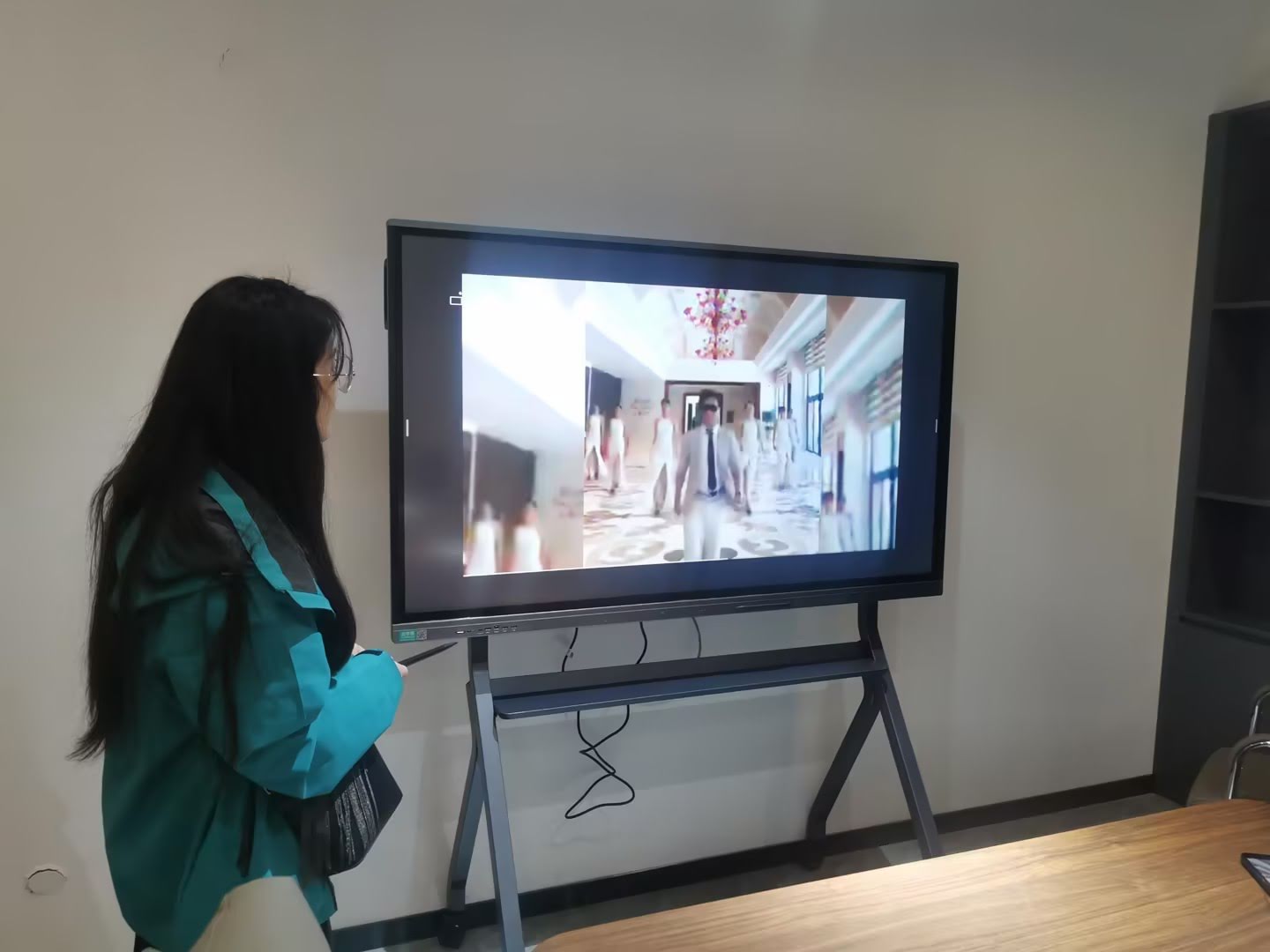
These all-in-one units combine display, computing, and touch technology in a single device. They offer the simplest installation, requiring only a power connection and optional network cable. Sizes typically range from 55 inches to 110 inches diagonal, with larger models suited for auditoriums and large conference rooms.
Interactive Whiteboards with Projectors
Traditional smart boards use projectors to display content on a touch-sensitive surface. While less expensive initially, they require more complex installation, regular projector maintenance, and perform poorly in brightly lit environments. Most organizations now favor flat panel solutions for their superior image quality and reliability.
Portable Smart Screens
Smaller, mobile interactive displays on rolling stands provide flexibility for organizations that need to move technology between spaces. These units typically range from 55 to 75 inches and serve well in training environments, healthcare facilities, and businesses with multi-purpose rooms.
Integration with External Devices
Organizations with specific software requirements or high-performance computing needs may opt to connect smart boards to external computers via HDMI or USB-C. This configuration offers maximum flexibility but adds complexity to the setup and requires additional equipment management.
| Configuration Type | Best For | Key Considerations |
|---|---|---|
| All-in-One Flat Panel | Most installations, permanent rooms | Simplest setup, best image quality, higher initial cost |
| Projector-Based System | Budget-conscious installations, existing projector infrastructure | Lower upfront cost, requires maintenance, lighting sensitive |
| Portable Mobile Unit | Shared spaces, multiple rooms, temporary setups | Maximum flexibility, smaller screen size, requires storage |
| External PC Connected | Specialized software requirements, high-performance needs | Most flexibility, more complex setup, additional hardware |
Selecting the Right Smart Board: Key Decision Factors
Choosing an appropriate smart board requires careful consideration of organizational needs, technical requirements, and long-term strategic goals. The following factors guide successful selection and deployment.
Screen Size and Room Dimensions
Screen size should match viewing distance and room capacity. A general guideline suggests that the maximum viewing distance should not exceed 6 times the screen height. For example, a 75-inch display works well for rooms where the farthest viewer sits approximately 20 feet away, while large lecture halls may require 86-inch or larger displays.
Resolution and Image Quality
4K resolution has become the professional standard, providing sufficient detail for small text, complex diagrams, and high-definition video content. Lower resolutions may suffice for simple presentations but limit the display’s versatility for diverse content types.
Touch Technology and Responsiveness
Evaluate touch accuracy, response time, and palm rejection capabilities through hands-on testing when possible. High-quality touch systems feel natural and precise, while inferior implementations frustrate users with lag, missed inputs, or accidental activations.
Software Ecosystem and Compatibility
Assess whether the included software meets your needs or if additional applications will be required. Consider compatibility with existing tools, cloud services, and file formats used by your organization. Open platforms that support third-party applications offer greater long-term flexibility than proprietary closed systems.
Connectivity Options
Ensure the smart board includes appropriate ports and wireless capabilities for your devices. USB-C ports with video, data, and power delivery simplify single-cable laptop connections. Multiple HDMI inputs support connections from various sources without constant cable swapping.
Durability and Warranty
Commercial-grade smart boards designed for intensive daily use offer better long-term value than consumer-oriented displays. Examine warranty terms, support availability, and the manufacturer’s track record for reliability. Established manufacturers with extensive experience typically provide better long-term support and parts availability.
Total Cost of Ownership
Consider all costs beyond the initial purchase price, including installation, mounting hardware, extended warranties, software licenses, training, and ongoing maintenance. Compare TCO across different solutions rather than focusing solely on upfront price.
Implementation Best Practices
Successful smart board deployment extends beyond hardware installation. Organizations that follow structured implementation approaches achieve better adoption rates and realize greater value from their investment.
Professional Installation and Setup
While some units claim easy installation, professional mounting ensures optimal viewing height, proper cable management, and secure wall attachment that meets safety standards. Professional installers also configure network settings, test functionality, and provide initial orientation.
Comprehensive User Training
Technology adoption succeeds when users feel confident and competent. Provide hands-on training that covers basic operations, common workflows, troubleshooting, and advanced features relevant to each user group. Follow initial training with ongoing support resources including video tutorials, quick reference guides, and accessible technical assistance.
Content Development and Sharing
Create libraries of reusable templates, lesson plans, presentation frameworks, and collaborative workspaces that help users get started quickly. Establish systems for sharing successful examples across teams or departments, accelerating adoption through peer learning.
Technical Support Infrastructure
Designate local support resources who receive advanced training and can assist with common issues. Establish clear escalation paths to manufacturer support for complex technical problems. Document solutions to recurring issues in an internal knowledge base.
Usage Monitoring and Optimization
Track utilization metrics to identify underutilized units, successful use cases, and opportunities for expanded deployment. Gather user feedback regularly to address pain points and identify feature requests that might be addressed through software updates or configuration changes.
Emerging Trends and Future Developments
Smart board technology continues evolving rapidly, driven by advances in artificial intelligence, connectivity, and display technology. Understanding these trends helps organizations make forward-looking investment decisions.
AI-Powered Features
Artificial intelligence increasingly enhances smart board capabilities. Current and emerging AI features include handwriting recognition that converts handwritten notes to editable text, intelligent content suggestions based on context, automatic meeting summaries, real-time language translation for multilingual meetings, and smart layout tools that organize whiteboard content automatically.
Enhanced Camera and Video Systems
Next-generation smart boards integrate advanced camera systems with AI-powered features like automatic framing that keeps speakers centered, intelligent cropping that optimizes remote participants’ views, gesture recognition for touchless control, and noise cancellation that improves audio quality in noisy environments.
Cloud-Native Collaboration
Smart boards are becoming seamlessly integrated with cloud collaboration platforms, enabling persistent digital workspaces accessible from any device, automatic synchronization across multiple displays, and easier collaboration with remote participants through cloud-based whiteboarding.
Improved Energy Efficiency
Newer display technologies and intelligent power management reduce energy consumption. Features like automatic brightness adjustment based on ambient light, instant-on technology that eliminates warm-up periods, and low-power standby modes decrease operational costs and environmental impact.
Modular and Scalable Designs
Manufacturers are developing modular approaches where organizations can start with basic configurations and add capabilities over time through hardware modules or software upgrades, extending product lifespan and protecting initial investments.
Common Challenges and Solutions
While smart boards deliver significant benefits, organizations may encounter challenges during deployment and adoption. Understanding these obstacles and their solutions prevents frustration and accelerates successful implementation.
User Resistance and Adoption Barriers
Challenge: Some users resist new technology, preferring familiar methods despite their limitations.
Solution: Involve stakeholders early in the selection process, demonstrate clear benefits through pilot programs, provide patient training that meets users where they are, celebrate early successes to build momentum, and ensure leadership actively supports and models technology use.
Technical Difficulties and Reliability Issues
Challenge: Connection problems, software crashes, or hardware malfunctions undermine confidence and disrupt workflows.
Solution: Invest in quality hardware from reputable manufacturers, maintain robust network infrastructure with adequate bandwidth, implement proactive maintenance schedules, establish responsive technical support, and develop workaround procedures for common issues.
Content Creation and Preparation Time
Challenge: Creating interactive content requires more time than traditional preparation methods.
Solution: Build libraries of reusable templates and content elements, share resources across teams or departments, allocate time for content development in work planning, leverage existing digital materials rather than recreating from scratch, and recognize that preparation time decreases significantly with experience.
Integration with Existing Systems
Challenge: Smart boards may not seamlessly connect with legacy systems, proprietary software, or existing AV infrastructure.
Solution: Thoroughly assess compatibility requirements before purchase, work with manufacturers to identify integration solutions, consider middleware or translation tools when necessary, and factor integration costs into total cost of ownership calculations.
Maintenance and Long-Term Care
Proper maintenance ensures smart boards continue operating reliably throughout their expected 5-7 year lifespan. Simple preventive care practices protect the investment and minimize disruptions.
Regular Cleaning
Clean the screen surface regularly with appropriate materials¡ªtypically microfiber cloths and screen-safe cleaning solutions. Avoid abrasive materials, excessive moisture, or household cleaners containing ammonia or alcohol that can damage anti-glare coatings.
Software Updates
Apply firmware and software updates promptly to access new features, improve performance, and address security vulnerabilities. Establish update schedules during low-usage periods to minimize disruption.
Environmental Considerations
Maintain appropriate room temperature and humidity levels as specified by the manufacturer. Ensure adequate ventilation around the display to prevent overheating. Protect units from direct sunlight which can cause screen damage or thermal issues.
Professional Servicing
Schedule periodic professional inspections to identify potential issues before they cause failures. Address minor problems promptly rather than waiting for complete breakdowns. Maintain contact with authorized service providers who have access to genuine replacement parts.
Conclusion: Transforming Communication and Collaboration
Smart boards represent far more than incremental improvements over traditional whiteboards¡ªthey fundamentally transform how people share ideas, solve problems, and work together. By combining intuitive touch interaction with powerful digital capabilities, these interactive displays remove barriers to communication and make collaboration more natural, efficient, and engaging.
Educational institutions use smart boards to create dynamic learning environments that accommodate diverse learning styles and increase student engagement. Businesses deploy them to conduct more productive meetings, facilitate remote collaboration, and present information in compelling ways. Healthcare, government, and other sectors find applications that improve communication, training, and decision-making processes.
The technology continues advancing rapidly, with artificial intelligence, enhanced connectivity, and improved display quality expanding capabilities and use cases. Organizations investing in quality smart board solutions from experienced manufacturers position themselves to benefit from these ongoing innovations through software updates and compatible accessories.
Success requires more than just purchasing hardware. Effective implementation includes professional installation, comprehensive training, ongoing support, and organizational commitment to technology-enabled collaboration. When these elements align, smart boards deliver measurable returns through improved engagement, increased efficiency, cost reductions, and enhanced flexibility for hybrid work and learning environments.
As digital transformation accelerates across industries, interactive display technology has moved from optional enhancement to essential infrastructure. Smart boards provide the foundation for modern communication and collaboration¡ªturning every meeting room and classroom into an interactive space where ideas come to life, participation flourishes, and outcomes improve. For organizations ready to move beyond static presentations and passive learning, smart board solutions offer a proven path toward more effective, engaging, and productive collaboration.








