
In today’s fast-paced digital world, interactive smart boards have become essential tools for education, business collaboration, and creative work. These advanced devices combine traditional whiteboard functionality with modern computing power, transforming how we present information, teach lessons, conduct meetings, and collaborate on projects. Whether you’re an educator looking to enhance classroom engagement or a business professional seeking more dynamic presentations, understanding what an interactive smart board offers can help you make informed decisions about integrating this technology into your environment.
Understanding Interactive Smart Boards: The Basics
An interactive smart board is a large touchscreen display that connects to a computer and projector or functions as a standalone system with built-in computing capabilities. Unlike traditional whiteboards that only allow writing with markers, these intelligent displays enable users to control digital content through touch gestures, stylus input, or connected devices. Modern interactive smart boards typically feature high-resolution displays ranging from 55 to 98 inches, running on Android or Windows operating systems with integrated collaboration software.
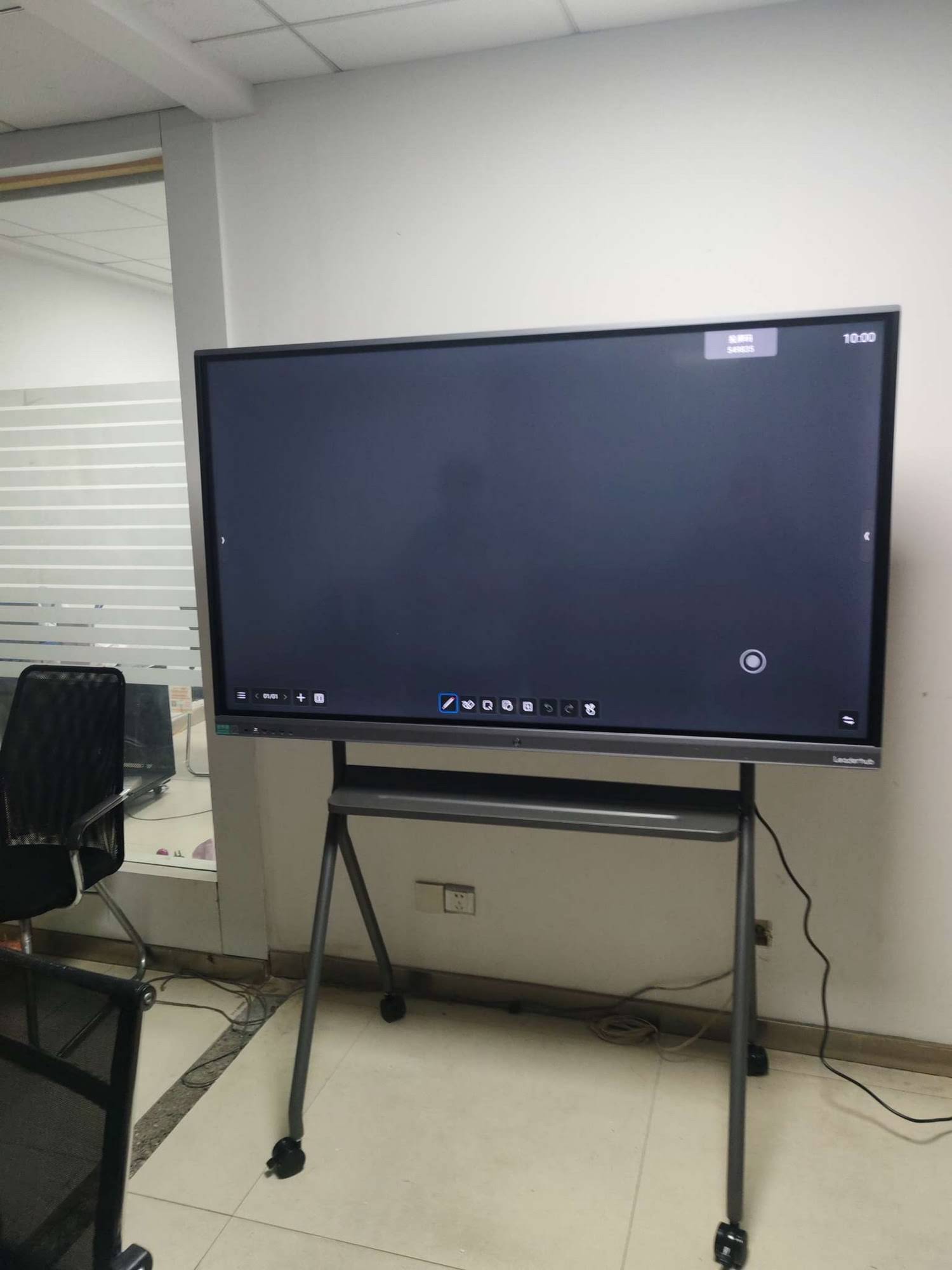
The technology behind these devices has evolved significantly over the past decade. Early interactive boards required external projectors and were often plagued by calibration issues and shadow interference. Today’s models incorporate advanced display technology that eliminates these problems entirely, offering 4K resolution, anti-glare surfaces, and precise multi-touch recognition that supports up to 20 simultaneous touch points.
Core Features That Define Modern Interactive Smart Boards
Advanced Touch Technology and Input Methods
Contemporary interactive smart boards utilize infrared, capacitive, or electromagnetic touch technology to detect input with remarkable accuracy. Users can write naturally with fingers or styluses, annotate over any content, and perform standard computing gestures like pinch-to-zoom and swipe navigation. Many models recognize different input types simultaneously¡ªallowing one user to write with a stylus while another manipulates objects with their fingers.
Integrated Computing and Connectivity
Most modern interactive panels include built-in computers powered by Intel Core processors or ARM-based chipsets, eliminating the need for external PCs in many scenarios. These systems typically offer:
- Built-in operating systems (Android 11+, Windows 10/11) with native application support
- Multiple connectivity options including HDMI, USB-C, DisplayPort, and wireless screen sharing
- Cloud integration for accessing files from Google Drive, OneDrive, Dropbox, and other platforms
- Network connectivity via Ethernet and dual-band Wi-Fi for stable internet access
- Bluetooth support for connecting wireless peripherals like keyboards, mice, and speakers
Collaborative Software Ecosystems
Interactive smart boards come preloaded with collaboration software designed for education and business use. These applications typically include digital whiteboarding tools, screen annotation capabilities, document editing, video conferencing integration, and cloud-based content sharing. According to a 2024 study by Futuresource Consulting, 78% of organizations using interactive displays reported improved meeting productivity due to integrated collaboration features.
| Feature Category | Typical Specifications | User Benefit |
|---|---|---|
| Display Resolution | 4K UHD (3840¡Á2160) | Crystal-clear text and images for enhanced readability |
| Touch Points | 10-20 simultaneous touches | Multiple users can interact simultaneously |
| Response Time | ¡Ü6ms | Lag-free writing and gesture recognition |
| Operating System | Android 11/13, Windows 10/11 | Familiar interface with broad app compatibility |
| Screen Lifespan | 50,000+ hours | Long-term reliability with minimal maintenance |
Key Benefits Across Different Use Cases
Transforming Educational Environments
In educational settings, interactive smart boards have proven transformative. Research from the Education Endowment Foundation indicates that properly implemented interactive display technology can increase student engagement by up to 40% compared to traditional teaching methods. Teachers can present multimedia content, annotate directly over educational videos, access online resources instantly, and save lesson notes for absent students or future reference.
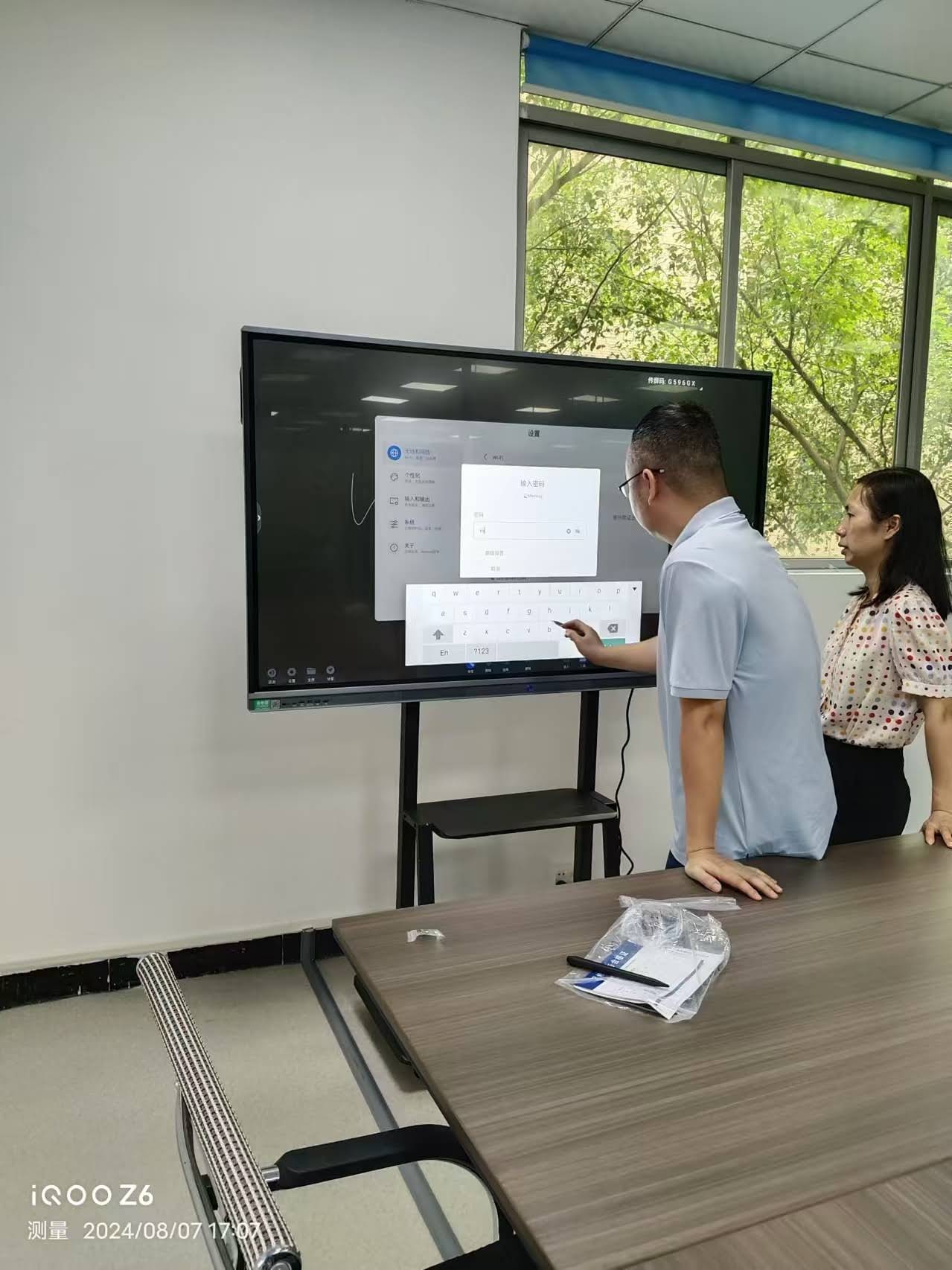
The interactive nature of these boards accommodates different learning styles. Visual learners benefit from rich multimedia content, kinesthetic learners engage through direct manipulation of on-screen elements, and auditory learners can access integrated audio resources. According to testimonials from schools using LeaderHub interactive panels, teachers report that students are more willing to participate in lessons when they can physically interact with the learning material on a large collaborative display.
Enhancing Business Collaboration and Productivity
Corporate environments leverage interactive smart boards to facilitate more effective meetings and presentations. Instead of static PowerPoint slides, presenters can annotate documents in real-time, demonstrate software features, and collaboratively edit materials during discussions. Teams can wirelessly share their device screens to the board, enabling seamless transitions between presenters without fumbling with cables.
Financial institutions have reported that interactive displays reduce meeting times by an average of 23% while improving decision-making quality. The ability to visualize data, manipulate spreadsheets collaboratively, and capture meeting notes digitally streamlines workflows that previously required multiple tools and platforms. With built-in video conferencing capabilities, remote participants can interact with board content as if they were in the room, addressing the challenges of hybrid work environments.
Supporting Creative and Design Work
Creative professionals use interactive smart boards as digital canvases for brainstorming, design work, and client presentations. The large format and precise touch input make these displays ideal for architectural visualization, graphic design reviews, and collaborative creative sessions. Design agencies report that presenting concepts on an interactive board generates more client engagement and faster approval cycles compared to traditional presentation methods.
Common Applications and Use Scenarios
Classroom Instruction and Interactive Learning
Educational institutions from elementary schools to universities deploy interactive smart boards to create engaging learning experiences. Common applications include:
- Interactive lessons: Teachers can use educational apps, manipulate 3D models, conduct virtual science experiments, and demonstrate mathematical concepts through dynamic visualizations
- Student participation: Students can solve problems directly on the board, present their work, and collaborate on group projects using the large shared display
- Distance learning: Integrated cameras and microphones enable hybrid classrooms where remote students can view and interact with board content in real-time
- Assessment and testing: Interactive quizzes and polling features provide immediate feedback and help teachers gauge understanding
Corporate Meetings and Presentations
Business organizations utilize interactive smart boards for various professional scenarios:
- Strategic planning sessions: Teams can collaboratively build mind maps, timelines, and process flows with integrated diagramming tools
- Data analysis meetings: Financial data, sales reports, and analytics dashboards can be displayed, annotated, and analyzed collaboratively
- Client presentations: Interactive product demonstrations and proposal reviews create more engaging client experiences
- Training and onboarding: HR departments use interactive displays to deliver training materials and conduct interactive orientation sessions
Healthcare and Medical Applications
Medical facilities implement interactive smart boards in several critical areas. Surgical teams use them for pre-operative planning, displaying patient imaging data, and reviewing procedures. Medical schools leverage the technology for anatomy instruction, allowing students to explore 3D models of human organs and body systems interactively. Telemedicine consultations benefit from the ability to annotate medical images and share information with remote specialists in real-time.
Government and Public Services
Government agencies deploy interactive displays in command centers, emergency operations facilities, and public information offices. During crisis situations, these boards enable teams to visualize data from multiple sources, coordinate responses, and maintain situational awareness. Public libraries and community centers use them to offer digital literacy programs and interactive public information services.
Technical Considerations When Choosing an Interactive Smart Board
Display Size and Resolution Requirements
Selecting the appropriate screen size depends on room dimensions and viewing distance. For standard classrooms seating 30-40 students, a 75-86 inch display typically provides adequate visibility. Larger lecture halls may require 98-inch models or multiple displays. Business conference rooms generally work well with 65-75 inch screens for groups of 8-12 people. Resolution should be 4K UHD minimum to ensure text legibility and image clarity across the entire display surface.
Operating System and Software Compatibility
Consider which operating system best serves your needs. Android-based systems offer lower cost, familiar mobile app ecosystems, and simple maintenance. Windows-based boards provide full desktop software compatibility, making them ideal for organizations with existing Windows infrastructure and specialized applications. Some advanced models offer dual-OS capabilities, allowing users to switch between Android and Windows depending on the task.
Connectivity and Integration Capabilities
Modern workplaces require flexible connectivity. Essential features include:
- Wireless screen sharing supporting Miracast, AirPlay, and Chromecast protocols
- USB-C connectivity for single-cable connection providing video, audio, touch control, and device charging
- Integration with existing video conferencing platforms (Zoom, Microsoft Teams, Google Meet)
- Compatibility with learning management systems (Canvas, Blackboard, Moodle) for education environments
- API access for custom integration with enterprise systems
| Environment Type | Recommended Size | Key Features Needed |
|---|---|---|
| Elementary Classroom | 65-75 inches | Educational apps, durable surface, low installation height |
| University Lecture Hall | 86-98 inches | High resolution, lecture recording, wireless sharing |
| Small Meeting Room | 55-65 inches | Video conferencing, wireless connectivity, annotation tools |
| Corporate Boardroom | 75-86 inches | Premium build, advanced security, enterprise management |
| Training Center | 75-86 inches | Dual OS, extensive app support, content recording |
Installation and Setup Considerations
Physical Installation Requirements
Proper installation ensures optimal performance and longevity. Interactive smart boards require sturdy wall mounting or mobile stands rated for their weight, which ranges from 40-80 kg depending on size. Wall-mounted installations should position the bottom edge at appropriate heights: 24-30 inches for elementary schools, 30-36 inches for secondary education and corporate environments. Adequate ventilation around the display prevents overheating, while proper cable management maintains a professional appearance and reduces tripping hazards.
Network Infrastructure Planning
To leverage cloud-based features and wireless connectivity, ensure your network infrastructure can support multiple concurrent interactive displays. Each board should have dedicated network bandwidth of at least 100 Mbps for optimal performance during video conferencing and cloud content access. Implement quality of service (QoS) policies to prioritize interactive display traffic during peak usage periods.
User Training and Adoption Strategies
Technology adoption succeeds when users receive proper training. Organizations should develop training programs covering basic operations, software features, and best practices specific to their use cases. Professional development sessions for educators should include pedagogical strategies for incorporating interactive technology into lesson plans rather than just technical operation. Business training should focus on meeting efficiency and collaboration workflows.
Maintenance and Long-Term Care
Routine Maintenance Procedures
Interactive smart boards require minimal maintenance compared to projector-based systems, but routine care extends lifespan and maintains performance. Clean the screen surface weekly using microfiber cloths and approved cleaning solutions¡ªnever spray liquid directly on the screen. Keep ventilation openings clear of dust accumulation. Perform software updates regularly to access new features, security patches, and performance improvements. According to industry data, properly maintained interactive displays maintain 95% of their original performance after five years of daily use.
Software Management and Updates
Establish update schedules during off-peak hours to minimize disruption. Enable automatic updates for security patches while maintaining control over major feature updates that might require user retraining. Back up customized settings and installed applications before major system updates. For educational institutions with multiple boards, implement centralized device management systems to deploy updates and manage settings across all displays simultaneously.
Troubleshooting Common Issues
Most interactive smart board issues resolve through simple troubleshooting. Touch response problems often stem from screen contamination or calibration drift¡ªcleaning the screen and recalibrating touch input resolves these issues. Connectivity problems typically relate to network configuration or cable connections rather than the display itself. Manufacturers like LeaderHub provide comprehensive technical support and troubleshooting resources, including remote diagnostic capabilities that allow technicians to resolve many issues without on-site visits.
Cost Considerations and Return on Investment
Initial Investment Factors
Interactive smart board pricing varies significantly based on size, features, and brand. Entry-level 65-inch models start around $1,500-$2,500, while premium 98-inch displays with advanced features can exceed $10,000. However, price should be evaluated against total cost of ownership, which includes installation, training, software licenses, and ongoing support. Organizations should budget for mounting hardware, necessary cables and adapters, extended warranties, and professional installation services.
Calculating ROI in Educational Settings
Schools measuring interactive display ROI consider improved student outcomes, reduced material costs, and teacher efficiency gains. Digital content eliminates ongoing expenses for textbooks, worksheets, and physical teaching materials. Teachers report saving 30-45 minutes daily on lesson preparation when using interactive boards with built-in content libraries and template resources. Student engagement improvements correlate with better test scores and reduced disciplinary issues, though quantifying these benefits requires long-term tracking.
Business Value and Productivity Gains
Corporate ROI calculations focus on meeting efficiency, travel reduction, and improved decision-making. Organizations implementing interactive collaboration technology report 15-25% reduction in meeting duration while maintaining or improving meeting quality. Reduced business travel through effective remote collaboration generates substantial savings¡ªa single avoided cross-country flight pays for a significant portion of an interactive display investment. According to a 2024 McKinsey study, companies with advanced collaboration tools experience 20-30% faster project completion times.
Future Trends in Interactive Display Technology
Artificial Intelligence Integration
The next generation of interactive smart boards incorporates AI capabilities that transform user interaction. AI-powered features emerging in 2024-2025 include:
- Intelligent content recognition: Systems that automatically identify and organize handwritten notes, diagrams, and sketches into structured digital documents
- Real-time translation: Multilingual meetings where participants write in their native languages and the board translates content instantly
- Smart meeting summaries: AI assistants that capture key points, action items, and decisions automatically during sessions
- Personalized learning: Educational software that adapts content difficulty and presentation style based on individual student interaction patterns
- Voice control: Natural language interaction allowing hands-free operation for accessibility and convenience
Enhanced Remote Collaboration Capabilities
As hybrid work becomes permanent for many organizations, interactive smart boards evolve to bridge physical and virtual participants more effectively. Advanced camera systems with AI-powered auto-framing ensure remote participants see active speakers clearly. Spatial audio processing creates immersive conferencing experiences. Cloud-based infinite canvas features allow participants in different locations to collaborate on the same digital workspace asynchronously.
Sustainability and Environmental Considerations
Manufacturers increasingly prioritize environmental sustainability in interactive display design. Energy-efficient LED backlighting and intelligent power management reduce electricity consumption by up to 40% compared to older models. Extended product lifespans minimize electronic waste, while manufacturers implement take-back and recycling programs. Educational institutions particularly value these sustainability features as they align with institutional environmental commitments and provide teaching opportunities about responsible technology use.
Selecting the Right Interactive Smart Board for Your Needs
Assessing Your Requirements
Begin the selection process by clearly defining your use cases, user population, and integration requirements. Educational institutions should consider curriculum requirements, teacher comfort levels with technology, and student age groups. Businesses should evaluate meeting patterns, typical group sizes, and existing technology infrastructure. Create a requirements matrix comparing features across potential solutions, weighing factors like display quality, software ecosystem, connectivity options, and total cost of ownership.
Evaluating Vendor Support and Reliability
Vendor selection matters as much as product selection. Evaluate manufacturers based on industry experience, customer support quality, warranty terms, and product reliability track records. Companies like LeaderHub, with over 16 years of interactive display expertise and products deployed in 82+ countries, provide the institutional knowledge and support infrastructure necessary for successful long-term implementations. Look for vendors offering comprehensive support including installation assistance, user training, responsive technical support, and regular software updates.
Considering Scalability and Future Growth
Technology investments should accommodate future needs. If you plan to deploy multiple interactive boards, ensure the vendor provides centralized management tools for configuration, updates, and troubleshooting. Cloud-based management platforms allow IT administrators to monitor device health, push updates, and troubleshoot issues remotely across entire installations. Consider whether your chosen solution supports emerging standards and protocols to ensure compatibility with future technologies and workflows.
Real-World Implementation Success Stories
K-12 Education Transformation
A large suburban school district in Texas deployed interactive smart boards across 150 classrooms in 2023. Teachers received comprehensive training covering both technical operation and pedagogical integration strategies. Within the first semester, the district documented a 35% increase in student participation during lessons, particularly among previously disengaged students. Teachers reported that the ability to incorporate videos, interactive simulations, and collaborative activities made delivering state-mandated curriculum more engaging. Standardized test scores in mathematics improved by 12% in classrooms using interactive displays regularly compared to those without this technology.
Corporate Collaboration Enhancement
A multinational financial services company equipped 200+ conference rooms with interactive displays to support their hybrid work transition. Meeting effectiveness surveys showed that 83% of employees found meetings more productive after implementation. The company measured a 28% reduction in average meeting duration while maintaining decision quality. Video conferencing participation increased as remote workers felt more engaged with the ability to interact with board content from their locations. The IT department reported significant time savings from wireless connectivity, eliminating recurring troubleshooting related to cable compatibility and connection issues.
Healthcare Innovation
A medical school integrated interactive smart boards into anatomy labs and clinical training facilities. Students could manipulate 3D anatomical models, annotate medical imaging, and collaboratively work through diagnostic scenarios. Faculty noted that students developed spatial understanding of anatomical relationships more quickly compared to traditional teaching methods. The technology proved especially valuable for surgical training, where residents could review procedures, annotate technique videos, and receive feedback from attending surgeons in real-time during observation sessions.
Making the Investment Decision
Interactive smart boards represent significant investments that deliver measurable value when properly selected, implemented, and utilized. Success requires more than purchasing hardware¡ªit demands thoughtful planning, adequate training, and organizational commitment to changing workflows and teaching methods. Organizations that approach interactive display adoption strategically, with clear objectives and proper support structures, consistently report positive outcomes in engagement, productivity, and user satisfaction.
As technology continues evolving, interactive smart boards increasingly incorporate artificial intelligence, cloud connectivity, and advanced collaboration features that expand their capabilities beyond simple display and annotation tools. Whether transforming educational experiences, enhancing business collaboration, or supporting creative work, these versatile devices have become essential components of modern digital environments.
For organizations considering interactive smart board adoption, careful vendor evaluation matters significantly. Established manufacturers with proven track records, comprehensive support offerings, and commitment to ongoing innovation provide the foundation for successful long-term implementations. The interactive display market continues maturing, offering increasingly capable solutions at more accessible price points, making this technology practical for organizations of all sizes across diverse industries.








