
In today’s digital learning and business environments, interactive display technology has become essential for effective communication and collaboration. A smart board, also known as an interactive whiteboard or interactive flat panel, represents a significant leap forward from traditional whiteboards and projection systems. This comprehensive guide explores what smart boards are, their key features, benefits, and how they’re transforming education and business settings worldwide.
Understanding Smart Board Technology
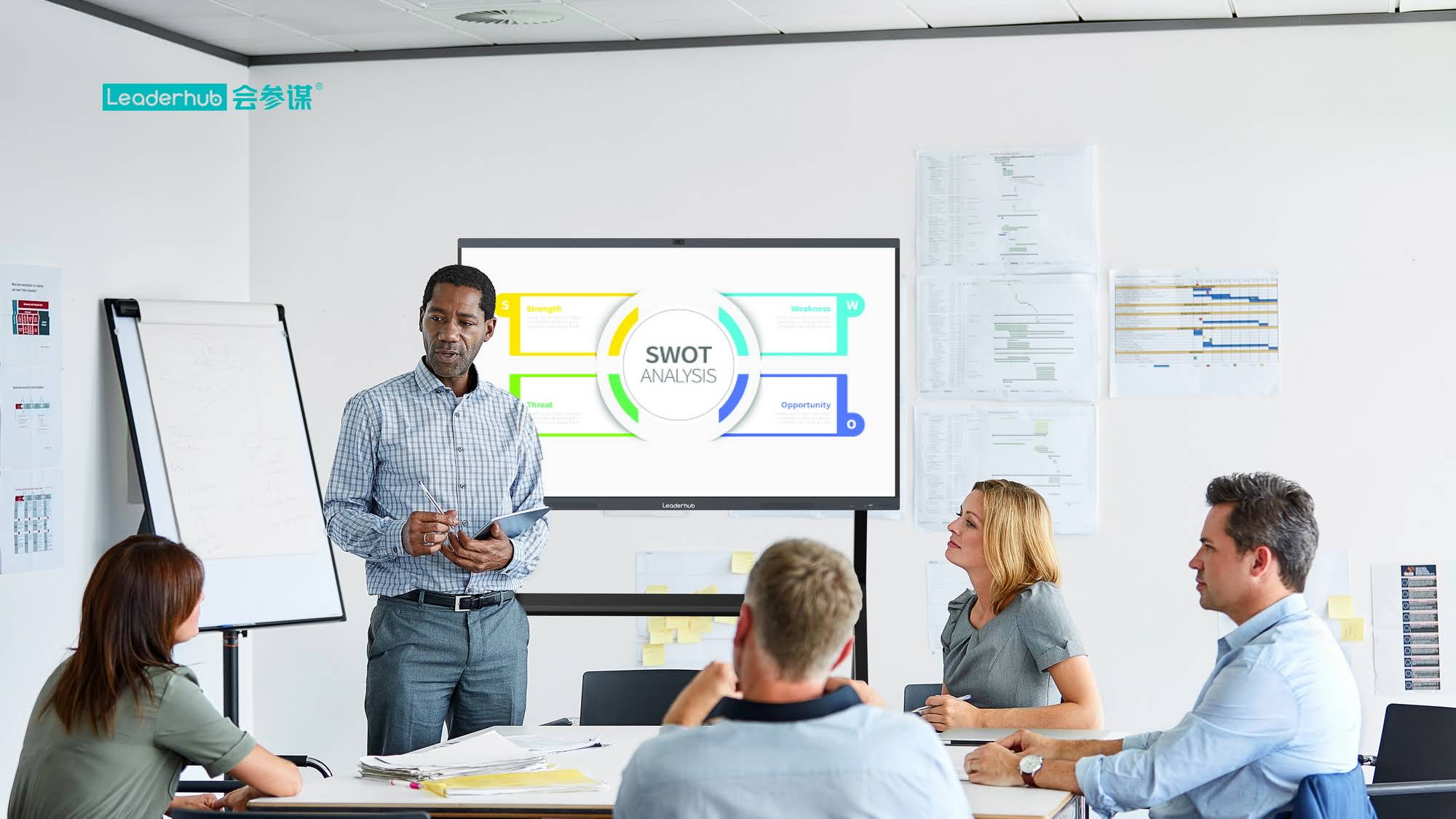
A smart board is an interactive display device that combines a large touchscreen panel with integrated computing capabilities, allowing users to interact directly with digital content using touch gestures, stylus pens, or other input methods. Unlike conventional whiteboards that require markers and erasers, smart boards provide a digital canvas where users can write, draw, annotate, and manipulate content in real-time.
The technology behind smart boards has evolved significantly over the past decade. Modern smart boards typically feature high-resolution LED or LCD displays ranging from 55 inches to over 100 inches diagonally. These displays incorporate capacitive or infrared touch technology that can detect multiple simultaneous touch points, enabling collaborative interaction from several users at once.
Core Features of Modern Smart Boards
Touch and Gesture Recognition
Contemporary smart boards support multi-touch functionality, recognizing up to 20 or more simultaneous touch points. This capability enables natural interactions such as pinch-to-zoom, two-finger rotation, and multi-user annotation. Advanced gesture recognition allows users to perform common actions intuitively¡ªswiping to change pages, tapping to select, or using palm rejection technology to rest hands on the screen while writing.
Built-in Computing Power
Most modern smart boards feature integrated computing systems, eliminating the need for external computers in many scenarios. These built-in systems typically run on Android or Windows operating systems and include processors powerful enough to handle educational software, presentation applications, video conferencing tools, and web browsing simultaneously.
Wireless Connectivity Options
Smart boards offer comprehensive connectivity features including:
- Wi-Fi and Bluetooth for wireless content sharing from laptops, tablets, and smartphones
- Screen mirroring protocols such as Miracast, AirPlay, and Chromecast for seamless device connection
- Cloud integration enabling access to online resources and collaborative platforms
- Network connectivity for remote management and software updates
Annotation and Whiteboarding Software
Integrated whiteboarding applications provide digital writing and drawing tools with various pen colors, thicknesses, and styles. Users can annotate over any content¡ªwhether it’s a presentation slide, video, or website¡ªand save these annotations for future reference or distribution to participants.
Multi-Source Input and Output
Smart boards typically include multiple HDMI, USB, and audio ports, allowing connection to external devices such as document cameras, laptops, tablets, and audio systems. This versatility ensures compatibility with existing technology infrastructure while supporting diverse presentation and teaching scenarios.
How Smart Boards Work: The Technology Behind the Screen
Touch Detection Technologies
Smart boards employ different touch detection methods, each with distinct characteristics:
| Technology Type | How It Works | Key Advantages |
|---|---|---|
| Infrared Touch | Uses infrared LED frames around the screen perimeter to detect touch interruptions | Works with any object, highly durable, excellent for large displays |
| Capacitive Touch | Detects changes in electrical field when conductive object touches screen | Highly responsive, supports multi-touch gestures, glass surface for clarity |
| Electromagnetic | Uses electromagnetic resonance with specialized stylus pens | Precise pen input, pressure sensitivity, palm rejection |
Display Technology and Resolution
Most smart boards utilize LED-backlit LCD panels or direct LED displays offering 4K Ultra HD resolution (3840 x 2160 pixels). This high resolution ensures crisp text rendering and detailed image display, crucial for viewing complex diagrams, spreadsheets, or fine-detail visual content from various distances within a room.
Processing and Operating Systems
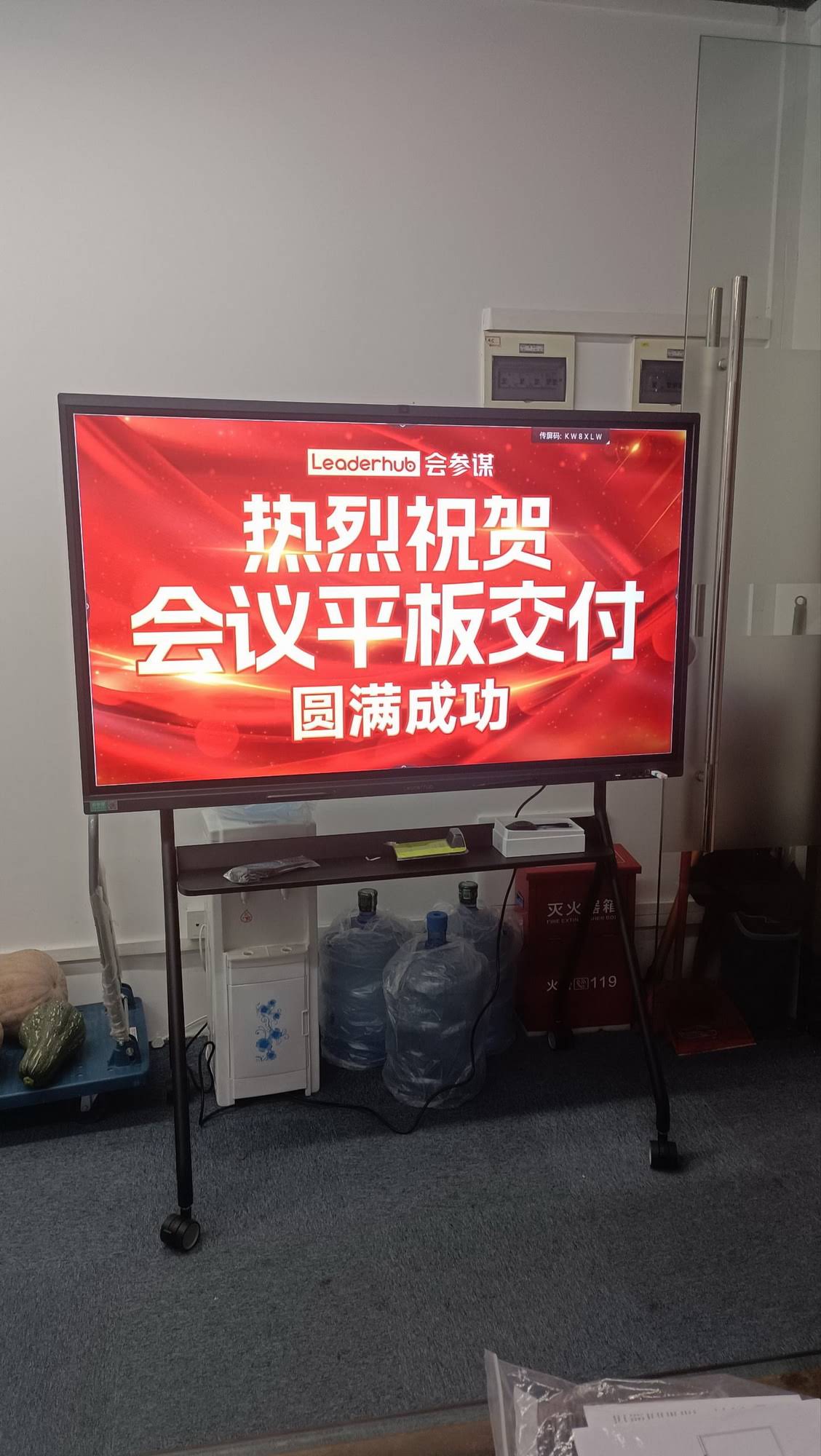
The integrated computer systems in smart boards typically feature quad-core or octa-core processors with 4GB to 8GB of RAM and 32GB to 128GB of internal storage. These specifications enable smooth operation of multiple applications simultaneously, video playback, and web browsing without performance degradation. Some manufacturers, including LeaderHub¡ªa professional interactive display manufacturer with over 16 years of experience serving more than 82 countries¡ªintegrate AI-powered features that enhance user experience through intelligent content recognition and automated optimization.
Software Integration
Smart boards come with pre-installed software ecosystems that include whiteboarding applications, screen recording tools, wireless presentation software, and device management utilities. Many systems support installation of third-party applications from app stores, expanding functionality for specific educational curricula or business workflows.
Key Benefits of Smart Boards in Different Settings
Educational Environments
In classrooms, smart boards have revolutionized teaching methodologies:
- Enhanced student engagement: Interactive content, educational games, and multimedia presentations capture attention more effectively than traditional lectures
- Differentiated instruction: Teachers can quickly adapt content presentation styles to accommodate diverse learning preferences¡ªvisual, auditory, or kinesthetic
- Collaborative learning: Multiple students can interact with the board simultaneously, promoting teamwork and peer-to-peer learning
- Digital resource integration: Immediate access to online educational content, videos, simulations, and virtual field trips enriches curriculum delivery
- Lesson recording and sharing: Sessions can be recorded and distributed to absent students or for review purposes
According to research conducted by education technology analysts, classrooms equipped with interactive displays show an average 16% improvement in student engagement metrics and a 12% increase in content retention compared to traditional teaching methods.
Corporate Meeting Rooms
Business environments benefit from smart boards through:
- Streamlined presentations: Wireless content sharing eliminates cable management issues and allows seamless transitions between presenters
- Real-time collaboration: Team members can annotate documents, brainstorm on digital whiteboards, and make decisions collaboratively
- Video conferencing integration: Built-in or connected cameras and microphones facilitate hybrid meetings with remote participants
- Document digitization: Meeting notes, sketches, and brainstorming sessions are automatically saved and can be distributed instantly
- Professional presentation quality: High-resolution displays ensure clarity for detailed financial data, architectural plans, or product designs
Training and Development Centers
Organizations conducting professional training benefit from:
- Interactive training modules: Hands-on exercises and simulations increase knowledge retention
- Assessment capabilities: Integrated polling and quiz functions provide immediate feedback on comprehension
- Consistent content delivery: Standardized digital training materials ensure uniform instruction across multiple sessions or locations
- Resource efficiency: Elimination of printed materials reduces costs and environmental impact
Healthcare Settings
Medical facilities use smart boards for:
- Medical education: Anatomical diagrams, procedure demonstrations, and case studies can be presented interactively
- Patient consultations: Doctors can explain diagnoses, treatment options, and medical imaging to patients more clearly
- Team coordination: Surgical teams and care providers can review procedures and patient information collaboratively
- Telemedicine: Integration with video conferencing supports remote consultations and specialist collaboration
Comparing Smart Boards with Traditional Technology
Smart Boards vs. Traditional Whiteboards
While traditional whiteboards require physical markers and erasers with ongoing supply costs, smart boards eliminate these consumables entirely. Traditional boards offer no content saving or sharing capabilities, whereas smart boards automatically digitize and preserve all written content for future reference or distribution. The environmental impact also differs significantly¡ªtraditional whiteboards generate waste from markers and cleaning supplies, while smart boards reduce paper consumption and physical resource use.
Smart Boards vs. Projector Systems
Conventional projector-based systems suffer from several limitations that smart boards address:
| Aspect | Projector Systems | Smart Boards |
|---|---|---|
| Image Quality | Affected by ambient light, requires darkened rooms | Consistent brightness and clarity in any lighting |
| Maintenance | Bulb replacements every 2,000-5,000 hours | LED displays last 50,000+ hours with minimal maintenance |
| Interactivity | Requires separate interactive pen system | Native multi-touch capabilities built into display |
| Setup Complexity | Calibration required, shadow interference issues | Plug-and-play operation, no calibration needed |
| Total Cost | Lower initial cost but higher long-term maintenance | Higher initial investment with lower lifetime costs |
Selecting the Right Smart Board: Key Considerations
Size and Display Specifications
Screen size selection depends on room dimensions and viewing distances. For standard classrooms (25-35 students), a 75-86 inch display typically provides optimal visibility. Large lecture halls or conference rooms may require 98-inch or larger displays. Consider the viewing angle specifications¡ªquality panels maintain color accuracy and contrast at 178-degree viewing angles, ensuring clear visibility from any seat position.
Touch Technology and Responsiveness
Evaluate the touch response time (measured in milliseconds) and the number of simultaneous touch points supported. Educational environments benefit from 20-point touch capability enabling multiple students to interact concurrently, while corporate settings may prioritize precise stylus input for detailed design work or annotation.
Operating System and Software Ecosystem
Android-based systems offer app store flexibility and lower cost, while Windows-based smart boards provide full PC software compatibility. Consider whether your organization uses specific educational platforms (Canvas, Blackboard, Google Classroom) or business applications (Microsoft Teams, Zoom, Slack) and verify native support or seamless integration.
Connectivity and Integration Capabilities
Ensure the smart board includes sufficient ports for your peripheral devices and supports wireless protocols used in your environment. For organizations with existing video conferencing infrastructure, verify compatibility with USB cameras, speakerphones, and room control systems.
Durability and Build Quality
In high-traffic educational settings, look for tempered glass surfaces with 7H hardness rating or higher, providing scratch resistance and long-term durability. Anti-glare coatings reduce eye strain and improve visibility under fluorescent lighting. Commercial-grade panels designed for 16-18 hours daily operation ensure reliability in intensive-use environments.
Warranty and Support Services
Professional-grade smart boards typically include 3-5 year warranties covering parts and labor. Evaluate the manufacturer’s support infrastructure¡ªavailability of technical support, software update policies, and local service networks. Established manufacturers with extensive experience in interactive display technology often provide more reliable long-term support than newer market entrants.
Installation and Setup Best Practices
Physical Installation Considerations
Proper mounting height ensures comfortable interaction for all users. In educational settings, position the bottom edge 24-30 inches from the floor to accommodate both standing adults and seated students. Conference rooms may require slightly higher mounting (30-36 inches) optimized for standing presenters. Wall-mounted installations require secure attachment to structural studs or reinforced mounting surfaces capable of supporting 100-200 pounds depending on display size.
Network Configuration
Configure the smart board’s network settings to enable wireless content sharing, software updates, and remote management. For security-conscious environments, establish separate network VLANs for smart boards, preventing unauthorized access while maintaining necessary connectivity for collaboration features.
Initial Software Setup
Complete the initial setup wizard, configuring language preferences, time zones, network connections, and user accounts. Install relevant applications for your use case¡ªeducational software for classrooms, video conferencing clients for meeting rooms, or specialized business applications. Configure cloud storage integration to enable automatic backup of whiteboard sessions and annotations.
User Training and Onboarding
Successful smart board adoption requires adequate user training. Develop quick-reference guides covering essential functions: turning on/off, switching input sources, launching applications, using annotation tools, and saving/sharing content. Conduct hands-on training sessions allowing users to practice common workflows in low-pressure environments before deployment in actual teaching or meeting scenarios.
Common Applications and Use Cases
K-12 Education
Elementary teachers use smart boards for interactive storytelling, math manipulatives, and science simulations. Middle school educators leverage video content, virtual dissections, and collaborative problem-solving exercises. High school instructors conduct complex data analysis, coding demonstrations, and college-preparatory content delivery using integrated web resources and specialized subject-specific applications.
Higher Education
University lecture halls utilize smart boards for advanced scientific visualization, mathematical equation solving, engineering diagram annotation, and real-time polling to gauge student comprehension. Research presentations benefit from high-resolution data display and the ability to annotate complex findings during peer review sessions.
Corporate Collaboration
Product development teams use smart boards for design reviews, allowing real-time markup of CAD drawings and 3D model visualization. Marketing departments conduct campaign brainstorming with integrated access to brand assets, competitive analysis, and customer data. Executive briefings leverage data visualization capabilities for financial reporting and strategic planning discussions.
Government and Public Services
Emergency operation centers utilize smart boards for incident mapping, resource allocation visualization, and multi-agency coordination. City planning departments conduct public hearings with interactive zoning maps and development proposal presentations. Law enforcement agencies use smart boards for case management, evidence presentation, and tactical planning sessions.
Emerging Trends and Future Developments
Artificial Intelligence Integration
Next-generation smart boards incorporate AI-powered features including automatic handwriting recognition that converts written notes to editable text, intelligent content suggestions based on discussion topics, and automated meeting summarization. Computer vision algorithms enable gesture recognition beyond simple touch, interpreting presenter movements and automatically adjusting display content accordingly.
Enhanced Video Conferencing Capabilities
Advanced smart boards now include integrated 4K cameras with AI-powered auto-framing that tracks active speakers and adjusts the frame composition dynamically. Noise suppression algorithms filter background sounds, while echo cancellation ensures clear audio in large rooms. These features create more natural hybrid meeting experiences, reducing the disparity between in-room and remote participants.
Cloud-Native Collaboration
Modern smart boards emphasize cloud integration, enabling seamless content synchronization across devices and locations. Participants can join whiteboarding sessions from laptops, tablets, or smartphones, contributing content remotely while in-room users interact with the physical display. Cloud storage ensures all session content remains accessible for future reference and iterative collaboration.
Environmental Sustainability Features
Energy-efficient LED backlighting reduces power consumption by 30-40% compared to earlier display technologies. Automatic brightness adjustment based on ambient light further optimizes energy use. Manufacturers increasingly emphasize recyclable materials and reduced packaging waste in their product designs, addressing growing environmental concerns among institutional purchasers.
Maintenance and Care Guidelines
Regular Cleaning Procedures
Clean smart board screens using microfiber cloths slightly dampened with water or approved screen cleaning solutions. Avoid abrasive materials, ammonia-based cleaners, or excessive moisture that could damage touch sensors or penetrate display seals. Establish regular cleaning schedules¡ªdaily light cleaning for high-use environments and thorough weekly cleaning for optimal display clarity.
Software Updates and Management
Configure automatic software updates during non-use hours to ensure security patches and feature enhancements are applied regularly. Test critical applications after major system updates to verify continued compatibility. Maintain documentation of installed software versions and configuration settings to facilitate troubleshooting or system restoration if needed.
Peripheral Device Maintenance
Inspect cables and connections quarterly for wear or damage. Replace worn HDMI, USB, or power cables proactively to prevent intermittent connectivity issues. Clean stylus pens and charging stations regularly to ensure proper operation. Store spare styluses and other accessories in designated locations to prevent loss.
Long-term Performance Optimization
Monitor internal storage capacity, removing unused applications or cached data to maintain system responsiveness. Clear browser caches and temporary files monthly to prevent performance degradation. For smart boards with built-in computers, consider periodic factory resets (with proper data backup) to eliminate accumulated software clutter and restore optimal performance.
Troubleshooting Common Issues
Touch Response Problems
If touch functionality becomes unresponsive or inaccurate, first clean the screen surface thoroughly¡ªaccumulated dust or residue can interfere with touch detection. Verify that no objects obstruct the infrared sensors around the display perimeter. Restart the system to clear any temporary software glitches affecting touch drivers. If problems persist, access calibration utilities in the system settings to recalibrate touch accuracy.
Connectivity Difficulties
For wireless connection issues, verify that both the smart board and source devices are on the same network subnet. Check router configurations to ensure multicast traffic (required for screen mirroring protocols) is not blocked. Update wireless drivers on source devices and verify compatibility with the smart board’s supported casting protocols. For persistent issues, use direct cable connections as a reliable alternative.
Display Quality Issues
If image quality appears degraded, verify input source resolution settings match the smart board’s native resolution (typically 4K/3840×2160). Check HDMI cable quality¡ªolder cables may not support required bandwidth for 4K content. Adjust display settings including brightness, contrast, and color temperature to compensate for room lighting conditions. Inspect for physical screen damage that might affect image clarity.
Audio Problems
When audio output is absent or distorted, verify the correct audio source is selected in system settings. Check that external speakers or audio systems are properly connected and powered. Test built-in speakers by disconnecting external audio devices to isolate the problem source. Verify audio settings haven’t been muted either on the smart board or the content source device.
Conclusion: Making the Right Investment Decision
Smart boards represent significant investments in educational or business technology infrastructure, with costs ranging from $2,000 for entry-level 65-inch displays to over $15,000 for premium 98-inch systems with advanced features. However, the long-term value proposition extends beyond the initial purchase price.
When evaluating smart board investments, consider the total cost of ownership including installation, training, software licenses, and ongoing support. Calculate potential savings from eliminated consumables (markers, paper, printing), reduced meeting durations through improved collaboration efficiency, and enhanced productivity from streamlined workflows. Educational institutions should factor in improved student engagement metrics and learning outcomes, while businesses benefit from accelerated decision-making and reduced travel costs through effective hybrid meeting capabilities.
The most successful smart board deployments share common characteristics: thorough needs assessment before purchase, comprehensive user training programs, dedicated technical support resources, and ongoing professional development to maximize feature utilization. Organizations that treat smart boards as strategic collaboration infrastructure rather than simple display replacements consistently achieve higher returns on investment and greater user satisfaction.
As interactive display technology continues evolving with artificial intelligence integration, enhanced connectivity, and improved user experiences, smart boards will increasingly become fundamental components of modern learning and working environments. Selecting quality products from experienced manufacturers, implementing thoughtful deployment strategies, and maintaining these systems properly ensures organizations maximize the transformative potential of interactive display technology for years to come.








