
Choosing the right interactive display for a university classroom is a decision that affects thousands of teaching hours, student engagement levels, and IT budgets for years to come. As lecture halls and seminar rooms move away from traditional chalkboards, higher-education institutions across the US, UK, Australia, and Southeast Asia are rapidly adopting smart whiteboards to support hybrid learning, real-time collaboration, and multimedia-rich lessons.
Having worked directly with procurement teams at community colleges and large research universities, we’ve seen firsthand how the wrong choice — a panel too small for a 120-seat auditorium, or software that doesn’t integrate with existing LMS platforms — can waste a five-figure budget almost overnight. This guide breaks down exactly what university IT directors, department heads, and facilities managers should evaluate before signing a purchase order.
Why University Classrooms Need Smart Whiteboards Today
According to a 2023 EDUCAUSE survey, over 68% of higher-education institutions in North America reported increased investment in interactive classroom technology following the shift to hybrid and blended learning models. Students now expect lecture capture, annotation tools, and screen-sharing capabilities as standard — not optional extras.
A well-chosen interactive flat panel does more than replace a projector screen. It becomes the central hub for:
- Live annotation over slides, PDFs, and diagrams
- Wireless screen mirroring from student and faculty devices
- Video conferencing integration for remote learners
- Built-in whiteboard apps for brainstorming and group work
- Cloud saving and sharing of lecture notes
Key Factors to Evaluate Before Purchasing
1. Screen Size and Room Dimensions
Classroom size should dictate panel size, not the other way around. A common mistake is installing a 65-inch panel in a 40-seat lecture hall, leaving students in the back rows unable to read fine text or diagrams.
| Room Type | Recommended Screen Size | Typical Capacity |
|---|---|---|
| Small seminar room | 55″ – 65″ | Up to 20 students |
| Standard classroom | 75″ – 86″ | 20 – 60 students |
| Lecture hall / auditorium | 98″ – 110″ | 60+ students |
2. Display Resolution and Touch Accuracy
A true 4K UHD panel is non-negotiable for university use, especially for departments teaching design, engineering, or medical imaging where fine detail matters. Touch accuracy also matters greatly — infrared and capacitive touch technologies vary widely in latency and precision. Look for panels supporting at least 20-point multi-touch so multiple students can collaborate on the same screen simultaneously.
3. Operating System and Software Ecosystem
Compatibility with existing learning management systems (Canvas, Moodle, Blackboard) and video conferencing tools (Zoom, Microsoft Teams, Google Meet) should be verified before purchase. Android-based smart whiteboards generally offer more flexibility for installing third-party education apps, while Windows-integrated units suit institutions already standardized on Microsoft infrastructure.
4. Durability and Warranty Terms
University hardware endures heavy daily use across multiple class sessions. Panels with tempered anti-glare glass, at least 3H hardness rating, and a minimum 3-year manufacturer warranty tend to hold up best in high-traffic academic environments. Ask suppliers about mean time between failures (MTBF) data and on-site repair options, since downtime during exam season can disrupt entire departments.
5. Total Cost of Ownership
Beyond the sticker price, factor in mounting hardware, annual software licensing, IT support hours, and energy consumption. Bulk procurement across multiple lecture halls often qualifies for volume pricing — a detail worth negotiating directly with manufacturers rather than third-party resellers.
Comparing Popular Smart Whiteboard Models for Higher Education
Below is a comparison of models frequently deployed in university settings, based on screen size, resolution, and suitability for classroom scale.
| Model | Size | Best For | Price |
|---|---|---|---|
| LeaderHub L65HM | 65″ 4K | Seminar rooms | $1,299.00 |
| LeaderHub L75HM | 75″ 4K | Standard classrooms | $1,599.00 |
| LeaderHub L86HM | 86″ 4K | Large classrooms | $3,199.00 |
| LeaderHub L110H | 110″ 4K | Lecture halls / auditoriums | $7,999.00 |
| LeaderHub U55Pro | 55″ Mobile 4K | Mobile teaching carts | $2,499.00 |
Real-World Case Study: A Mid-Sized State University
A public university in the Midwest recently upgraded 32 classrooms from projector-screen combinations to 75-inch interactive flat panels. Post-implementation surveys conducted by the university’s teaching and learning center reported a 41% increase in student participation during in-class exercises and a measurable drop in technical support tickets, since faculty no longer struggled with bulb replacements or cable compatibility issues common with older projector systems.
IT staff specifically noted that panels offering built-in Android operating systems reduced dependency on external mini PCs for basic tasks like web browsing and file sharing during lectures, though pairing with a dedicated mini PC was still recommended for departments running specialized software such as CAD or statistical analysis tools.
Installation and Mounting Considerations
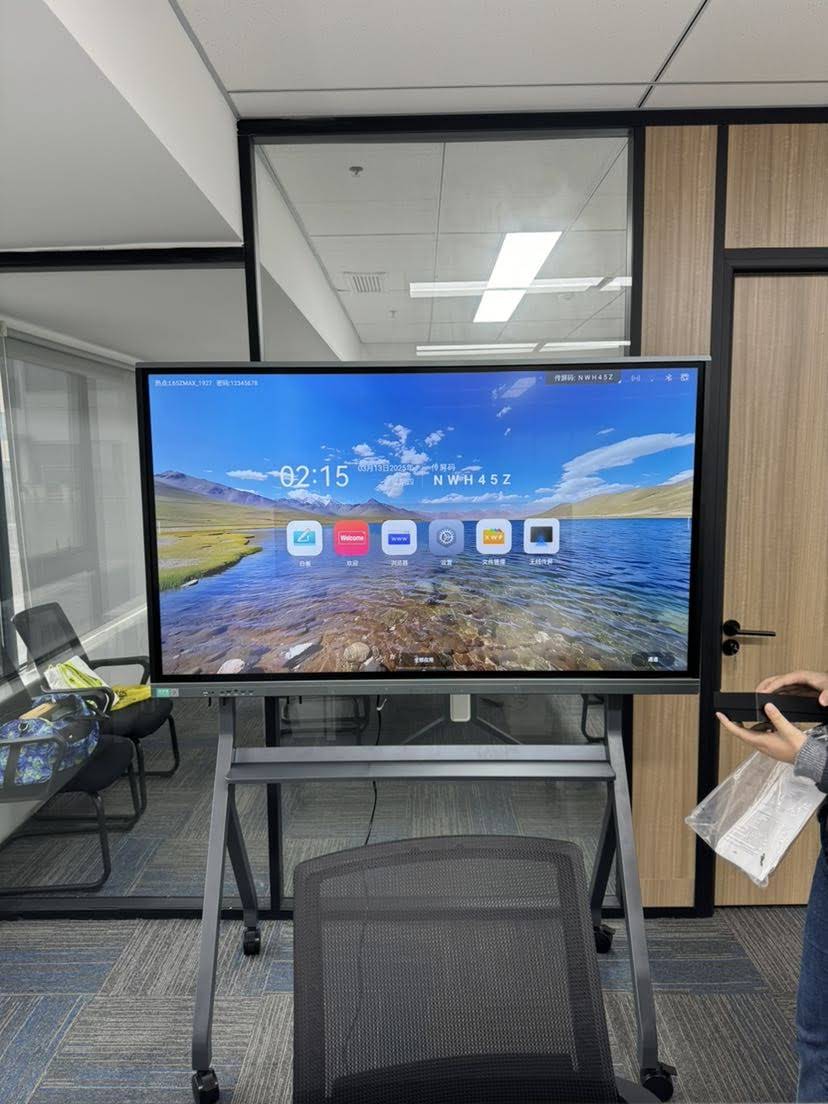
Universities often overlook installation logistics. Fixed wall mounts work well for permanent lecture halls, but seminar rooms benefiting from flexible layouts should consider mobile stands or rotating screens that can be repositioned between classes. For departments requiring shared equipment across multiple rooms, a rotating screen solution offers portability without sacrificing display quality.
Frequently Asked Questions
What screen size is best for a 50-seat classroom?
A 75-inch to 86-inch 4K panel typically provides comfortable visibility for classrooms seating between 20 and 60 students, assuming standard row spacing and ceiling height.
Do smart whiteboards work with existing university AV systems?
Most modern interactive flat panels support HDMI, USB-C, and wireless casting, making them compatible with existing AV infrastructure. However, IT teams should confirm firmware compatibility with campus-wide room booking and control systems before installation.
How long do interactive panels typically last in academic settings?
With proper maintenance, commercial-grade panels used in classrooms typically last 5–7 years before requiring replacement, though software support and warranty coverage often factor into replacement timelines more than hardware failure.
Making the Final Decision
Selecting the best smart whiteboard for a university classroom ultimately comes down to matching room scale, software ecosystem, and budget constraints to long-term academic goals. Institutions that involve both IT departments and teaching faculty early in the evaluation process tend to report higher satisfaction rates post-installation, since usability concerns get addressed before large-scale rollout.
As a company with 16 years of experience manufacturing interactive display technology for education and enterprise clients across 82 countries, LeaderHub has worked directly with universities to design classroom deployment plans that balance performance, durability, and cost. Institutions exploring an upgrade can review the full range of smart whiteboards and interactive display solutions available for education environments of every size.
Before finalizing any purchase, request a live demonstration in an actual classroom setting whenever possible. Screen glare, ambient lighting, and acoustic conditions vary significantly between rooms, and a panel that performs well in a showroom may behave differently under fluorescent lecture-hall lighting. Testing under real conditions remains the most reliable way to confirm a smart whiteboard truly fits your university’s teaching needs.








