
Smart boards have transformed modern classrooms by replacing traditional chalkboards and whiteboards with interactive digital displays that enable dynamic teaching and collaborative learning. These advanced educational tools combine touchscreen technology, internet connectivity, and multimedia capabilities to create engaging learning experiences that were impossible just a decade ago.
According to recent education technology research, classrooms equipped with interactive displays show a 16% improvement in student engagement and a measurable increase in knowledge retention compared to traditional teaching methods. As schools worldwide continue adopting digital transformation strategies, understanding how smart boards work and their practical applications becomes essential for educators, administrators, and institutions planning technology investments.
What Is a Smart Board and How Does It Function?
A smart board, also known as an interactive flat panel or interactive whiteboard, is a large touchscreen display that responds to touch input, stylus writing, and gesture controls. Unlike passive projection systems, modern smart boards are self-contained units with built-in computing power, eliminating the need for external projectors.
The technology operates through several integrated components:
- Touch-sensitive display panel: Uses capacitive or infrared technology to detect multiple simultaneous touch points
- Built-in computer system: Runs educational software and applications without external devices
- Connectivity modules: Supports wireless screen sharing, internet access, and device integration
- Audio system: Integrated speakers deliver clear sound for multimedia content
- Camera and microphone: Enables video conferencing and remote learning capabilities
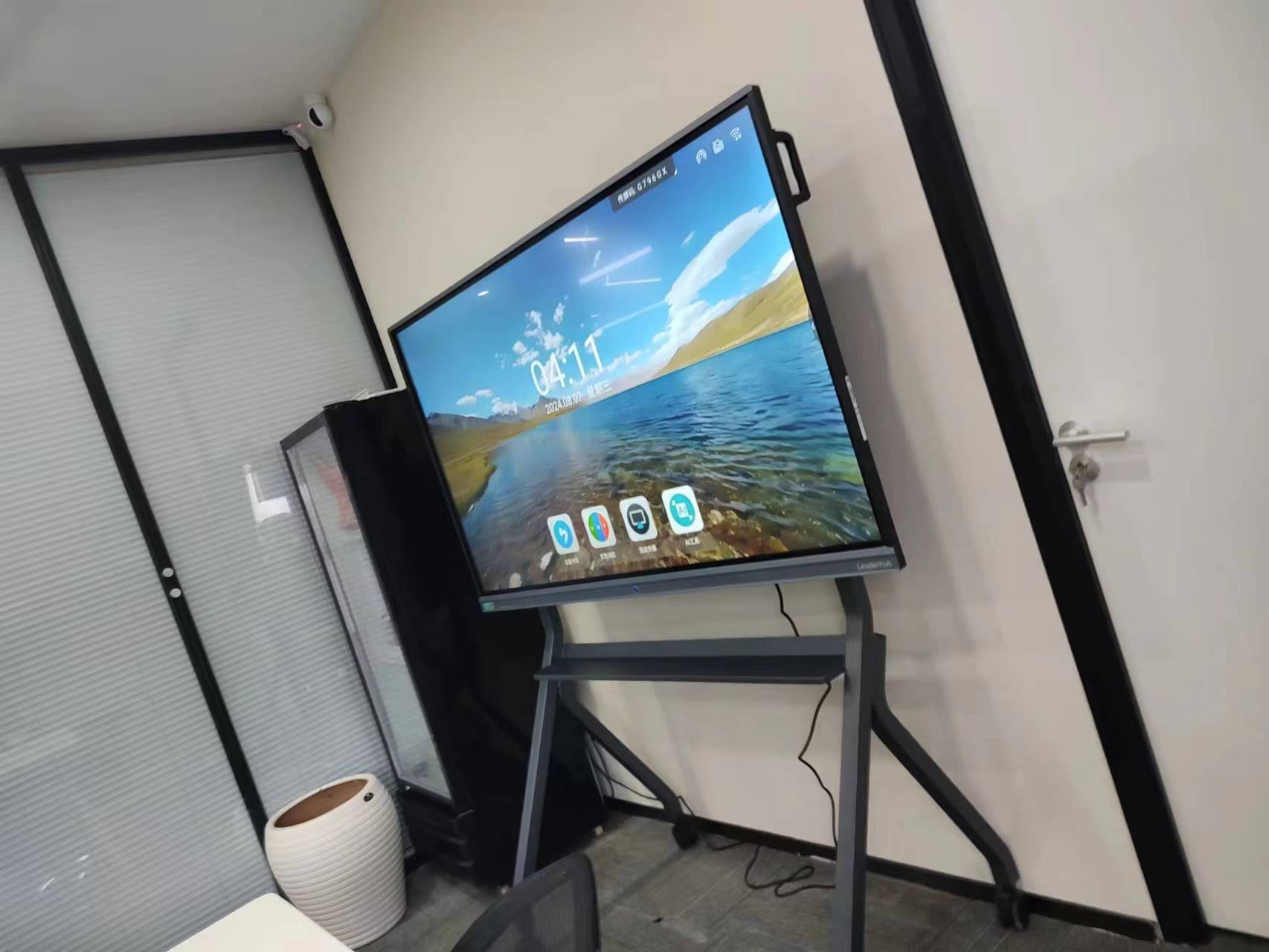
When a teacher touches the screen, sensors detect the precise location and transmit this information to the processing unit, which interprets the action and responds accordingly. This immediate feedback creates a natural, intuitive interaction that mirrors the experience of writing on traditional surfaces while offering exponentially more functionality.
Core Features That Define Modern Smart Boards
Today’s smart boards deliver capabilities that extend far beyond simple touch input. Professional manufacturers like LeaderHub, with over 16 years of experience in interactive display technology, have developed sophisticated features that address real classroom needs:
Multi-Touch Recognition and Simultaneous Interaction
Advanced smart boards support 20-point or more simultaneous touch recognition, allowing multiple students to interact with the display at the same time. This enables collaborative activities where small groups can work together on the same screen, solving problems, annotating documents, or creating presentations without waiting for turns.
High-Resolution 4K Display Quality
Modern panels feature Ultra HD 4K resolution (3840¡Á2160 pixels), ensuring text remains sharp and images appear detailed even when viewed from the back of large classrooms. The anti-glare coating reduces reflections from windows and overhead lighting, maintaining visibility throughout the day.
Integrated Educational Software Ecosystems
Smart boards come preloaded with specialized teaching applications that include:
| Software Category | Primary Functions | Educational Applications |
|---|---|---|
| Digital Whiteboarding | Writing, drawing, annotation tools | Lecture notes, brainstorming, concept mapping |
| Screen Recording | Capture lessons with audio | Flipped classroom content, absent student review |
| Interactive Polling | Real-time student response collection | Formative assessment, engagement tracking |
| Screen Mirroring | Wireless content sharing from devices | Student presentations, collaborative work display |
| Cloud Integration | Access and save to cloud storage | Lesson plan storage, resource sharing |
AI-Powered Teaching Assistance
Artificial intelligence integration represents the latest evolution in smart board technology. AI-enhanced systems can automatically convert handwriting to text, suggest relevant educational content based on lesson topics, provide instant language translation for multilingual classrooms, and even analyze student participation patterns to help teachers identify engagement gaps.
Educational Benefits That Transform Learning Outcomes
The implementation of smart boards in educational settings delivers measurable advantages that extend beyond technological novelty. Schools across 82+ countries have reported significant improvements in teaching effectiveness and student achievement.
Enhanced Student Engagement and Participation
Visual and kinesthetic learners particularly benefit from interactive displays. When abstract concepts become manipulable objects on screen¡ªsuch as dissecting a virtual frog in biology or rotating 3D geometric shapes in mathematics¡ªstudents develop deeper conceptual understanding. A 2023 study from the University of Michigan found that classrooms using interactive displays saw 34% higher voluntary participation rates compared to traditional lecture formats.
Accommodation for Diverse Learning Styles
Smart boards naturally support differentiated instruction by allowing teachers to present information through multiple modalities simultaneously:
- Visual learners benefit from high-quality graphics, videos, and color-coded information
- Auditory learners engage with embedded audio content and text-to-speech features
- Kinesthetic learners interact directly with content through touch and manipulation
- Reading/writing learners utilize digital note-taking and annotation capabilities
Real-Time Feedback and Formative Assessment
Interactive response systems built into smart boards enable teachers to conduct instant comprehension checks. Rather than waiting for end-of-unit tests to identify knowledge gaps, educators can adjust instruction immediately based on student responses. This formative assessment approach has been shown to improve learning outcomes by up to 25% according to educational research from Stanford University.
Increased Instructional Efficiency
Teachers save significant preparation time by accessing digital lesson libraries, reusing and modifying previous lessons, and eliminating the need to write repetitive content on traditional boards. A survey of 450 educators conducted by Education Week found that smart board users saved an average of 3.5 hours per week in lesson preparation and administrative tasks.
Practical Applications Across Subject Areas
Smart boards adapt to virtually any academic discipline, offering specialized functionality that enhances subject-specific teaching methods.
STEM Education Applications
Mathematics and science instruction particularly benefit from interactive visualization capabilities. Teachers can display dynamic graphs that respond to variable changes in real-time, simulate chemical reactions without safety concerns, demonstrate physics principles through interactive simulations, and allow students to manipulate virtual laboratory equipment.
In a case study from Singapore’s National Institute of Education, high school physics classes using smart boards for mechanics demonstrations showed 28% higher test scores on conceptual understanding compared to classes using static textbook diagrams.
Language Arts and Literature Teaching
English and foreign language classrooms leverage smart boards for annotating literary texts collaboratively, displaying etymology and word relationships visually, practicing handwriting with immediate feedback, conducting virtual author visits and cultural explorations, and creating multimedia book reports and presentations.
Arts and Creative Subjects
Music, art, and drama instruction gains new dimensions through digital tools. Smart boards enable music theory visualization with interactive staff notation, art history exploration through high-resolution image galleries, digital drawing and painting with professional-grade tools, and video playback with frame-by-frame analysis for performance critique.
Social Studies and Geography
History and geography teachers utilize smart boards for interactive map exploration with zoom and layer controls, timeline creation showing cause-and-effect relationships, primary source document analysis with collaborative annotation, virtual field trips to historical sites and museums, and current events discussion with live news integration.
Implementation Considerations for Educational Institutions
Successful smart board adoption requires thoughtful planning beyond simply purchasing equipment. Schools that achieve the highest return on investment follow systematic implementation strategies.
Teacher Training and Professional Development
Technology alone does not improve teaching¡ªtrained educators using tools effectively make the difference. Comprehensive professional development should include:
- Initial hands-on training covering basic operation and core features
- Subject-specific pedagogy workshops demonstrating discipline-relevant applications
- Ongoing support through peer mentoring and coaching
- Regular updates as software evolves and new features become available
Schools that invest in robust training programs see 3-4 times higher adoption rates among teaching staff compared to institutions that provide only basic technical orientation.
Infrastructure Requirements
Smart boards depend on reliable supporting infrastructure:
| Infrastructure Component | Minimum Requirement | Optimal Specification |
|---|---|---|
| Internet Connectivity | 25 Mbps download | 100+ Mbps dedicated bandwidth |
| WiFi Coverage | Basic router signal | Enterprise access points with seamless roaming |
| Electrical Power | Standard 110-240V outlet | Dedicated circuit with surge protection |
| Room Lighting | Standard classroom lights | Dimmable LED with glare control |
| Mounting Surface | Reinforced wall studs | Professional mounting bracket with leveling |
Budget Planning and Total Cost of Ownership
Smart board investments extend beyond initial purchase price. Schools should budget for installation and mounting services (typically $300-800 per unit), extended warranty coverage (recommended for institutional use), replacement styluses and accessories, software licensing fees if applicable, and periodic maintenance and cleaning supplies.
However, institutions can offset costs through reduced spending on traditional supplies (dry erase markers, paper, printing), lower projector bulb replacement expenses (projection systems require $200-400 bulbs annually), and decreased need for physical textbook purchases as digital resources expand.
Comparing Smart Board Technologies and Specifications
Not all smart boards deliver equivalent performance. Understanding key specifications helps institutions make informed purchasing decisions.
Display Size and Classroom Fit
Smart boards range from 55 inches to 98 inches diagonal measurement. Appropriate sizing depends on room dimensions and student count:
- 55-65 inches: Small group instruction, tutoring centers, offices (up to 15 students)
- 75-86 inches: Standard classrooms (20-30 students)
- 86-98 inches: Large lecture halls, auditoriums (30+ students)
Touch Technology: Capacitive vs. Infrared
Two primary touch detection methods dominate the market. Capacitive technology uses an electrical field and responds to conductive objects like fingers or special styluses, offering precise input and supporting palm rejection, though it costs more and requires specific stylus types. Infrared technology uses light beam interruption and works with any object including fingers, gloved hands, or standard pointers, providing broader compatibility and lower cost, though it may be less precise at the edges.
Operating System Considerations
Smart boards run on three primary platforms¡ªAndroid (most common, offers familiar interface and extensive app ecosystem), Windows (preferred for compatibility with existing school software), and proprietary systems (optimized for specific hardware but potentially limited in third-party software support). Schools should choose based on existing technology infrastructure and software requirements.
Maintenance, Troubleshooting, and Long-Term Care
Proper maintenance extends smart board lifespan and ensures consistent performance. Professional manufacturers provide specific care guidelines, but general best practices include:
Daily and Weekly Maintenance Tasks
- Clean the screen with microfiber cloths and manufacturer-approved solutions
- Avoid harsh chemicals, abrasive materials, or excessive moisture
- Power down completely at least once weekly to clear temporary files
- Check cable connections and ensure proper ventilation around the unit
- Update software and firmware when notifications appear
Common Issues and Solutions
Touch responsiveness problems often stem from screen contamination or calibration drift. Regular cleaning and recalibration resolve most issues. Connectivity difficulties typically involve network configuration or firewall settings rather than hardware faults. Audio problems frequently trace to muted system settings or external device volume controls.
When to Contact Technical Support
Professional assistance becomes necessary for persistent touch dead zones, display artifacts or discoloration, system crashes or boot failures, physical damage to screens or frames, or warranty-covered component failures. Manufacturers with established support networks, such as companies serving 82+ countries, typically offer remote diagnostics before requiring on-site service.
Future Trends in Smart Board Technology
Educational technology continues evolving rapidly. Several emerging trends will shape the next generation of interactive displays:
Advanced AI Integration
Future smart boards will feature AI assistants that can answer student questions in real-time, automatically generate quiz questions from lesson content, provide personalized learning recommendations based on individual student data, and translate content instantly for multilingual classrooms. Research from MIT’s Media Lab suggests these AI features could reduce teacher workload by up to 40% within five years.
Augmented Reality and 3D Visualization
Next-generation displays will support augmented reality overlays without requiring special glasses, enabling students to manipulate three-dimensional objects in shared space. Chemistry students could assemble molecular structures in mid-air, history classes could examine archaeological artifacts from multiple angles, and anatomy lessons could display life-size organ systems.
Enhanced Remote Learning Capabilities
Post-pandemic education emphasizes hybrid learning models. Advanced smart boards will feature multi-camera systems that automatically track teachers as they move, high-quality microphone arrays that isolate voice from background noise, and seamless integration with video conferencing platforms. These improvements ensure remote students receive equivalent experiences to in-person attendees.
Environmental Sustainability
Manufacturers increasingly prioritize ecological responsibility through energy-efficient LED backlighting that reduces power consumption by 60% compared to older technologies, recyclable materials in construction and packaging, longer product lifespans reducing electronic waste, and low-emission manufacturing processes. Schools committed to sustainability should evaluate manufacturers’ environmental certifications and practices.
Making the Smart Board Investment Decision
Educational institutions considering smart board adoption should evaluate several factors beyond product specifications. Successful implementations align technology with institutional goals and teaching philosophy.
Assessing Institutional Readiness
Before large-scale deployment, conduct a readiness assessment examining current technology infrastructure capacity, teacher comfort level with educational technology, administrative support for professional development, budget availability for initial investment and ongoing costs, and classroom physical layouts and mounting options.
Pilot programs in select classrooms provide valuable data about actual usage patterns, teacher adoption barriers, student engagement impacts, and technical support requirements before committing to campus-wide installation.
Selecting the Right Manufacturer
Partner with established manufacturers that demonstrate long-term industry commitment, comprehensive warranty and support services, regular software updates and feature additions, global presence ensuring parts availability, and proven track record in educational settings. Companies with 16+ years of experience in interactive display technology typically offer more reliable products and responsive support than newer market entrants.
Evaluating Return on Investment
Smart board value extends beyond quantifiable metrics. While test score improvements and efficiency gains matter, consider qualitative benefits such as increased student enthusiasm for learning, teacher satisfaction and reduced burnout, enhanced school reputation and enrollment appeal, and improved ability to implement modern pedagogical approaches.
Conclusion: Transforming Education Through Interactive Technology
Smart boards represent more than technological upgrades¡ªthey embody fundamental shifts in educational philosophy toward active learning, student-centered instruction, and digital literacy development. When properly implemented with adequate training and institutional support, these interactive displays deliver measurable improvements in engagement, comprehension, and educational outcomes.
As artificial intelligence and educational technology continue advancing, smart boards will become increasingly sophisticated and capable. However, the core value proposition remains constant: empowering teachers to create dynamic, interactive learning experiences that prepare students for a technology-driven world.
Educational institutions worldwide, from small rural schools to large urban districts, have successfully integrated smart boards into their teaching environments. By carefully evaluating needs, selecting appropriate technology, investing in teacher development, and maintaining systems properly, schools can maximize the educational impact of these powerful teaching tools for years to come.








