
Smart boards revolutionized classrooms when they first appeared, promising an interactive future for education. But after nearly two decades of widespread use, many educators and administrators are questioning whether these once-cutting-edge tools still deserve their place in modern learning environments. This comprehensive analysis examines the current state of smart board technology, evaluates their continued relevance, and explores emerging alternatives that may better serve today’s digital classrooms.
Understanding Smart Board Technology: What Are We Really Talking About?
Before evaluating whether smart boards are outdated, we need clarity on what constitutes a “smart board.” The term originally referred to interactive whiteboards manufactured by SMART Technologies, but has become a generic label for various interactive display technologies used in education and business settings.
Traditional smart boards typically feature a touch-sensitive surface connected to a computer and projector. Users interact by touching the board directly or using special pens, with the projector displaying the computer screen onto the board’s surface. This technology created genuine excitement when introduced, as it transformed static presentations into dynamic, interactive experiences.
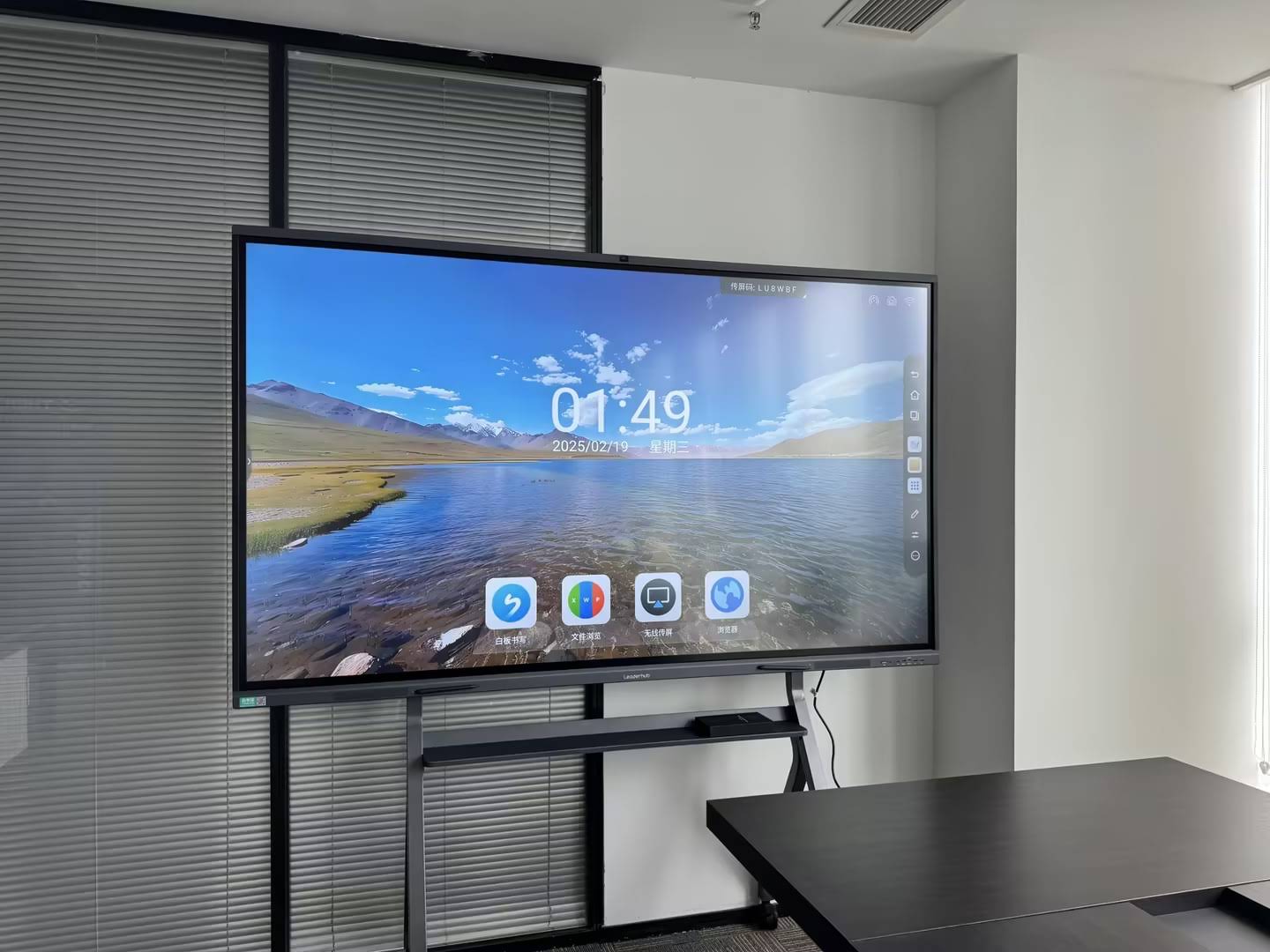
However, the educational technology landscape has evolved dramatically. Today’s interactive flat panels represent a significant technological leap forward, integrating display, touch functionality, and computing power into a single device. These modern solutions eliminate the projector entirely, delivering superior image quality, reduced maintenance, and enhanced functionality that traditional smart boards simply cannot match.
The Honest Assessment: Advantages of Traditional Smart Boards
Despite their age, traditional smart boards still offer certain benefits that explain their continued presence in many institutions:
Cost-Effectiveness for Existing Infrastructure
Schools that invested heavily in smart board technology 10-15 years ago face a significant financial barrier to replacement. When the hardware still functions, administrators struggle to justify the expense of upgrading to newer technology, particularly in districts with limited budgets. According to education technology spending data from 2023, the average lifespan of interactive display technology in schools exceeds 8-10 years, meaning many institutions are still using equipment purchased during the initial smart board boom.
Familiar Teacher Interface
Teachers who have used smart boards for years have developed workflows, lesson plans, and teaching strategies built around these tools. This familiarity represents real value¡ªtransitioning to new technology requires training time, adjustment periods, and potential disruption to established teaching methods. A 2024 survey of educators revealed that 67% cited “comfort with existing technology” as a primary reason for resisting classroom technology changes.
Large Display Area
Traditional smart boards often provide substantial display space, typically ranging from 77 to 87 inches diagonally. This size allows visibility from anywhere in the classroom, a critical factor in larger learning spaces. For schools with older classroom designs not optimized for newer display technologies, these larger surfaces maintain their practical advantage.
| Advantage | Real-World Impact | Sustainability |
|---|---|---|
| Lower replacement cost | Extends value of existing investment | Short-term only |
| Teacher familiarity | Reduces training requirements | Diminishes as staff turns over |
| Large display surface | Good visibility in large rooms | Modern alternatives match this |
| Compatibility with legacy software | Preserves existing lesson materials | Software typically portable |
The Reality Check: Significant Disadvantages of Smart Boards
While traditional smart boards maintain certain advantages, their limitations have become increasingly apparent as technology advances and educational needs evolve.
Maintenance and Reliability Issues
The projector-based design inherent to traditional smart boards creates persistent maintenance challenges. Projector bulbs require replacement every 2,000-5,000 hours of use, with each replacement costing between $200-500. In a school using the board 6 hours daily, this translates to replacement every 1-2 years. Beyond bulb replacement, projectors require filter cleaning, alignment adjustments, and eventual complete replacement as internal components degrade.
According to maintenance data from large school districts, projector-based systems generate 3-4 times more service calls than modern flat panel alternatives. Each service call represents not just direct costs, but also classroom disruption and teacher frustration when technology fails during lessons.
Image Quality Limitations
Projector-based smart boards struggle with image brightness and clarity, particularly in rooms with natural lighting. Teachers often close blinds and dim lights to improve visibility, creating suboptimal learning environments. The projected image also suffers from shadowing when teachers or students stand between the projector and board, interrupting the display and disrupting the teaching flow.
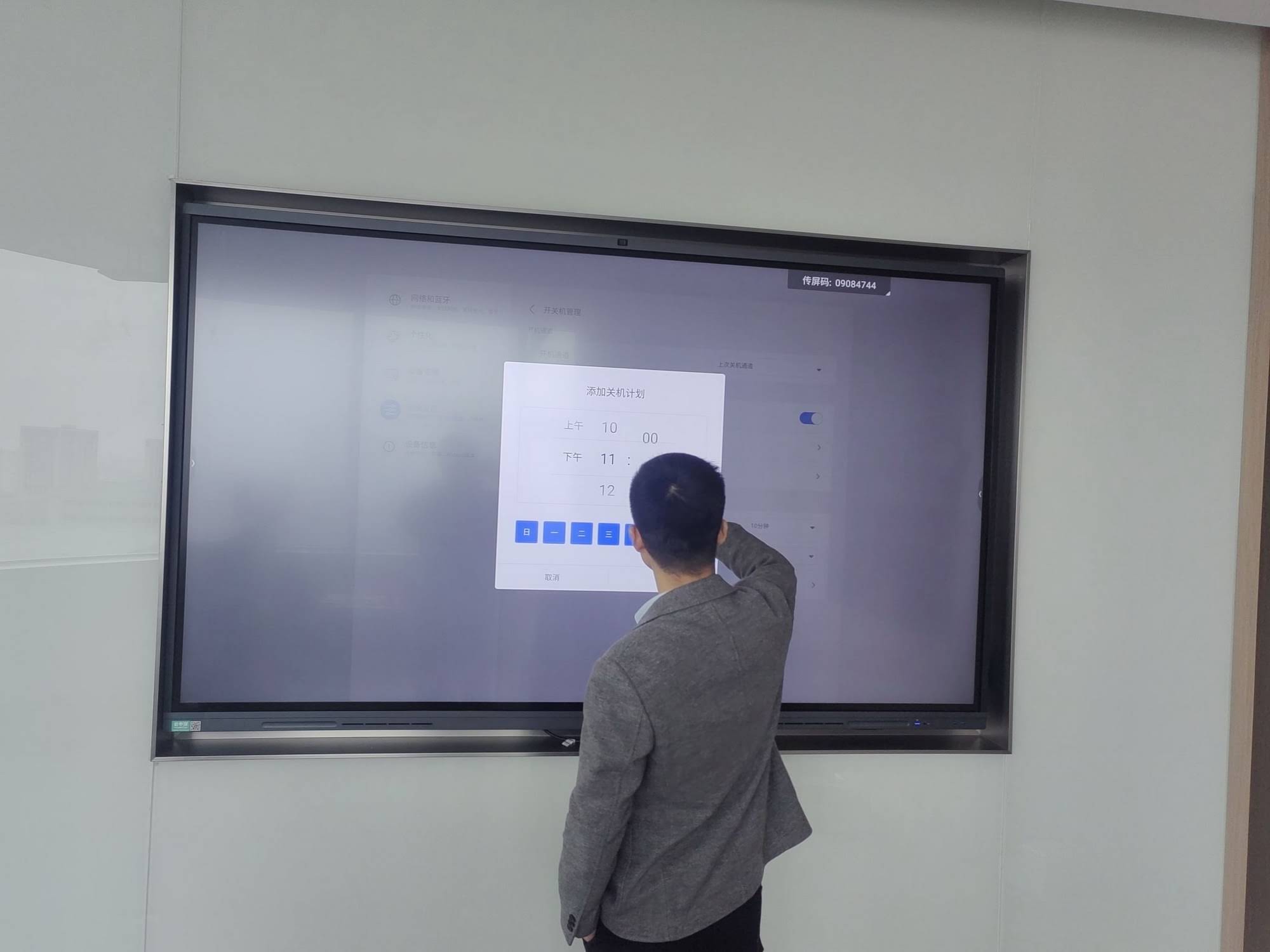
Modern students, raised with high-definition smartphone and tablet screens, increasingly find the washed-out, low-contrast images of projection systems visually jarring and difficult to read, particularly for extended periods.
Limited Interactivity and Touch Response
While revolutionary when introduced, the touch responsiveness of traditional smart boards feels sluggish compared to contemporary touchscreen devices. The technology typically supports only single or dual-touch points, preventing multiple students from interacting simultaneously. This limitation conflicts with collaborative learning methodologies that emphasize group work and peer interaction.
Touch accuracy also degrades over time as the board surface and sensors wear, requiring frequent recalibration. Teachers report spending valuable instructional time troubleshooting touch recognition issues rather than teaching.
Installation Complexity and Space Requirements
Traditional smart boards require careful installation with proper projector positioning, cable management, and often ceiling mounting. The projector must maintain precise alignment with the board, and any building settling or vibration can disrupt this alignment. The protruding projector also creates collision hazards and limits classroom furniture arrangement options.
Software Ecosystem Limitations
Many traditional smart boards rely on proprietary software that hasn’t kept pace with modern educational technology standards. Integration with cloud-based learning management systems, third-party educational apps, and cross-platform compatibility often proves challenging or impossible. Teachers increasingly find themselves constrained by software that doesn’t support the digital resources and tools their curricula require.
Modern Alternatives: What’s Replacing Traditional Smart Boards?
Educational institutions moving beyond traditional smart boards have several compelling alternatives, each offering distinct advantages for different learning environments and budgets.
Interactive Flat Panels (IFPs)
Interactive flat panels represent the most direct evolution of smart board technology. These large-format touchscreen displays integrate all necessary components¡ªdisplay, touch sensing, computing power, and speakers¡ªinto a single unit that mounts flush to the wall.
Key advantages include:
- 4K or higher resolution displays with excellent brightness and clarity in any lighting condition
- 20+ simultaneous touch points enabling true collaborative interaction
- Built-in computing eliminates the need for external computers in many applications
- Minimal maintenance with no consumable parts like projector bulbs
- Native support for modern apps, cloud services, and cross-platform tools
- Screen sharing from student devices via wireless connectivity
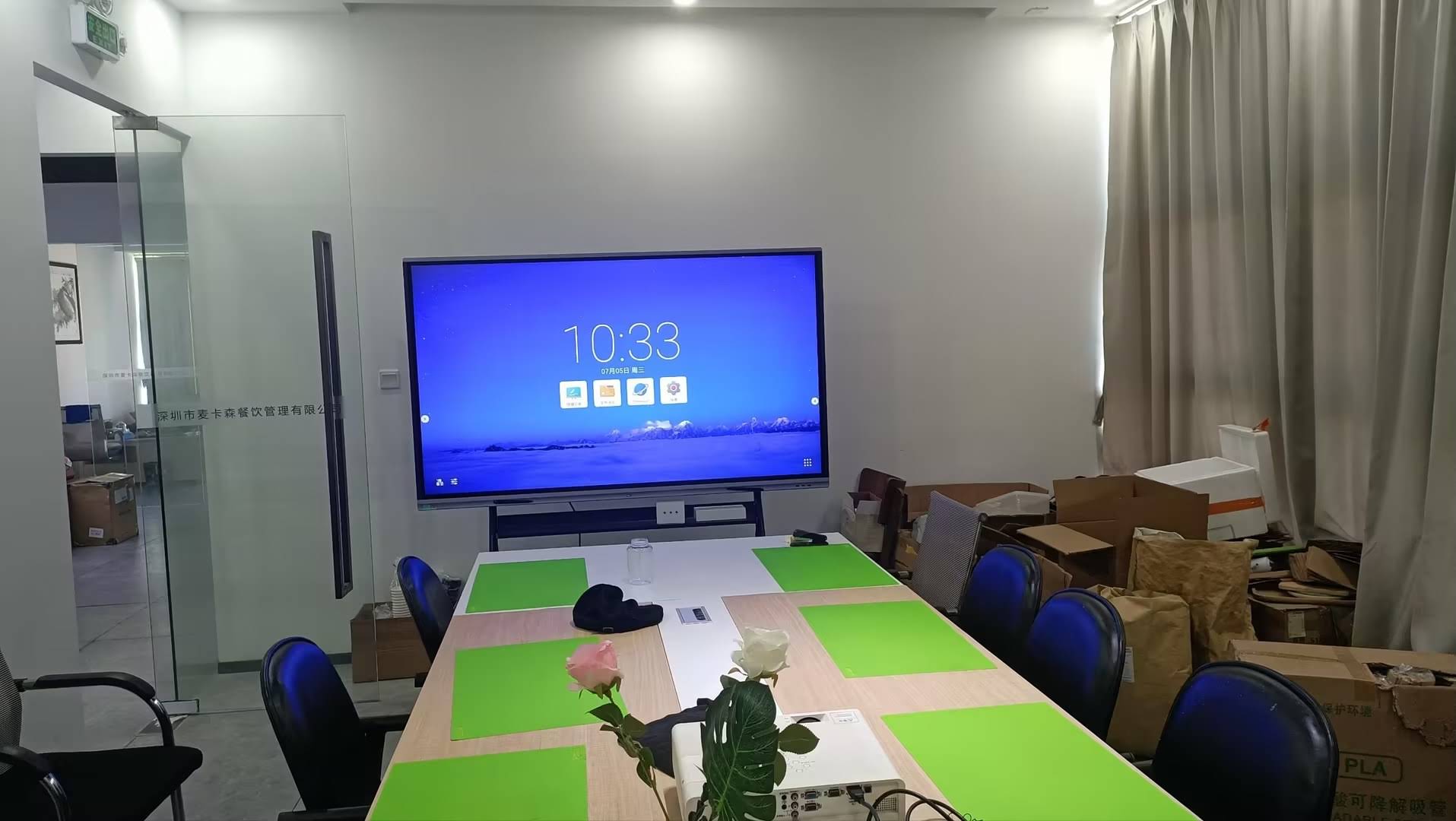
According to a 2024 industry report, interactive flat panels now account for over 78% of new interactive display installations in education, demonstrating clear market preference. LeaderHub, with over 16 years of interactive display expertise, has been at the forefront of this transition, providing advanced IFP solutions to educational institutions in more than 82 countries. Their AI-powered interactive panels integrate intelligent collaboration features that traditional smart boards cannot match, supporting both in-person and hybrid learning environments.
Portable Interactive Displays
For schools prioritizing flexibility or operating with limited budgets, portable interactive displays offer compelling advantages. These smaller format displays (typically 55-75 inches) mount on mobile stands, allowing movement between classrooms as needed.
This approach enables schools to maximize investment by sharing displays across multiple rooms rather than equipping every space with fixed installations. Portable solutions prove particularly valuable for specialist teachers who move between classrooms, traveling instructors, or schools with multi-purpose spaces that serve different functions throughout the day.
Large Format Displays with Collaboration Software
Some institutions opt for large commercial displays paired with specialized collaboration software and peripheral input devices. While these displays lack built-in touch functionality, they deliver excellent image quality at lower price points. When combined with wireless presentation systems and interactive software, they create flexible collaboration environments suitable for certain applications.
This approach works particularly well in higher education settings where presentation flexibility matters more than direct touch interaction, or in training environments focused on content sharing rather than interactive manipulation.
Projection Systems with Short-Throw Technology
While moving away from traditional long-throw projectors, some schools embrace short-throw or ultra-short-throw projectors mounted very close to the projection surface. These systems eliminate shadowing issues and reduce glare, addressing two major complaints about traditional smart board installations.
However, these solutions still rely on projector technology with its inherent limitations: bulb replacement, maintenance requirements, and image quality constraints. They represent an incremental improvement rather than a fundamental advancement.
Making the Replacement Decision: Practical Considerations
Determining whether to replace existing smart boards involves more than comparing technical specifications. Educational leaders must consider multiple factors to make decisions that serve their institutions’ actual needs and constraints.
Total Cost of Ownership Analysis
While modern interactive flat panels carry higher initial purchase costs than maintaining existing smart boards, comprehensive cost analysis reveals a different picture. Factor in projector bulb replacement, service calls, energy consumption, and productivity losses from downtime, and the equation shifts significantly.
A typical calculation for a school with 30 classrooms over 5 years shows:
| Cost Category | Traditional Smart Boards | Interactive Flat Panels |
|---|---|---|
| Initial investment | $0 (existing) | $90,000 |
| Bulb replacements | $27,000 | $0 |
| Maintenance & repairs | $18,000 | $3,000 |
| Energy consumption | $12,600 | $4,200 |
| Total 5-year cost | $57,600 | $97,200 |
While this analysis shows traditional boards appearing less expensive over five years, it excludes crucial factors: teacher productivity gains from reliable technology, improved student engagement from superior displays, and avoided opportunity costs from technology failures. Extended to 7-10 years with eventual smart board replacement costs included, interactive flat panels demonstrate clear financial advantages.
Pedagogical Requirements
Educational methodology should drive technology decisions, not the reverse. Modern pedagogy increasingly emphasizes collaborative learning, student-centered instruction, and integration of diverse digital resources. These approaches align poorly with traditional smart board limitations.
Schools implementing project-based learning, STEAM curricula, or collaborative problem-solving methodologies find traditional smart boards insufficient for their instructional goals. The single-touch limitations and poor multi-user support actively hinder teaching strategies that require simultaneous student interaction.
Infrastructure Readiness
Upgrading to modern interactive displays requires adequate electrical infrastructure and network capacity. Interactive flat panels draw more power than traditional smart boards, potentially requiring electrical upgrades in older buildings. They also benefit from robust network connectivity to support cloud-based features and wireless screen sharing.
Schools should audit their infrastructure capabilities before committing to large-scale technology transitions, ensuring they can fully leverage new equipment capabilities without encountering unexpected implementation barriers.
Teacher Training and Change Management
Technology transitions succeed or fail based on user adoption. Even superior technology delivers no value if teachers cannot or will not use it effectively. Successful implementations include comprehensive training programs, ongoing support resources, and recognition that different educators adopt new technology at different rates.
Research from educational technology implementations shows that schools investing in robust professional development achieve 3-4 times higher utilization rates of new interactive displays compared to schools that simply install equipment and expect teachers to figure it out independently.
Special Considerations for Different Educational Contexts
The smart board replacement decision varies significantly based on institutional type, student population, and educational mission.
K-12 Schools
Elementary schools benefit particularly from modern interactive displays’ multi-touch capabilities, enabling hands-on group activities where multiple students interact with content simultaneously. The improved visual clarity supports early literacy instruction where students must clearly distinguish letters and words.
Secondary schools increasingly integrate advanced collaboration tools and digital resources that traditional smart boards cannot adequately support. Science labs, maker spaces, and collaborative learning environments particularly benefit from modern interactive display capabilities.
Higher Education Institutions
Universities and colleges often prioritize flexibility and sophisticated presentation capabilities over direct touch interaction. Large lecture halls may benefit more from advanced projection systems with wireless presentation tools than from interactive flat panels.
However, seminar rooms, group study spaces, and active learning classrooms show clear advantages from modern interactive displays that support collaborative work, wireless content sharing from student devices, and seamless integration with learning management systems.
Corporate Training Environments
Business training facilities and corporate learning centers increasingly favor interactive flat panels for their professional appearance, reliability, and advanced collaboration features. The ability to seamlessly integrate with video conferencing systems proves particularly valuable for hybrid training scenarios combining in-person and remote participants.
Special Education Settings
Students with diverse learning needs often benefit significantly from modern interactive displays’ enhanced touch responsiveness, multi-user support, and integration with specialized educational software. The improved visual clarity aids students with visual processing challenges, while multi-touch support enables collaborative activities adapted to different ability levels.
Implementation Best Practices for Technology Transitions
Schools and institutions planning to move beyond traditional smart boards should follow proven implementation practices to maximize success:
Phased Rollout Strategy
Rather than wholesale replacement, implement new technology in phases. Start with pilot installations in a few classrooms with teachers who demonstrate comfort with technology and willingness to provide feedback. Use these early installations to refine implementation processes, develop training materials, and build internal expertise before broader deployment.
Teacher Champion Development
Identify and empower teacher champions who can become internal experts and peer mentors. These educators help colleagues overcome adoption barriers and discover effective instructional applications. Teacher-to-teacher support proves far more effective than top-down mandates or external consultants who disappear after initial training.
Comprehensive Training Programs
Develop multi-layered training that addresses both technical operation and pedagogical application. Teachers need more than button-pushing instruction¡ªthey need guidance on how new technology capabilities can enhance their specific instructional approaches and subject areas.
Offer training in multiple formats: hands-on workshops, video tutorials, quick reference guides, and ongoing drop-in support sessions. Recognize that teachers learn differently and at different paces.
Infrastructure Validation
Before installation, thoroughly test network connectivity, power availability, and physical mounting requirements. Nothing undermines teacher confidence faster than unreliable technology or installation delays that disrupt their classroom spaces.
Success Metrics Definition
Establish clear criteria for evaluating implementation success beyond simple installation completion. Track utilization rates, teacher satisfaction, student engagement indicators, and technical support requirements. Use this data to continuously improve implementation and identify areas requiring additional support.
Future-Proofing Your Interactive Display Investment
Technology continues evolving rapidly, making future-proofing considerations essential for significant capital investments.
AI Integration and Intelligent Features
Artificial intelligence is transforming interactive displays from passive presentation tools into intelligent learning assistants. Modern systems incorporate AI-powered features including real-time language translation, automatic content transcription, intelligent screen capture, and adaptive interface adjustments based on usage patterns.
When evaluating replacement options, prioritize systems with AI capabilities and robust software update mechanisms ensuring access to emerging intelligent features without hardware replacement.
Cloud Integration and Platform Flexibility
Educational technology increasingly operates in the cloud, with learning management systems, content libraries, and collaboration tools residing in cloud infrastructure. Interactive displays must seamlessly integrate with these cloud platforms while maintaining platform agnostas¡ªworking equally well with Google Workspace, Microsoft 365, Apple ecosystem, and independent educational platforms.
Wireless and Mobile Device Integration
Students and teachers increasingly work on personal devices¡ªlaptops, tablets, smartphones. Modern interactive displays must support effortless wireless content sharing and screen mirroring from any device platform without requiring proprietary apps or complex configuration.
Security and Privacy Considerations
Connected classroom technology raises important security and privacy questions. Interactive displays with built-in cameras and microphones require robust security features preventing unauthorized access. Systems must comply with student privacy regulations like FERPA and COPPA, with transparent data handling practices and administrative controls over what information systems collect and retain.
The Verdict: Are Smart Boards Outdated?
Traditional smart boards occupy an increasingly awkward position in modern educational technology. They are not entirely obsolete¡ªmany continue functioning adequately in their basic role of displaying and annotating digital content. However, calling them “adequate” reveals the real problem: educational technology should inspire and enable, not merely suffice.
Compared to modern alternatives, traditional smart boards show their age in nearly every dimension: image quality, interactivity, reliability, maintenance requirements, and feature sets. They were breakthrough technology in 2005 but represent legacy systems in 2024’s educational landscape.
The question is not whether smart boards are outdated¡ªthey clearly are¡ªbut whether replacement makes sense for your specific situation. Institutions with functional smart boards and tight budgets may reasonably continue using them while planning future upgrades. However, any school installing new interactive displays should choose modern technology over traditional smart boards, even if doing so means equipping fewer classrooms initially.
The educational technology market has spoken clearly: interactive flat panels represent the present and future of classroom displays. They deliver superior performance across every meaningful metric while providing reasonable total cost of ownership when all factors are considered. As prices continue declining and capabilities expanding, the case for maintaining traditional smart boards weakens further each year.
Taking Action: Next Steps for Your Institution
If this analysis has convinced you that your institution should move beyond traditional smart boards, consider these concrete next steps:
- Conduct a thorough needs assessment involving teachers, administrators, and IT staff to understand your specific requirements, constraints, and priorities
- Evaluate your existing infrastructure to identify any electrical, network, or physical space limitations that might affect implementation
- Request demonstrations from multiple vendors to see different technologies in action and understand real-world capabilities beyond marketing claims
- Develop a realistic budget that includes not just equipment purchase but also installation, training, ongoing support, and a contingency fund for unexpected requirements
- Create a phased implementation plan that spreads costs over multiple budget cycles while building internal expertise progressively
- Establish success metrics that will let you objectively evaluate whether new technology is delivering expected benefits
Educational technology investments represent more than equipment purchases¡ªthey signal institutional commitment to providing teachers and students with tools that enable modern learning. Traditional smart boards served education well for nearly two decades, but that era has passed. Modern alternatives deliver substantially better experiences while positioning institutions for continued evolution as educational technology advances.
The choice is not whether to eventually replace aging smart boards, but whether to act proactively or reactively. Institutions planning ahead and transitioning deliberately achieve far better outcomes than those forced into hasty decisions by equipment failures or competitive pressures. Start planning today for the classroom technology your students and teachers deserve.








