
Smart boards have revolutionized modern classrooms by transforming traditional teaching methods into dynamic, interactive learning experiences. As educational technology continues to evolve, teachers worldwide are discovering how these interactive displays can significantly enhance student engagement, collaboration, and learning outcomes. Whether you’re new to smart board technology or looking to optimize your current usage, this comprehensive guide will provide practical strategies to help you maximize the potential of these powerful teaching tools.
Understanding Smart Board Technology and Its Classroom Benefits
Before diving into practical applications, it’s essential to understand what makes smart boards such valuable educational tools. Interactive flat panels combine the functionality of traditional whiteboards with advanced digital capabilities, allowing teachers to display multimedia content, annotate lessons in real-time, and create immersive learning experiences that cater to different learning styles.
According to recent educational technology research, classrooms equipped with interactive displays report a 30-40% increase in student participation compared to traditional teaching environments. This significant improvement stems from the technology’s ability to present information visually, encourage collaborative problem-solving, and provide immediate feedback during lessons.
Essential Setup and Initial Configuration
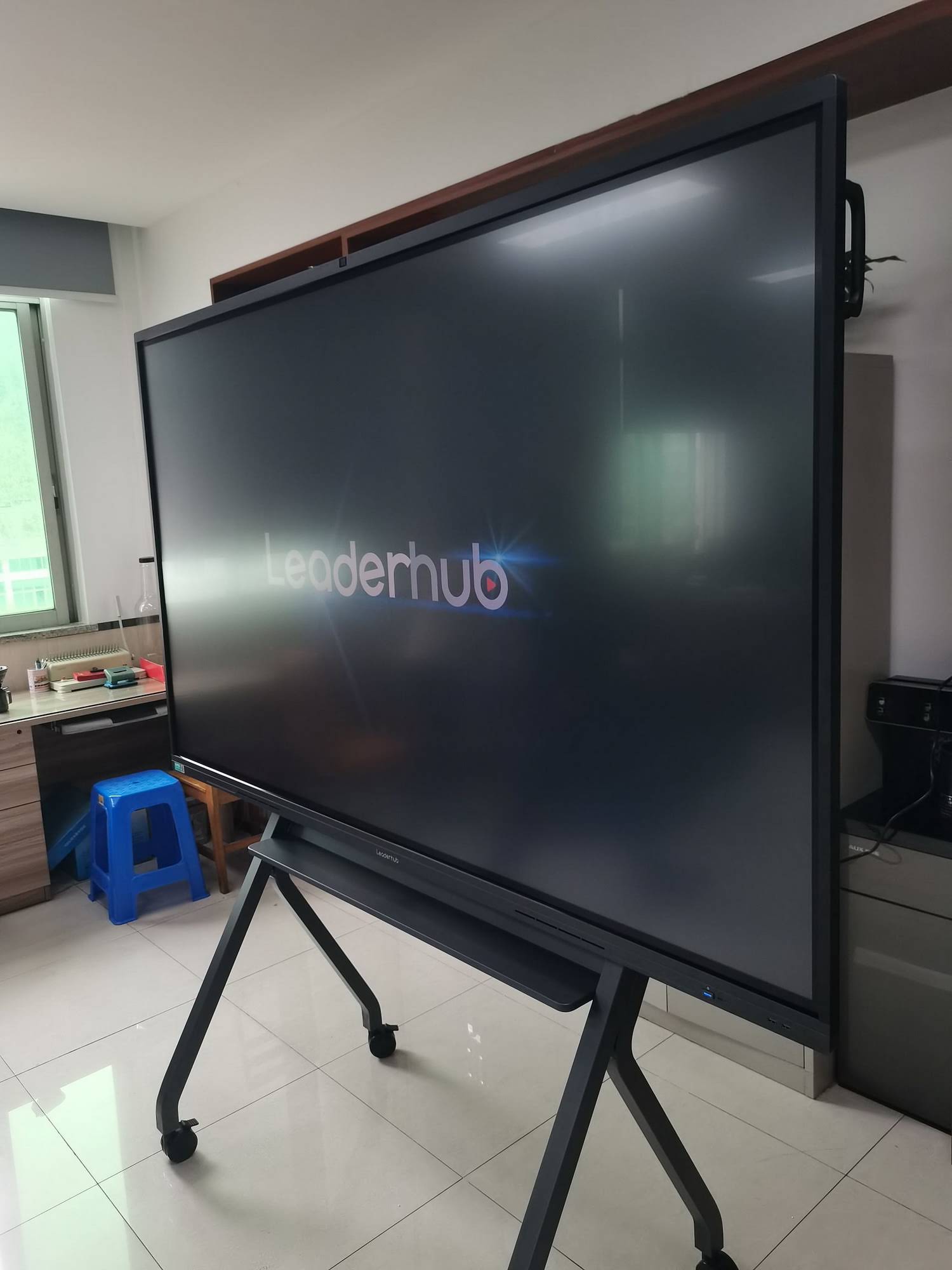
Optimal Placement and Positioning
The physical placement of your smart board directly impacts its effectiveness in the classroom. Position the board at a height where both you and your students can comfortably interact with it. The center of the screen should typically be at eye level for average student height, ensuring accessibility for all learners.
Consider these key placement factors:
- Lighting conditions: Install the board perpendicular to windows to minimize glare and reflection that can reduce visibility
- Viewing distance: Ensure all students can clearly see the display from their seats¡ªtypically 2-3 times the screen height
- Touch accessibility: Leave adequate space around the board for students to approach and interact without obstruction
- Cable management: Organize power and connection cables safely to prevent tripping hazards
Calibration and Touch Accuracy
Proper calibration ensures precise touch response, which is crucial for effective interaction. Most smart boards require initial calibration and periodic recalibration to maintain accuracy. Follow your device’s specific calibration procedure¡ªusually involving touching designated points on the screen in sequence. Recalibrate whenever you notice touch input becoming imprecise or after moving the board.
Daily Operational Techniques for Smooth Teaching
Quick Start Routines
Establishing efficient startup procedures saves valuable instructional time. Create a consistent routine that includes:
- Power on the smart board and connected devices before students arrive
- Open your prepared lesson materials and organize tabs or windows
- Test touch responsiveness with a quick calibration check
- Verify audio settings if using multimedia content
- Have backup materials ready in case of technical difficulties
Experienced educators recommend arriving 10-15 minutes early to complete these preparations, allowing you to focus entirely on teaching once class begins.
Navigation and Basic Tools Mastery
Familiarize yourself with your smart board’s core tools to navigate seamlessly during lessons. Most systems include:
| Tool | Primary Function | Teaching Application |
|---|---|---|
| Pen/Marker | Writing and drawing | Annotating slides, solving problems, highlighting key concepts |
| Eraser | Removing annotations | Correcting mistakes, clearing work between problems |
| Highlighter | Emphasizing text | Drawing attention to important information without obscuring it |
| Shape Tools | Creating geometric figures | Teaching geometry, creating diagrams, organizing information |
| Screen Capture | Saving current display | Recording student work, creating review materials |
Practice transitioning between these tools smoothly during planning time so your focus remains on instruction rather than navigation during class.
Effective Content Preparation and Organization
Lesson Planning with Digital Resources
Smart boards excel when paired with well-organized digital content. Create lesson folders on your device or cloud storage with clear naming conventions, making materials easy to locate during class. Structure each lesson file to include:
- Opening activity or warm-up questions
- Main instructional content with embedded multimedia
- Interactive practice opportunities
- Assessment or reflection prompts
- Links to supplementary resources
Many teachers find success using presentation software, interactive whiteboard applications, or specialized education platforms that integrate seamlessly with smart board technology. The key is consistency¡ªusing similar structures across lessons helps students know what to expect and reduces technical navigation time.
Multimedia Integration Strategies
One of the smart board’s greatest strengths is its ability to incorporate various media types into lessons. However, effective integration requires intentional planning:
Video content: Keep clips short (3-5 minutes) and cue them to specific starting points before class. Prepare discussion questions or pause points to maintain student engagement rather than passive watching.
Interactive simulations: Particularly valuable for science and math instruction, simulations allow students to manipulate variables and observe outcomes. Bookmark reliable sources and test simulations beforehand to ensure compatibility with your smart board system.
Images and diagrams: Use high-resolution images that remain clear when displayed on large screens. Annotate directly on images to explain processes, label parts, or emphasize details.
Interactive Teaching Methods That Maximize Engagement
Student-Centered Activities
Transform your smart board from a presentation tool into a collaborative workspace by inviting students to interact directly with content. Research from the Journal of Educational Technology demonstrates that physical interaction with learning materials increases retention by up to 25% compared to passive observation.
Implement these engagement strategies:
- Interactive problem-solving: Have students come to the board to complete math problems, label diagrams, or categorize information while classmates observe and discuss
- Digital brainstorming: Use mind-mapping tools where multiple students contribute ideas simultaneously
- Peer teaching moments: Allow students to present their work or explain concepts using the smart board’s tools
- Gamified learning: Incorporate educational games and quizzes where students compete in teams using the interactive display
Differentiation and Accessibility Features
Smart boards offer powerful tools for meeting diverse learning needs within a single classroom. Use these features to support all learners:
| Feature | Learning Need Addressed | Implementation Example |
|---|---|---|
| Text-to-speech | Reading difficulties, auditory learners | Have text read aloud during reading comprehension activities |
| Adjustable text size | Visual impairments | Enlarge text for whole-class viewing or individual support |
| Color contrast options | Visual processing differences | Use high-contrast backgrounds for improved readability |
| Screen recording | Students who need review, absent students | Capture lessons for later review or make-up work |
| Translation tools | English language learners | Provide multilingual support for key vocabulary and instructions |
Subject-Specific Applications and Best Practices
Mathematics Instruction
Smart boards transform math teaching by making abstract concepts visual and interactive. Use graphing tools to demonstrate functions in real-time, showing how equations translate to visual representations. Geometry applications allow students to manipulate shapes, measure angles, and explore spatial relationships dynamically.
A middle school math teacher in Texas reported that using interactive geometry software on her smart board helped struggling students finally understand angle relationships because they could physically move shapes and observe changing measurements instantly.
Language Arts and Literacy
For literacy instruction, smart boards facilitate annotation of texts during close reading activities. Project passages on the screen and model thinking processes by highlighting evidence, making margin notes, and connecting ideas visually. Students can then practice these strategies independently or in small groups.
Use split-screen capabilities to compare different text versions, examine grammar structures, or analyze writing samples. The ability to save annotated texts provides valuable reference materials for review and assessment.
Science and STEM Education
Science teachers find smart boards invaluable for demonstrating processes that would be impossible or impractical to show otherwise. Virtual labs allow students to conduct experiments with dangerous chemicals or expensive equipment safely and repeatedly. Display data collection in real-time during experiments, creating graphs and charts that update as measurements are taken.
Biology teachers can zoom into cellular structures, chemistry instructors can rotate 3D molecular models, and physics educators can slow down motion to analyze forces frame by frame¡ªall capabilities that significantly enhance conceptual understanding.
Assessment and Formative Feedback Techniques
Real-Time Response Systems
Smart boards integrate seamlessly with student response systems, enabling immediate formative assessment. Pose questions during lessons and instantly view class-wide results displayed as charts or graphs. This data helps you identify misunderstandings immediately and adjust instruction accordingly.
Digital polling and quiz features transform assessment from a passive, end-of-lesson activity into an ongoing diagnostic tool. When students see their collective responses without individual identification, they’re more willing to take risks and reveal their actual understanding level.
Collaborative Problem-Solving Sessions
Use the smart board as a shared workspace where students collaborate to solve complex problems. Divide the screen into sections where different groups work simultaneously, or use screen-sharing features to display student work from their devices for class discussion and peer feedback.
This approach not only assesses understanding but also develops critical thinking and communication skills as students explain their reasoning and evaluate different solution strategies.
Maintenance and Troubleshooting
Daily Care and Cleaning
Proper maintenance extends your smart board’s lifespan and ensures consistent performance. Clean the screen regularly using only manufacturer-approved cleaning solutions and microfiber cloths. Avoid harsh chemicals, abrasive materials, or excessive moisture that could damage the touch-sensitive surface.
Establish a simple cleaning routine:
- Power off the board before cleaning
- Gently wipe the screen with a dry microfiber cloth to remove dust
- For stubborn marks, lightly dampen the cloth with approved cleaner
- Dry the screen completely before powering on
- Check cables and connections weekly for signs of wear
Common Issues and Quick Solutions
Understanding basic troubleshooting saves instructional time and reduces frustration. Here are the most common issues and their solutions:
- Touch not responding accurately: Recalibrate the board following your system’s calibration procedure. If problems persist, check for physical obstructions near the frame or clean the screen surface.
- No display appearing: Verify all cable connections, ensure the correct input source is selected, and confirm the connected device is powered on and not in sleep mode.
- Frozen or lagging system: Close unnecessary applications running in the background, restart the smart board and connected computer, and check for software updates.
- Audio not working: Check volume settings on both the smart board and connected device, verify audio output is directed to the correct speakers, and test with different audio sources.
Keep a troubleshooting guide near your smart board with these solutions and contact information for technical support when advanced assistance is needed.
Professional Development and Continuous Improvement
Building Your Skill Set
Maximizing smart board effectiveness is an ongoing process. Dedicate time to exploring new features and applications regularly. Many teachers find success by focusing on mastering one new tool or technique each month rather than attempting to learn everything at once.
Valuable professional development opportunities include:
- Manufacturer-provided training sessions and webinars
- Online educator communities where teachers share lesson ideas and troubleshooting tips
- Education technology conferences with hands-on workshops
- Peer observation sessions where colleagues demonstrate effective practices
- YouTube tutorials and online courses focused on specific applications
Collaborating with Colleagues
Create or join a professional learning community focused on interactive technology integration. Regular meetings where teachers share successful lessons, discuss challenges, and demonstrate new techniques accelerate everyone’s learning curve while building a support network.
Consider establishing a shared digital repository where faculty can contribute and access smart board-ready lesson materials, reducing preparation time and ensuring consistency across grade levels or departments.
Advanced Features and Emerging Capabilities
Cloud Integration and Remote Learning
Modern smart boards increasingly integrate with cloud platforms, enabling seamless lesson delivery across different locations. Save your annotated lessons to cloud storage, allowing students to access materials from home for review or makeup work. This capability proved invaluable during remote learning periods and continues to support hybrid and flexible learning environments.
Screen mirroring features let you project student devices onto the smart board, facilitating presentations and collaborative work without physical connection cables. This wireless capability increases flexibility and reduces setup time between activities.
Artificial Intelligence and Adaptive Learning
Emerging smart board technologies incorporate artificial intelligence to enhance teaching effectiveness. AI-powered features can analyze student response patterns during interactive activities, providing insights about which concepts require additional instruction. Some systems offer real-time translation services, automatically converting displayed text into multiple languages to support diverse classrooms.
As a leading manufacturer with over 16 years of experience in interactive display technology, LeaderHub continues integrating AI-powered features into smart whiteboard solutions, helping educators deliver more personalized and effective instruction across more than 82 countries worldwide.
Creating an Inclusive Classroom Environment
Universal Design for Learning Principles
Apply Universal Design for Learning (UDL) principles when planning smart board activities to ensure all students can access and engage with content. Provide multiple means of representation by combining visual displays with verbal explanations and text-based information. Offer varied ways for students to demonstrate understanding¡ªsome through written responses, others through verbal explanations or interactive demonstrations at the board.
The flexibility of smart board technology naturally supports UDL implementation, but intentional planning ensures these capabilities translate into equitable learning opportunities for every student.
Managing Classroom Dynamics
While smart boards offer tremendous educational potential, they can also become sources of distraction if not managed thoughtfully. Establish clear expectations about when and how students should interact with the technology. Use the board’s attention-focusing features, such as screen shading or spotlight tools, to direct student focus during instruction.
Balance technology-based activities with traditional teaching methods and hands-on learning experiences. The goal is enhanced instruction, not technology for its own sake. Regular reflection about whether smart board use truly serves learning objectives helps maintain this balance.
Budget Considerations and Resource Optimization
Maximizing Your Investment
Smart boards represent significant investments for schools and districts. Maximize their value by ensuring consistent, purposeful use rather than allowing them to become expensive projection screens. Track usage patterns and student outcomes to demonstrate impact during budget discussions and justify future technology investments.
Free and low-cost resources abound for smart board content. Many educational organizations provide downloadable lesson materials, interactive activities, and curriculum-aligned resources specifically designed for interactive displays. Build a collection of these resources organized by subject and grade level for easy access.
Sustainability and Long-Term Planning
Consider the long-term sustainability of your smart board ecosystem. Choose systems compatible with existing technology infrastructure and scalable as your needs evolve. Regular software updates ensure access to new features and security improvements, extending the functional lifespan of your hardware investment.
Plan for eventual technology refresh cycles by documenting what works well and what limitations you encounter. This information guides future purchasing decisions and helps avoid repeating mistakes.
Real-World Success Stories and Implementation Examples
Elementary School Transformation
An elementary school in California implemented smart boards across all K-5 classrooms and tracked student engagement and achievement over two years. Teachers reported 45% increase in student participation during whole-class instruction and 32% improvement in collaborative learning activities. Standardized test scores in mathematics increased by an average of 12 percentile points, which administrators attributed partially to the enhanced visualization of mathematical concepts made possible by interactive technology.
Secondary School STEM Excellence
A high school science department integrated smart boards with student response systems and saw significant improvements in formative assessment practices. Teachers could identify misconceptions immediately and adjust instruction in real-time rather than discovering gaps days later through graded assignments. Students particularly valued the ability to review recorded lessons before tests, with 78% reporting improved confidence in their understanding of complex scientific concepts.
Looking Forward: Future Trends in Interactive Technology
Interactive display technology continues evolving rapidly. Emerging trends include gesture-based controls that eliminate the need for physical touch, augmented reality integration that overlays digital information on physical objects, and enhanced collaboration features supporting synchronous work between classrooms in different locations.
Staying informed about these developments helps you plan for future instructional possibilities while making informed decisions about software and content development. However, remember that pedagogical soundness matters more than technological sophistication¡ªeffective teaching practices remain the foundation of student learning, with technology serving as a powerful amplifier of good instruction.
Practical Implementation Checklist
As you begin or refine your smart board implementation, use this checklist to ensure comprehensive preparation:
- Verify proper installation and optimal board positioning
- Complete initial calibration and test touch accuracy
- Organize digital content in accessible, logical folder structures
- Establish daily startup and shutdown routines
- Master core tools: pen, eraser, highlighter, shape tools, screen capture
- Create templates for frequently used lesson structures
- Bookmark reliable educational resources and interactive simulations
- Develop classroom procedures for student interaction with the board
- Establish a regular cleaning and maintenance schedule
- Identify available technical support resources and contact information
- Schedule ongoing professional development activities
- Connect with colleagues for resource sharing and collaborative learning
- Plan assessment strategies that leverage interactive capabilities
- Document successful practices and lessons learned for future reference
Conclusion: Transforming Teaching Practice
Smart boards represent more than just updated classroom technology¡ªthey offer opportunities to fundamentally transform how we teach and how students learn. By following the practical strategies outlined in this guide, you can move beyond basic presentation use to create truly interactive, engaging learning environments that prepare students for an increasingly digital world.
Success with smart board technology doesn’t happen overnight. It requires patience, experimentation, and willingness to adapt your teaching practices. Start with manageable goals, celebrate small victories, and continuously reflect on what works best for your specific students and instructional context. The investment of time and effort yields significant returns in student engagement, understanding, and achievement.
Remember that technology serves learning, not the reverse. The most effective smart board implementation occurs when the technology becomes invisible¡ªwhen you and your students focus entirely on ideas, concepts, and understanding rather than on the tools themselves. With thoughtful planning, consistent practice, and ongoing refinement of your approach, smart boards become natural extensions of your teaching practice, opening new possibilities for creating powerful learning experiences that inspire and educate the next generation of learners.








