
When planning to upgrade your classroom, meeting room, or training facility with modern interactive technology, understanding smart board pricing is essential for making an informed investment decision. Smart boards¡ªalso known as interactive flat panels or digital whiteboards¡ªhave become fundamental tools in education and business environments, but their costs can vary significantly based on features, size, and brand positioning.
This comprehensive guide breaks down smart board pricing across different categories, examines the key factors that influence cost, and provides practical insights to help you choose the right solution for your specific needs and budget.
Understanding Smart Board Price Ranges
Smart board costs typically fall into three main categories, each serving different organizational requirements and feature expectations.
Entry-Level Smart Boards ($800¨C$2,500)
Entry-level interactive displays are designed for organizations seeking basic touch functionality and digital whiteboarding capabilities without advanced features. These solutions typically include:
- Screen sizes ranging from 55 to 65 inches
- Basic touch recognition (10-20 touch points)
- Standard resolution (Full HD 1080p)
- Limited built-in software and apps
- Basic connectivity options (HDMI, USB)
- Shorter warranty periods (1-2 years)
These models work well for small meeting rooms, training spaces, or educational institutions with limited budgets. While they provide essential interactive capabilities, they may lack advanced collaboration features, AI-powered tools, or robust processing power found in premium models.
Mid-Range Smart Boards ($2,500¨C$6,000)
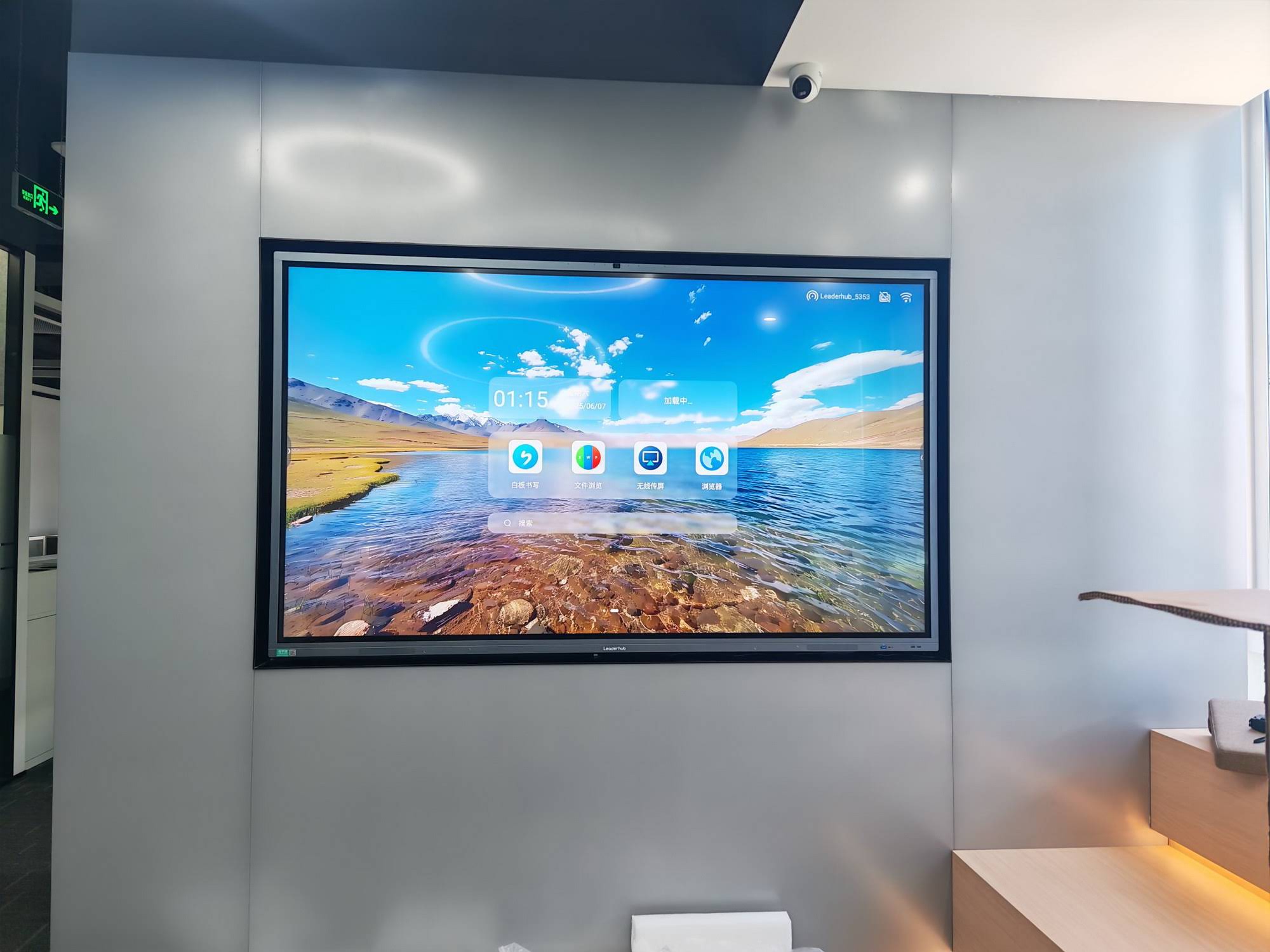
Mid-range interactive panels offer a balanced combination of performance, features, and value. This category represents the most popular choice for schools, corporate offices, and professional training centers. Typical specifications include:
- Screen sizes from 65 to 86 inches
- Enhanced touch accuracy (20-40 touch points)
- 4K Ultra HD resolution for sharper content
- Built-in operating systems (Android or Windows)
- Comprehensive software ecosystems
- Wireless screen sharing and collaboration tools
- Extended warranty coverage (3-5 years)
These systems deliver reliable performance for daily classroom instruction, business presentations, and collaborative work sessions. They often include features like screen recording, cloud integration, and remote management capabilities that enhance productivity.
Premium Smart Boards ($6,000¨C$15,000+)
Premium interactive displays target organizations requiring cutting-edge technology, exceptional performance, and enterprise-grade reliability. These high-end solutions feature:
- Large screen sizes (86 to 110+ inches)
- Advanced touch technology with palm rejection
- 4K or higher resolution displays
- Powerful integrated computers (Intel Core i5/i7 processors)
- AI-powered collaboration and content recognition
- Advanced video conferencing integration
- Professional-grade audio systems
- Comprehensive warranty and support packages
These systems are designed for executive boardrooms, university lecture halls, design studios, and command centers where performance, reliability, and advanced capabilities justify the higher investment.
Key Factors That Affect Smart Board Pricing
Understanding what drives smart board costs helps you evaluate whether premium features align with your actual requirements or if a more economical option suffices.
Screen Size and Display Quality
Screen dimensions represent one of the most significant cost variables. A 55-inch display might cost $1,200, while a 98-inch model from the same manufacturer can exceed $12,000. Display technology also matters¡ª4K resolution panels cost more than Full HD, but deliver noticeably sharper text and images, which is particularly important for detailed content like architectural drawings, medical imaging, or complex data visualizations.
| Screen Size | Typical Price Range | Best For |
|---|---|---|
| 55″¨C65″ | $800¨C$3,000 | Small meeting rooms, huddle spaces |
| 75″¨C86″ | $2,500¨C$7,000 | Classrooms, standard conference rooms |
| 98″¨C110″ | $8,000¨C$15,000+ | Large lecture halls, boardrooms |
Touch Technology and Responsiveness
Touch technology varies significantly across price points. Basic capacitive touch systems support 10-20 simultaneous touch points and work well for single-user applications. Advanced infrared or optical touch systems can recognize 40+ touch points with minimal latency, enabling multiple users to write, draw, and manipulate content simultaneously without interference.
Premium models also incorporate palm rejection technology, allowing users to rest their hand on the screen while writing naturally¡ªa feature that dramatically improves the user experience but adds to manufacturing costs.
Built-In Computing Power
Many modern smart boards include integrated computers, eliminating the need for external PCs. Entry-level models might use basic ARM processors with 2-4GB RAM, suitable for simple applications but potentially sluggish with demanding software. Mid-range and premium systems often feature Intel Core processors with 8-16GB RAM, enabling smooth multitasking, video conferencing, and running professional applications directly on the display.
Organizations should consider whether built-in computing meets their needs or if connecting external computers provides more flexibility for future upgrades.
Software Ecosystem and Cloud Integration
Software capabilities significantly impact both immediate functionality and long-term value. Basic systems may include limited whiteboarding apps, while comprehensive platforms offer:
- Advanced annotation and collaboration tools
- Cloud storage and file sharing integration
- Video conferencing platform compatibility (Zoom, Microsoft Teams, Google Meet)
- Screen recording and content capture
- Remote device management for IT administrators
- Educational content libraries and lesson planning tools
Some manufacturers bundle software at no additional cost, while others charge annual licensing fees. When comparing prices, factor in the total cost of ownership including software subscriptions.
Connectivity and Integration Options
Modern collaboration requires seamless connectivity. Basic displays offer standard HDMI and USB ports, while advanced models include:
- Wireless screen mirroring (Miracast, AirPlay, Chromecast)
- Multiple HDMI inputs for connecting various devices
- USB-C connectivity with power delivery
- Network ports for centralized management
- Bluetooth for wireless peripherals
- NFC tap-to-share functionality
Enhanced connectivity options add cost but can significantly improve workflow efficiency, particularly in environments where multiple users need to share content quickly.
Durability and Warranty Coverage
Commercial-grade smart boards are built for intensive daily use with reinforced glass, robust mounting systems, and industrial-grade components. While consumer-oriented models might include basic one-year warranties, professional systems often come with three to five-year warranties covering parts, labor, and sometimes on-site service.
When evaluating costs, consider the warranty terms carefully. A slightly higher upfront investment in a well-supported product can reduce long-term maintenance expenses and minimize downtime.
Additional Costs Beyond the Display
Smart board pricing rarely tells the complete story. Organizations should budget for several additional expenses:
Installation and Mounting
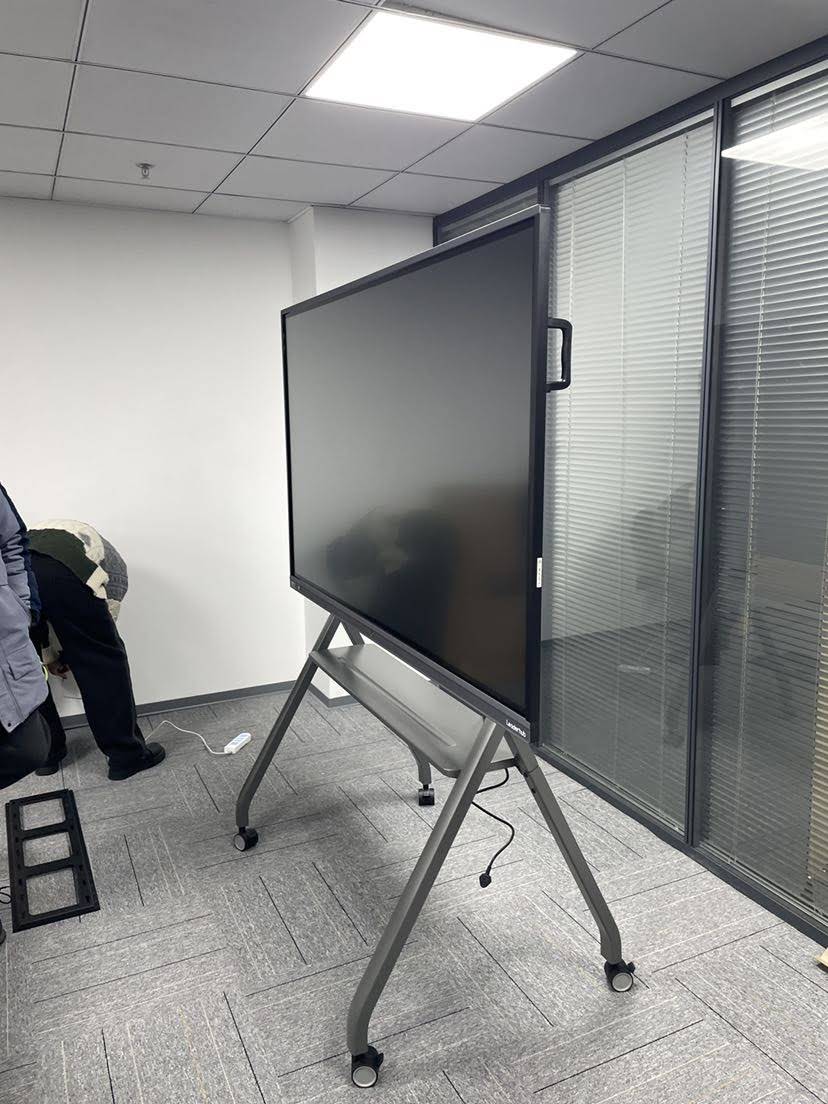
Professional installation typically costs $200¨C$800 depending on wall type, mounting height, and cable management requirements. Wall-mounted systems need sturdy mounts rated for the display’s weight (larger panels can exceed 200 pounds). Mobile stands offer flexibility but add $300¨C$1,500 to the total cost.
Accessories and Peripherals
Enhance functionality with additional components:
- Digital pens and styluses: $50¨C$200
- External cameras for video conferencing: $100¨C$500
- Sound bars or speaker systems: $150¨C$600
- Document cameras: $200¨C$800
- Wireless presentation devices: $100¨C$400
Training and Support
User adoption depends heavily on proper training. Many manufacturers offer training packages ranging from $500¨C$2,000 for on-site sessions. While this represents an additional expense, effective training ensures your investment delivers maximum value by helping users leverage the technology’s full capabilities.
Ongoing Maintenance and Software Updates
Budget for potential software subscription fees ($100¨C$500 annually), extended warranty renewals, and occasional hardware maintenance. Well-maintained systems can deliver 7-10 years of reliable service, making these ongoing costs relatively modest compared to the initial investment.
Comparing Smart Boards vs. Traditional Projector Systems
Many organizations evaluate smart boards against traditional projector-based interactive systems. While projectors have lower upfront costs ($500¨C$2,000 for equipment), they come with significant ongoing expenses:
| Factor | Smart Board | Projector System |
|---|---|---|
| Initial Cost | $1,500¨C$10,000+ | $500¨C$2,000 |
| Lamp Replacement | None (LED/LCD) | $200¨C$500 every 2-3 years |
| Maintenance | Minimal | Regular filter cleaning, alignment |
| Image Quality | Consistent, bright, 4K capable | Degrades over time, ambient light sensitive |
| Lifespan | 50,000+ hours | 3,000¨C6,000 hours |
Over a five-year period, total cost of ownership often favors smart boards despite higher initial investment, particularly when factoring in reduced maintenance, superior image quality, and enhanced collaboration features.
How to Determine the Right Smart Board for Your Budget
Selecting the optimal smart board requires balancing budget constraints with functional requirements. Follow this systematic approach:
Assess Your Primary Use Cases
Different applications demand different features. Classrooms prioritize educational software integration and durability for daily student interaction. Corporate meeting rooms need seamless video conferencing and wireless presentation capabilities. Training centers require screen recording and content sharing functionality.
List your must-have features versus nice-to-have options. This clarity prevents overspending on unnecessary capabilities while ensuring critical requirements are met.
Consider Room Size and Viewing Distance
Match screen size to room dimensions. A general guideline: the maximum viewing distance should be approximately 6-8 times the screen height. For a 65-inch display, optimal viewing distance is roughly 15 feet. Larger spaces require bigger screens, which significantly impacts cost.
Evaluate Total Cost of Ownership
Compare not just purchase prices but five-year total costs including installation, accessories, training, maintenance, and software subscriptions. A $3,000 smart board with comprehensive included software and a five-year warranty might deliver better value than a $2,000 model requiring expensive annual licensing fees.
Test Before Purchasing
Whenever possible, request demonstrations or trial periods. Hands-on experience reveals whether the touch responsiveness, software interface, and overall performance meet your expectations. What looks good on paper might feel awkward in actual use, and vice versa.
Consider Future Scalability
If planning to deploy multiple units across an organization, evaluate centralized management capabilities, bulk purchase discounts, and standardization benefits. Mixing different brands and models can complicate training and IT support.
Smart Board Pricing by Application Type
Different sectors have distinct requirements that influence ideal price points and feature sets.
Education Sector
Schools and universities typically select mid-range displays ($2,500¨C$5,000) that balance affordability with educational software compatibility. Key priorities include:
- Durable construction for frequent student use
- Educational content libraries and lesson tools
- Simple user interfaces for teachers with varying tech comfort levels
- Long warranty periods to protect budget-constrained institutions
Many educational institutions leverage bulk purchasing programs and government technology grants to reduce per-unit costs. Companies like LeaderHub offer specialized education solutions with over 16 years of experience serving schools globally, providing reliable interactive display systems tailored for classroom environments.
Corporate Environments
Businesses generally invest in mid-to-premium range systems ($3,500¨C$8,000) emphasizing video conferencing integration, wireless connectivity, and professional aesthetics. Corporate priorities include:
- Seamless integration with Microsoft Teams, Zoom, or other collaboration platforms
- Wireless screen sharing from laptops and mobile devices
- Professional-grade audio for conference calls
- Reliable performance for daily meeting usage
Healthcare Facilities
Medical environments require specialized features justifying premium pricing ($6,000¨C$12,000) including antimicrobial surfaces, medical imaging compatibility, and HIPAA-compliant data handling. Healthcare applications range from patient education to collaborative diagnosis and surgical planning.
Creative and Design Studios
Design professionals need the highest resolution displays and precise touch accuracy, typically investing in premium systems with 4K or higher resolution and advanced color accuracy. These applications justify the $8,000+ price point through enhanced productivity and creative capabilities.
Regional Price Variations and Import Considerations
Smart board prices vary by region due to import duties, shipping costs, local market competition, and currency exchange rates. North American and European markets typically see higher retail prices than Asian markets due to distribution costs and import tariffs.
Organizations should factor in:
- Warranty validity in their region
- Local service and support availability
- Power supply compatibility (voltage requirements)
- Language localization for software interfaces
Purchasing from established international manufacturers with local distribution networks ensures proper support and warranty service without the risks associated with gray-market imports.
Financing Options and Budget Planning
For organizations facing budget constraints, several financing approaches can make smart board investments more accessible:
Lease Programs
Many manufacturers and distributors offer leasing plans spreading costs over 24-60 months. Monthly payments typically range from $50¨C$300 depending on equipment value and lease terms. Leasing provides advantages like predictable budgeting and potential upgrade paths but ultimately costs more than outright purchase.
Grant Programs
Educational institutions and nonprofits may qualify for technology grants from government agencies, foundations, or corporate giving programs. Research available funding sources early in the planning process to align purchase timing with grant cycles.
Volume Discounts
Purchasing multiple units simultaneously often unlocks 10-25% discounts. Organizations planning phased rollouts should explore whether bulk purchasing upfront delivers sufficient savings to justify earlier capital expenditure.
Refurbished and Clearance Options
Manufacturer-certified refurbished units can cost 30-50% less than new models while still including warranties. Previous-generation models being cleared for new inventory also offer significant savings with minimal feature compromises for many applications.
Making the Final Decision: Price vs. Value
The “best” smart board is not necessarily the cheapest or most expensive option but rather the one delivering optimal value for your specific requirements. Consider these final evaluation criteria:
Reliability and Brand Reputation
Established manufacturers with proven track records reduce risk of premature failures and ensure long-term support. Research customer reviews, case studies, and industry recognition when evaluating unfamiliar brands.
User Experience
A system that frustrates users or requires extensive technical support wastes your investment. Prioritize intuitive interfaces, reliable performance, and responsive touch technology even if it means a modest price increase.
Support and Service
Comprehensive technical support, readily available spare parts, and responsive customer service protect your investment. Evaluate manufacturer support quality through customer references and online reviews.
Upgrade Path
Technology evolves rapidly. Consider whether the system can receive software updates, support new connectivity standards, and integrate with emerging collaboration tools without requiring complete replacement.
Energy Efficiency
Modern LED-backlit displays consume significantly less power than older technologies. Energy-efficient models reduce operating costs over the system’s lifespan while supporting sustainability goals.
Real-World Pricing Examples
To provide concrete context, here are typical pricing examples based on current market conditions:
- Small business huddle room: 55-inch display with basic touch capability and wireless sharing: $1,200¨C$1,800
- Standard classroom: 75-inch 4K display with educational software and mobile stand: $3,500¨C$4,500
- Corporate conference room: 86-inch display with integrated video conferencing and advanced collaboration tools: $6,000¨C$8,000
- Executive boardroom: 98-inch premium display with AI features, professional audio, and comprehensive warranty: $12,000¨C$15,000
These ranges reflect complete systems including necessary accessories but exclude installation costs. Professional-grade interactive panels from experienced manufacturers provide reliable performance across these categories, backed by comprehensive support and warranty coverage.
Conclusion: Investing Wisely in Interactive Technology
Smart board pricing spans a wide range reflecting significant variations in capabilities, quality, and intended applications. While entry-level systems under $2,000 serve basic needs, most organizations find mid-range solutions ($2,500¨C$6,000) deliver the best balance of features, reliability, and value for typical classroom and meeting room requirements.
Premium systems above $6,000 make sense for large spaces, demanding applications, or environments where enhanced performance and advanced features justify the additional investment. Regardless of price point, focus on total cost of ownership rather than just purchase price, and prioritize solutions from manufacturers with proven experience and comprehensive support capabilities.
The global interactive display market continues evolving with AI-powered features, enhanced collaboration capabilities, and improved user experiences becoming increasingly accessible across all price ranges. By carefully evaluating your requirements, testing options when possible, and considering long-term value rather than just upfront cost, you can select a smart board solution that transforms collaboration and learning while delivering years of reliable service.
Remember that the most expensive option is not always the best choice, nor is the cheapest necessarily a bargain. Define your specific needs, research thoroughly, and invest in quality systems that align with both your functional requirements and budget constraints. With the right approach, smart boards represent powerful tools for modern education and business collaboration, delivering measurable returns through enhanced engagement, improved productivity, and more effective communication.








