Interactive flat panels are no longer a one-off purchase. For schools, corporate campuses and training providers that deploy dozens or hundreds of units, the real cost of ownership is decided long after delivery — when a touch layer fails, an Android module becomes obsolete, or a panel needs to be swapped in a classroom before Monday morning. A clearly written smart board replacement policy in B2B contracts is what turns those moments from disputes into routine service events.
This guide explains how procurement teams, IT managers and channel partners can structure the three contract pillars that govern a display fleet over its lifetime: warranty terms, service level agreements (SLAs) and upgrade or refresh terms. You will find clause-by-clause recommendations, benchmark tables and sample wording you can adapt to your own tender or master supply agreement.
Why a Replacement Policy Belongs in Every B2B Smart Board Contract
Consumer electronics are returned to a store. Enterprise displays are mounted on walls, connected to networks, and relied on by people whose time is expensive. When a 75-inch panel in a lecture theatre stops responding to touch, the question is not “is this covered?” but “who is on site, with what unit, and by when?” If the contract does not answer that, the answer defaults to whoever argues loudest.
A well-drafted replacement policy achieves four things at once:
- Predictable budgeting — repair, swap and refresh costs are known at signing rather than discovered at failure.
- Operational continuity — teaching and meeting schedules are protected by defined response and replacement windows.
- Clear accountability — the manufacturer, distributor, integrator and end customer each know their obligations.
- Technology currency — upgrade paths stop a fleet from fragmenting into incompatible generations.
Industry bodies such as AVIXA publish AV service standards that many integrators already reference, and public-sector buyers increasingly expect lifecycle planning to be documented up front — the UK government’s guidance on implementing education technology is a good example of this expectation. Writing your replacement terms to those expectations makes a contract easier to approve and easier to enforce.
The Three Pillars: Warranty, SLA and Upgrade Terms Compared
Buyers often blur these three concepts together, yet they answer different questions and are triggered by different events. The table below separates them so each can be negotiated on its own merits.
| Pillar | Question It Answers | Typical Trigger | Who Usually Bears Cost |
|---|---|---|---|
| Warranty | What defects are covered, for how long, and what remedy applies | Hardware fault under normal use | Manufacturer |
| SLA | How fast the issue is acknowledged, diagnosed and resolved | Service ticket opened | Vendor or integrator, often via service fee |
| Upgrade Terms | How the fleet is kept current and how end-of-life units are handled | Planned refresh cycle or obsolescence | Customer, offset by trade-in or pricing commitments |
How to Write Warranty Terms for Interactive Displays
1. Define coverage by component, not by “the product”
A smart board is really several products in one chassis: an LCD panel, a touch sensing layer, a backlight, an embedded Android system, an optional slot-in PC, speakers, cameras and a power supply. Failure rates and repair costs differ widely across these parts, so your warranty clause should list them explicitly. At minimum, address:
- Display panel — dead pixel thresholds (for example, more than 5 bright or 8 dark pixels), backlight uniformity, image retention.
- Touch system — calibration drift, dead zones, pen or finger recognition failure.
- Embedded computing — Android mainboard, OPS/slot-in module, memory and storage.
- Peripherals — cameras, microphone arrays, speakers, stylus pens and mobile stands.
- Consumables — pen tips, remote batteries and cables, which are usually excluded or covered for 90 days only.
2. State the remedy hierarchy
Most disputes arise because the contract says “repair or replace at the manufacturer’s discretion” and nothing more. Instead, write a remedy ladder: on-site repair first; if not repairable within a defined window, a like-for-like replacement; if the model is discontinued, a replacement of equal or greater specification at no extra cost. Tie the ladder to the SLA timings discussed below so the two sections reinforce each other.
3. Set duration and extension options realistically
| Component | Common Standard Term | Recommended B2B Negotiation Target | Notes |
|---|---|---|---|
| LCD panel & backlight | 1–3 years | 3 years, extendable to 5 | Specify rated hours (e.g., 50,000 h) and dead pixel policy |
| Touch layer | 1–3 years | Match panel term | Exclude damage from non-approved cleaning agents |
| Android / OPS module | 1–2 years | 3 years with advance swap | Modular design makes swap cheap — insist on it |
| Stands, mounts, cameras | 1 year | 2 years | Mobile and rotating stands see heavier mechanical wear |
| Stylus, pen tips, remotes | 90 days | Bulk spare allocation instead | Ask for 5–10% spares shipped with the order |
4. Write exclusions that are fair and verifiable
Exclusions protect the supplier, but vague ones (“misuse”, “environmental factors”) invite argument. Prefer measurable language: operating temperature range, humidity limits, surge protection requirements, and a list of approved cleaning methods. Require that any exclusion claim be supported by photographic or diagnostic evidence shared with the customer within a fixed number of business days.
Drafting SLA Clauses: Response, Resolution and Replacement Windows
The warranty tells you whether a fault is covered; the SLA tells you how quickly it is dealt with. For displays in classrooms and boardrooms, the resolution window matters far more than the response window, because an acknowledged ticket still leaves a dark screen in front of thirty people.
Severity tiers for interactive displays
| Severity | Example Fault | Response Target | Resolution / Replacement Target |
|---|---|---|---|
| P1 – Critical | No power, no image, panel unusable | 2 business hours | Next business day advance replacement |
| P2 – Major | Touch not working, audio failure, OPS module dead | 4 business hours | 2–3 business days |
| P3 – Minor | Intermittent Wi-Fi, single dead pixel within threshold, software glitch | 1 business day | 5–10 business days or next firmware release |
| P4 – Request | Training, configuration change, accessory order | 2 business days | As scheduled |
Advance replacement vs. return-to-base
For large displays, shipping a faulty 86-inch unit back to a depot before a replacement is sent is rarely acceptable. Negotiate advance replacement for P1 and P2 faults: the vendor ships a working unit or module first, and the faulty one is collected afterwards. Where panels are modular — for example, when the Android board or slot-in PC can be swapped by an on-site technician in minutes — write the clause so that module-level replacement is the default and whole-unit replacement is the fallback.
Spare pool and hot-swap inventory
For fleets above roughly 50 units, a locally held spare pool is cheaper than aggressive SLA penalties. Specify who owns the spares, where they are stored, how they are replenished after use, and whether they count toward the customer’s purchase volume for pricing tiers. A common structure is a 2–4% spare ratio held by the integrator and replenished by the manufacturer within 15 business days.
Service credits and penalties
Penalties should be proportional and automatic. A typical model credits a percentage of the annual service fee per missed window, capped at a reasonable ceiling (for example, 15–20% of annual fees). Avoid penalties that are so punitive they push the vendor to dispute every ticket. Also define the measurement period (monthly or quarterly), the reporting format, and who maintains the ticket log of record.
Upgrade and Technology Refresh Terms
Interactive displays evolve quickly: resolution, camera quality, operating system version and AI features change every two to three years. Without upgrade terms, a multi-year rollout ends up with incompatible generations, inconsistent software and uneven user experiences across rooms. Guidance on planning digital infrastructure for the long term — such as the European Commission’s work on connectivity and digital equipment for education — consistently emphasises lifecycle thinking rather than one-time purchase.
Define the refresh cycle and what triggers it
- Time-based — panels are refreshed on a rolling 5–7 year cycle, with the embedded computing module refreshed at year 3 or 4.
- Event-based — refresh is triggered when the operating system no longer receives security updates or when a critical collaboration app drops support.
- Performance-based — refresh is triggered when the failure rate of a model exceeds an agreed threshold (for example, 8% of units in a 12-month period).
Modular upgrade rights
One of the most valuable clauses in any display contract is the right to upgrade the compute module without replacing the panel. A 4K LCD panel can outlast two or three generations of processors. Write the contract so that the customer may purchase a newer slot-in PC or Android module at a pre-agreed price, with full warranty, and that the manufacturer commits to mechanical and electrical compatibility for a stated number of years. Compact units such as a mini PC designed to pair with interactive panels make this kind of staged upgrade practical and inexpensive.
Trade-in, buy-back and responsible disposal
When units reach end of life, the contract should state the trade-in credit (fixed amount or percentage of original price by age band), who handles data wiping of the embedded storage, and how disposal complies with local e-waste regulations such as WEEE. A simple age-banded table removes negotiation at the point of refresh:
| Unit Age at Trade-In | Indicative Credit (of original net price) | Condition Requirement |
|---|---|---|
| Under 3 years | 20–30% | Fully functional, no panel damage |
| 3–5 years | 10–15% | Powers on, minor cosmetic wear accepted |
| Over 5 years | Free collection and certified recycling | Any condition |
Software and firmware support commitments
Hardware warranties say nothing about the software layer, yet most “the board is broken” tickets are software related. Add a clause committing the manufacturer to security updates for a stated period (for example, 5 years from last date of sale), to compatibility with named collaboration platforms, and to a device management console that lets IT push updates remotely. Make clear whether these updates are included in the purchase price or in a recurring service fee.
Sample Clause Language You Can Adapt
The following excerpts are written in plain contract English. Adjust the numbers to your negotiation outcome and have local counsel confirm enforceability in your jurisdiction.
Warranty remedy clause
“Where a Covered Component fails under Normal Use during the Warranty Period, Supplier shall, at its cost, (a) repair the Component on site within the Resolution Target; failing which (b) deliver an Advance Replacement of identical model; failing which (c) deliver a replacement of equal or greater specification approved in writing by Customer. Replacement units carry the greater of the remaining Warranty Period or twelve (12) months.”
SLA measurement clause
“Response Time is measured from Customer’s ticket submission through the Designated Portal to Supplier’s written acknowledgement with a case number. Resolution Time is measured from ticket submission to confirmation by Customer that the Display is restored to full function. Business Hours are 08:00–18:00 local time at the Site, Monday to Friday excluding public holidays.”
Upgrade compatibility clause
“Supplier warrants that compute modules released within five (5) years of the Effective Date shall remain mechanically and electrically compatible with the Display chassis supplied hereunder, and shall be offered to Customer at not more than the Price List less the Volume Discount set out in Schedule B.”
Replacement Policy Checklist for Procurement Teams
- List every component and its warranty duration separately.
- Specify dead pixel, brightness and touch accuracy thresholds numerically.
- Define P1–P4 severity levels with response and resolution targets.
- Require advance replacement for P1 and P2 faults on panels above 65 inches.
- Agree a spare pool ratio and replenishment time.
- Set service credits with a clear cap and automatic application.
- Secure modular upgrade rights for compute modules with price protection.
- Attach an age-banded trade-in table and e-waste compliance commitment.
- Commit the supplier to a firmware and security update period.
- Name the ticketing system of record and the quarterly review cadence.
Common Mistakes That Weaken Replacement Terms
- Relying on the consumer warranty card. Retail warranties are written for individual buyers and rarely include on-site service or advance replacement.
- Ignoring the integrator’s role. If a reseller installed the units, be explicit about which obligations sit with them and which pass through to the manufacturer.
- Forgetting logistics. An 86-inch panel needs a two-person lift, a tail-lift vehicle and sometimes building access permits. Build these into resolution windows.
- No discontinued-model clause. Products are refreshed every 18–36 months; your contract may outlive the model, so define “equivalent or better” carefully.
- Treating software as out of scope. Without update commitments, a perfectly working panel can become unsupported in two years.
Matching Contract Terms to Fleet Size and Product Mix
Not every deployment needs the same depth of coverage. A boutique agency with three meeting rooms has different risk exposure than a university rolling out two hundred classroom panels. The table below suggests how to scale terms, with example product tiers to anchor budget discussions.
| Deployment Profile | Example Hardware | Recommended Warranty / SLA | Upgrade Approach |
|---|---|---|---|
| SME, 1–10 rooms | 65-inch 4K interactive whiteboard or 75-inch 4K smart panel | 3-year parts & labour, P1 next-business-day swap via courier | Trade-in at year 5; optional mini PC upgrade |
| School or campus, 20–200 rooms | 75-inch 4K touchscreen smart whiteboard or 86-inch classroom panel | 3-year extendable to 5, on-site P1/P2, 3% local spare pool | Rolling refresh by building; compute module swap at year 3 |
| Executive or hybrid-work spaces | 75-inch Pro interactive flat panel or 55-inch mobile 4K smart display | 4-hour response, same-day loaner unit for P1 | Event-based refresh tied to collaboration platform roadmap |
| Large venues, auditoriums | 110-inch interactive flat panel | Dedicated on-site engineer visits, rigging included in resolution window | Panel-level 7-year plan, module refresh every 3 years |
Mobile and portable form factors — such as rotating screens with built-in batteries — deserve their own sub-clause, because battery capacity degradation is a wear item that standard panel warranties do not address. Define a minimum retained capacity (for example, 80% after 500 cycles) and treat battery replacement as a scheduled service rather than a warranty fault.
Working with a Manufacturer That Can Honour the Terms
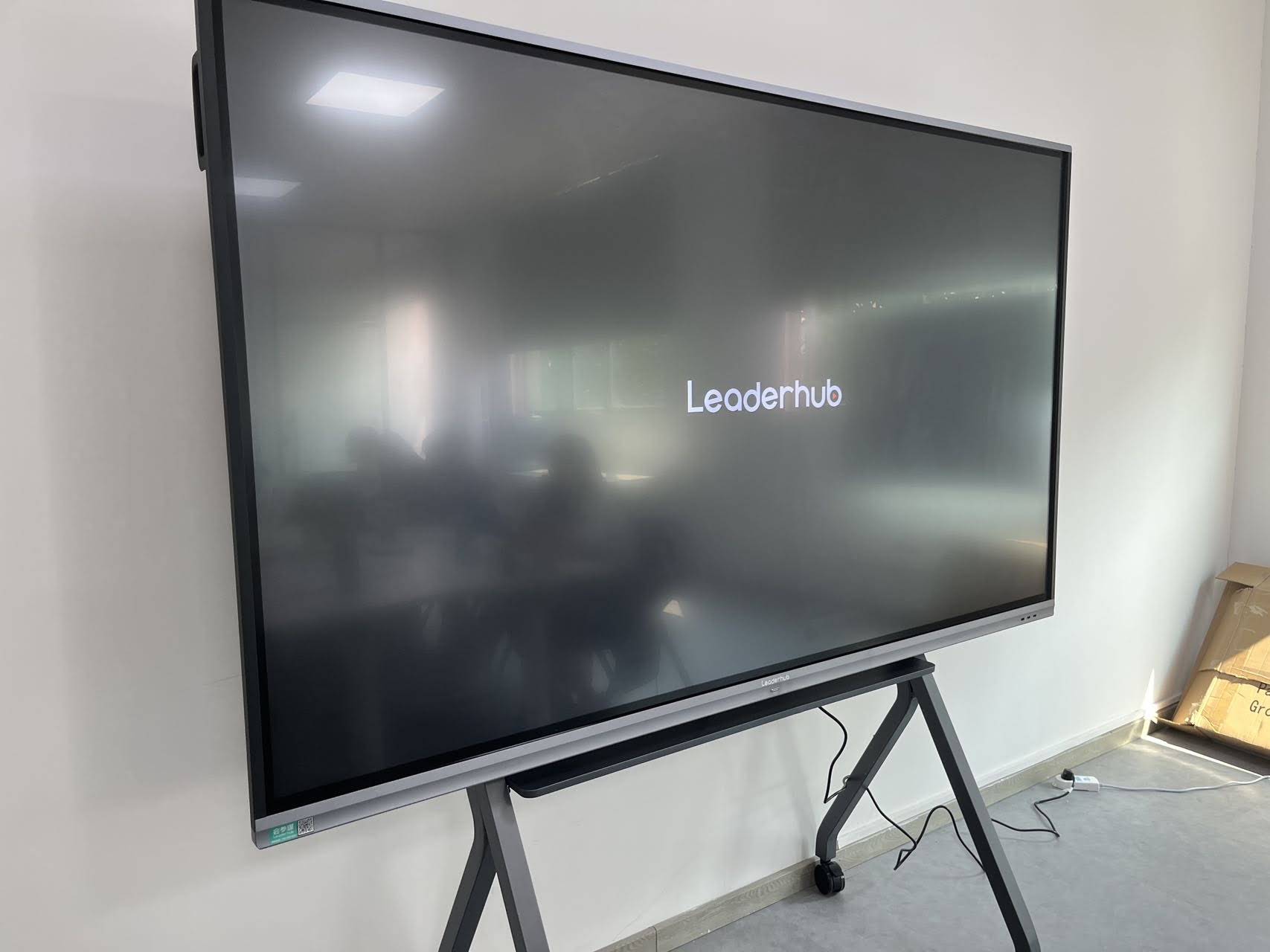
Contract language is only as good as the supply chain behind it. Ask prospective vendors how many years they have produced interactive panels, whether they hold spare modules in regional warehouses, how firmware is distributed, and whether they will put the compatibility commitment for future compute modules in writing. Leaderhub, a Shenzhen-based manufacturer with 16 years in the interactive display industry and customers in more than 82 countries, structures its smart whiteboard, interactive flat panel and mini PC lines around exactly this kind of modular, lifecycle-friendly design — which is why it is worth discussing replacement and SLA frameworks directly with the manufacturer before a tender is finalised rather than after.
Frequently Asked Questions
How long should a smart board warranty be in a B2B contract?
Three years on the panel and touch system is a realistic baseline for enterprise and education buyers, with an option to extend to five years. Compute modules should match the panel term and include advance replacement because they are the most frequently swapped part.
What is the difference between response time and resolution time in a display SLA?
Response time is how quickly the vendor acknowledges a ticket and assigns a case; resolution time is how quickly the display is actually working again. For classroom and boardroom use, negotiate hard on resolution time and insist on advance replacement for critical faults.
Should upgrade terms be in the purchase contract or a separate service agreement?
Either works, but the price protection and compatibility commitments must be enforceable for the full refresh horizon. Many buyers place them in a master supply agreement with schedules that are updated annually, so that new models and prices can be added without renegotiating the core terms.
What happens if the exact model is discontinued during the warranty period?
Your contract should require a replacement of equal or greater specification, approved by the customer, at no additional cost. Define “specification” to include screen size, resolution, touch points, operating system version and connectivity so the comparison is objective.
Can software and firmware support be included in a hardware replacement policy?
Yes, and it should be. A clause committing the manufacturer to security updates and platform compatibility for a stated number of years protects the usable life of the hardware far more than any panel warranty alone.
A thoughtful smart board replacement policy in B2B contracts is not about expecting failure — it is about making sure that when a panel, module or stylus does fail, nobody has to improvise. Define the components, set the clock on response and resolution, and build in the upgrade path, and your display fleet will remain an asset rather than a liability for the whole of its life. To benchmark your draft terms against current hardware options, browse the full range of interactive smart whiteboards and request a lifecycle proposal tailored to your deployment.