
Smart Board Replacement Versus Repair Cost Guide: Practical Decision Matrix for Modern Institutions
A definitive engineering and procurement financial benchmark for IT directors, AV technicians, and school administrators balancing hardware downtime, panel repairs, and modern 4K AI-assisted interactive flat panels.
Navigating the Interactive Display Dilemma: Repair or Modernize?
Every educational district and corporate enterprise eventually reaches an operational crossroads when legacy interactive whiteboards, touch-enabled projectors, or first-generation interactive flat panels (IFPDs) fail. The dilemma is deceptively simple: do you allocate capital to fix an aging system, or do you commission a contemporary smart board replacement?
Historically, organizations defaulted to repairing audiovisual infrastructure under the assumption that extending asset service life preserves municipal budgets and corporate EBITDA. However, technological velocity within interactive communication has accelerated substantially. As reported in the UNESCO Technology in Education Report, infrastructure usability, system compatibility, and recurring technical maintenance play a pivotal role in deciding whether edtech investments truly enrich institutional performance or merely drain resources.
Core Cost Equation: When calculating smart board replacement versus repair cost, procurement officers must weigh more than just the direct technician invoice. Total Cost of Ownership (TCO) includes teacher downtime, proprietary software licensing renewals, secondary projector lamp consumption, and systemic power inefficiencies inherent to hardware engineered a decade ago.
With global manufacturing efficiencies driven by experienced high-tech hubs, enterprise-grade 4K interactive touch panels have seen significant price reductions. Modern hardware now delivers all-in-one architectures—integrating motherboards, zero-gap touch grids, Android operating engines, and open pluggable specification (OPS) slots for units like high-performance mini PCs. This paradigm shift directly alters the financial balance between troubleshooting obsolescence and migrating to updated infrastructure.
Component Repair Cost vs. New Hardware Replacement Baseline
A comprehensive economic snapshot illustrating average field service repair costs across common display failures compared to deploying new hardware options.
| Failure Mode / Component | Average Repair & Parts Cost | Labor & Logistics | Feasibility Rating | Strategic Alternative |
|---|---|---|---|---|
| Cracked / Shattered LCD Glass | $800 – $1,800 | $200 – $400 (Requires 2-person handling) | Economically Unviable | New 65″–75″ commercial panel with anti-shatter bonded glass |
| Optical / Infrared Touch Frame Sensor Failure | $350 – $650 | $150 – $250 (On-site or workshop) | Marginal Value | Zero-bonding multi-touch interactive flat screen |
| Main Board / Scaler / Motherboard Burnout | $400 – $750 | $150 – $300 (Firmware matching required) | Short-term Patch | Modular IFPD system with plug-and-play OPS expansion |
| Internal Power Supply Unit (PSU) Failure | $200 – $400 | $120 – $200 (Bench testing needed) | Viable If Display < 3 Yrs | Inspect thermal environment or update chassis |
| Projector Engine / UHP Bulb / Color Wheel | $250 – $600 | $100 – $200 (Re-alignment & calibration) | High Recurring TCO | Transition from interactive projector to direct-lit LED IFPD |
| Full Display Upgrade (e.g. Leaderhub 65″ 4K Panel) | $1,099 – $1,299 Complete | Included mount setup / Direct warranty | Highest 5-Year Value | Full 4K resolution, dual OS, zero recurring projector maintenance |
The 50% Rule and The Engineering Decision Matrix
Audiovisual systems engineers and educational procurement frameworks, such as the UK School Technology Planning Guidance, encourage clear evaluation protocols before investing in legacy classroom or boardroom equipment.
1. The Financial 50% Threshold
If a certified technician quote for components, transport, and labor crosses 50% of the replacement price of a modern display, repairing the unit is mathematically unsound. A refurbished circuit or swapped LCD panel does not extend the lifespan of surrounding legacy components like aging capacitor banks or backlight LEDs.
2. Age & Depreciation Horizon
Industrial flat panel displays possess an optimal operating utility curve of 5 to 7 years. Interactive boards older than 4 years operate on deprecated operating system kernels (e.g., legacy Android versions or obsolete Windows drivers) that fail to satisfy current cybersecurity and device management protocols.
3. Opportunity Cost of Downtime
Sourcing specialty replacement parts for discontinued whiteboards often takes 3 to 8 weeks. During this window, collaborative corporate boardrooms sit unproductive or instructors resort to dry-erase surfaces, leading to curriculum disruptions and administrative friction.
Hidden Costs: Interactive Projectors vs. Direct-Lit 4K Displays
Many organizations comparing smart board replacement versus repair costs still maintain ultra-short throw (UST) interactive projector setups. Repairing these installations regularly introduces compounding operational overhead.
- Bulb Replacements & Color Degradation: Traditional metal-halide bulbs lose up to 30% of their lumen output within 1,000 operational hours. Replacement lamps range from $120 to $300 each, requiring recurring physical recalibration and filter dusting.
- Parallax Drift & Touch Re-Alignment: Projector pen calibration drifts due to thermal shifts, wall expansion, or structural vibrations caused by HVAC systems, requiring periodic manual recalibration.
- Ambient Light Penalties: Dim rooms reduce student engagement and meeting participant focus. Compliance with visual presentation standards like ISO 9241-125 Visual Ergonomics requires minimum contrast ratios that older projector systems often struggle to maintain in sunlit rooms.
- Power Consumption Discrepancies: A lamp-based interactive whiteboard system consumes 380W to 480W, compared to high-efficiency LED direct-lit panels engineered to meet modern institutional sustainability targets.
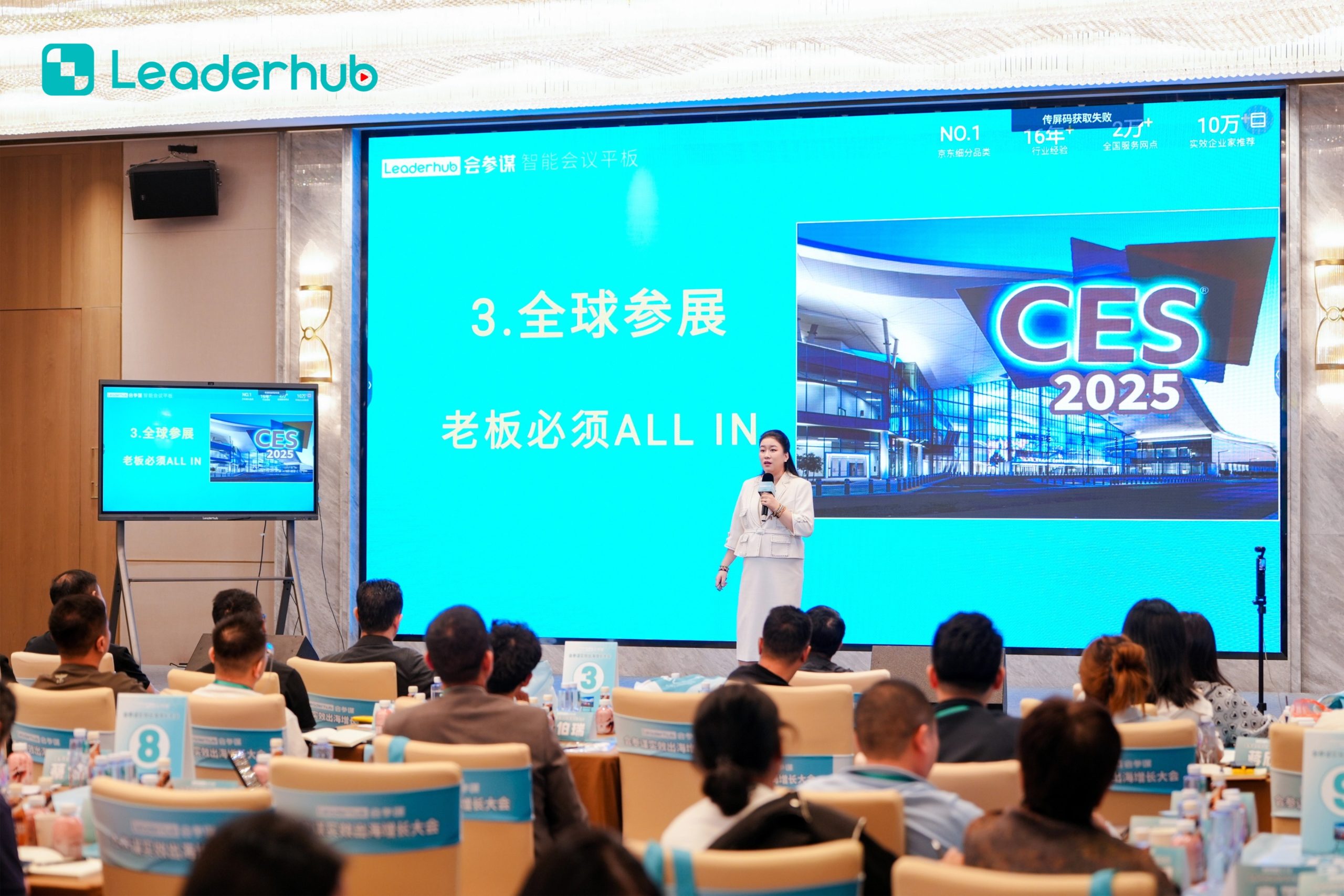
Five-Year Total Cost of Ownership (TCO) Case Study
To evaluate smart board replacement versus repair cost objectively, review this side-by-side five-year projection for a 20-room educational facility or multi-floor enterprise.
| Expense Category | Path A: Ongoing Repairs (Legacy System) | Path B: Full Modernization (New 4K IFPDs) |
|---|---|---|
| Initial Year 1 Outlay | $7,400 (Initial board repairs + lamp replacements) | $23,980 (e.g., 20x Leaderhub L65ZM 65″ Panels) |
| Parts & Maintenance (Years 2–5) | $14,200 (Subsequent PSU failures, spare remotes, touch frames) | $0 (Protected under multi-year factory warranty) |
| Annual Energy Overhead (20 Units) | $9,800 ($0.15/kWh based on high-wattage projection units) | $3,600 (High-efficiency LED backlighting with auto-sleep) |
| IT & AV Support Labor Hours | $11,500 (Approx. 230 internal IT hours @ $50/hr diagnostic time) | $1,800 (Minimal setup; remote OTA management) |
| Proprietary Software Subscriptions | $6,000 (Recurring legacy whiteboard license fees) | $0 (Native whiteboard software with zero license gatekeeping) |
| Total Estimated 5-Year Net Outlay | $48,900 | $29,380 (Net Savings: $19,520) |
As demonstrated by reports such as the OECD Digital Education Insights, capital efficiency improves substantially when institutions eliminate systemic maintenance bottlenecks. Upgrading delivers fixed cost predictability while equipping classrooms and meeting spaces with modern digital tools.
Featured Smart Board Replacement Solutions
Engineered by Leaderhub with 16 years of interactive display R&D. Direct manufacturer economics provide an accessible upgrade path for modern organizations.
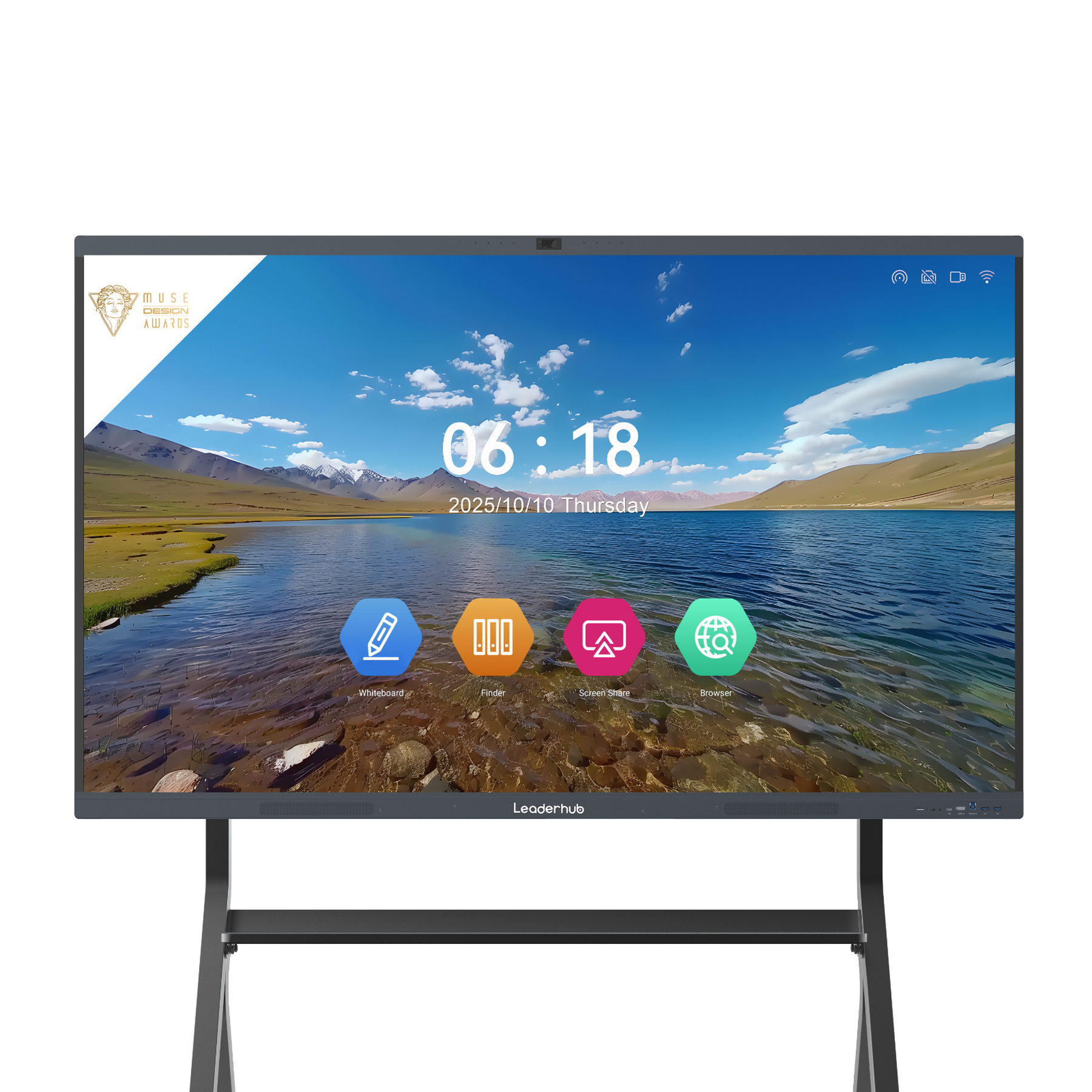
Leaderhub L65HM Smart Whiteboard — 65″ 4K
Ultra-responsive 4K touch surface engineered for classrooms and conference rooms. Zero-bonding panel with intuitive split-screen multitasking.
Leaderhub L75HM Smart Whiteboard — 75″ 4K
Expanded visual workspace with anti-glare tempered safety glass, integrated high-gain audio arrays, and seamless screen mirroring.
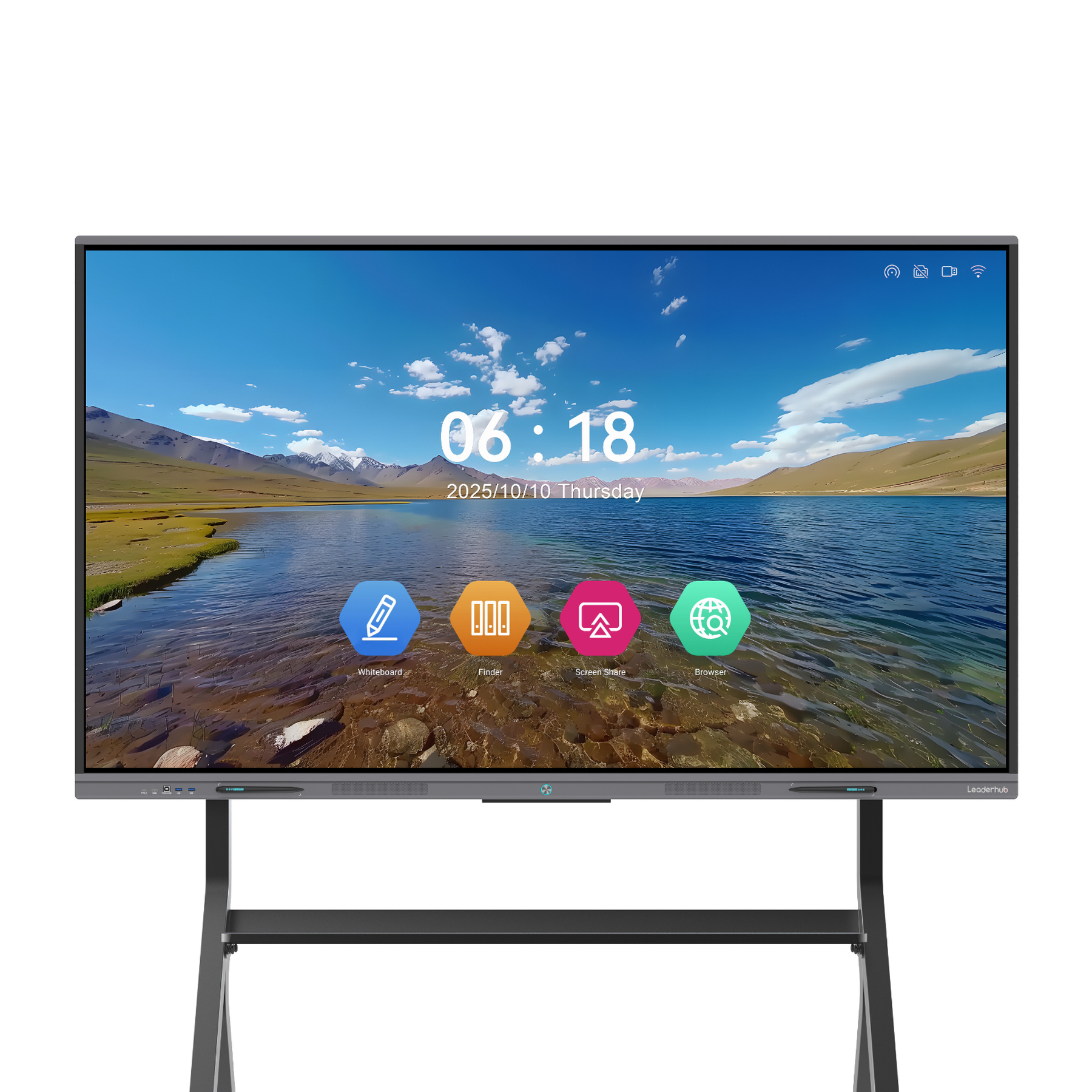
Leaderhub L65ZM Interactive Whiteboard — 65″
A budget-conscious replacement option for standard classroom setups. Low power draw, plug-and-play setup, and reliable multi-touch interaction.
Why Modernizing Delivers Higher Real-World ROI than Repairing
Deciding on a smart board replacement versus repair cost analysis requires understanding how interactive display hardware has progressed beyond pure touch functionality.
Zero-Bonding Surface Engineering
Older touch systems utilized air gaps between front protection glass and the underlying LCD panel, leading to optical reflections, parallax inaccuracies, and interior dust accumulation. Contemporary panels use optical zero-bonding, eliminating writing parallax and providing an experience close to natural pen-on-paper.
Dual Operating System Agility
Repairing an aging interactive board typically leaves you tied to an outdated operating system. Modern panels feature modular OPS bays, enabling immediate integration with Windows-powered LP1C Mini PCs or native Android environments without extra trailing cables.
Accessible Standards & Universal Connectivity
Modern IFPDs meet established guidelines such as ISO 9241-971 Interactive System Accessibility Standards and ISTE EdTech Standards, providing flexible USB-C single-cable connectivity (transmitting video, 65W reverse charging, and bidirectional touch control).
Centralized Cloud & Over-The-Air Management
Deploying updated display fleets enables campus-wide device management (MDM). Network administrators can push firmware patches, broadcast automated emergency messages, and schedule power-saving shutdowns from an administrative browser dashboard.
About Leaderhub: 16 Years of Interactive Display Innovation
Headquartered in Shenzhen’s technology corridor, Leaderhub has built 16 years of engineering experience across the interactive panel sector. Our displays, mini PCs, and mobile smart panels are deployed across 82 countries worldwide.
By streamlining hardware manufacturing and integrating modern software, Leaderhub makes interactive technology affordable and practical for schools, public institutions, and growing businesses. Recognized as a No.1 brand in JD.com subcategories and named a Shenzhen Famous Brand, our displays are engineered for long service lives, lower maintenance overhead, and clear operational value.
Procurement Checklist: Evaluating Your Failed Interactive Board
Use this step-by-step technical guide before signing service work orders or initiating a capital replacement purchase order.
Step 1: Check Current Warranty and Manufacturer Deprecation Status
Verify serial numbers with the original equipment manufacturer (OEM). If the model has entered End-of-Life (EOL) or End-of-Service-Life (EOSL), replacement parts are typically sourced from third-party resellers without valid warranty guarantees.
Step 2: Inspect Panel Integrity and Backlight Elements
Shine an inspection penlight obliquely onto the unpowered glass. Deep fissures, liquid leakage, or internal matrix degradation cannot be repaired in the field—this requires a complete panel assembly replacement, which typically makes up 70–80% of unit cost.
Step 3: Measure Software Compatibility and Operating System Demands
Does the display’s integrated controller support Windows 11, Chrome OS, or modern security configurations? If the display cannot receive firmware updates or satisfy local compliance protocols, continued repair remains high-risk.
Step 4: Request Written Repair Quotes with Labor Breakdown
Ensure service providers provide itemized bids outlining travel, bench testing, parts cost, and post-service warranty lengths. Compare this figure against modern replacements like the Leaderhub L75HM 75″ Panel ($1,599).
Ready to Upgrade the Way You Meet, Teach, and Collaborate?
Whether you are replacing an individual malfunctioning classroom display or planning a district-wide AV hardware upgrade, Leaderhub’s display engineers can provide a tailored TCO analysis and quote.