
Navigating Interactive Flat Panel Investments with Precision
Investing in next-generation classroom displays requires shifting from basic capital expenditure tracking to holistic life-cycle budgeting. Aligning with frameworks from the UNESCO Education Technology Report and the School Technology Planning guidance helps educational leaders construct resilient financial roadmaps.
The Shift from Outdated Projectors to Interactive Flat Panels (IFPD)
Legacy classroom projection solutions carry hidden annual operational expenses, including frequent lamp replacement cycles, filter cleanings, calibration drift, and excessive energy draw. Transitioning to direct LED 4K Interactive Flat Panels eliminates bulb consumables entirely while quadrupling overall panel longevity.
Our smart board budget planning guide equips educational authorities with the analytical rigor to evaluate upfront acquisition, electrical consumption, peripheral computing additions, and maintenance commitments.
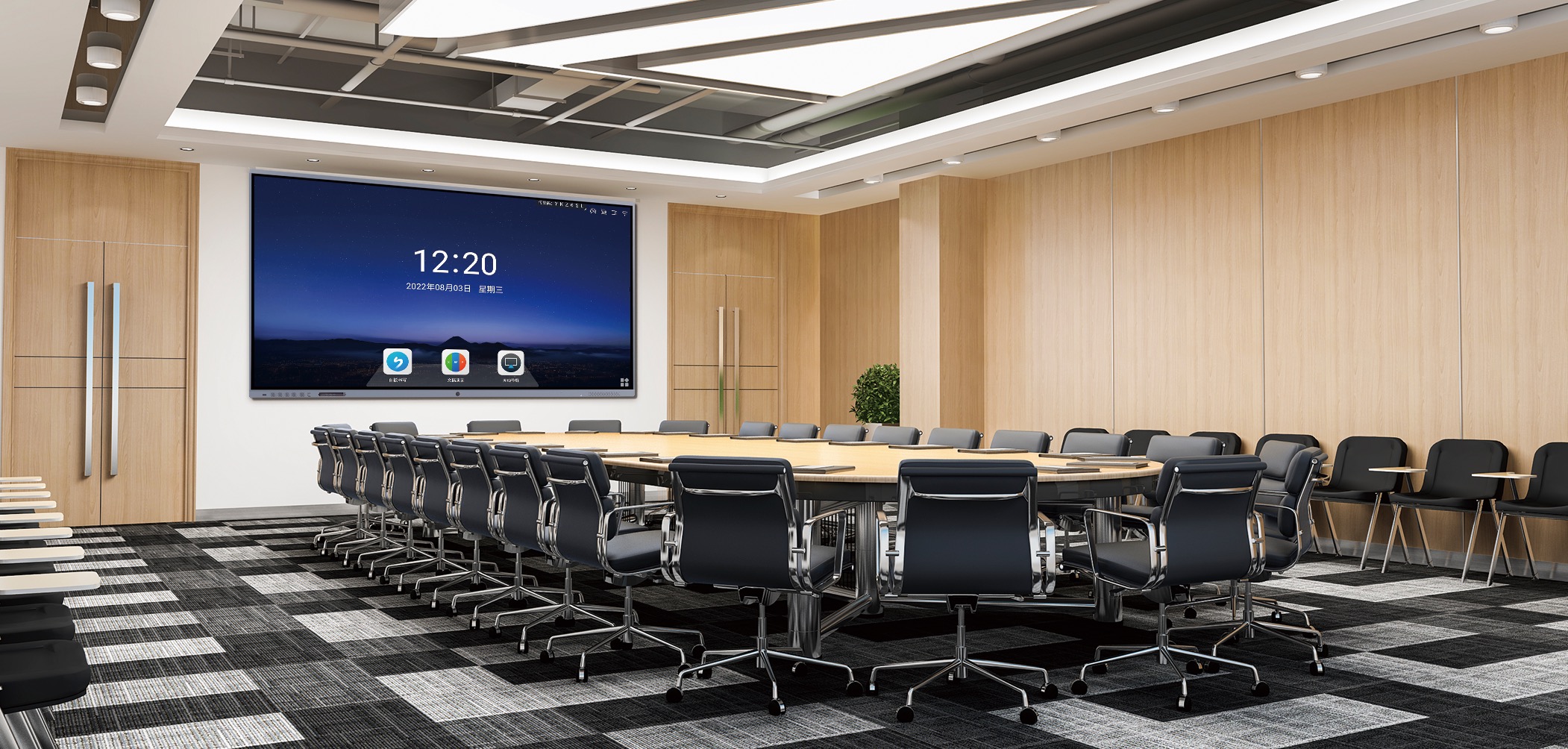
Deconstructing Total Cost of Ownership (TCO) in EdTech
Hardware sticker price constitutes merely 50% to 60% of an interactive panel’s total life-cycle expenditure. Budgeting must address infrastructure readiness, peripherals, software licensing, and operational integration.
1. Core Display Hardware
Includes the panel glass, infrared or optical bonded touch sensors, integrated speakers, and standard Android SOC boards. Choosing robust hardware prevents premature pixel degradation and touch sensor failure.
2. Processing & Modular OPS
To support high-performance learning software, STEM simulations, and dual-OS environments, dedicated computing modules like industrial mini PCs or OPS slots must be budgeted alongside standard screens.
3. Mounting & Physical Infra
Heavy-duty UL-listed motorized height-adjustable wall mounts, mobile rolling trolleys with locking casters, cable raceways, high-grade HDMI 2.1 wiring, and dedicated surge suppression infrastructure.
4. Professional Development
Research in the OECD Digital Teaching Guide stresses that interactive panels fail without teacher readiness. Continuous professional learning cycles ensure pedagogical value.
5. Device Management (MDM)
Centralized IT telemetry for fleet firmware updates, remote desktop recovery, emergency campus broadcast integration, and app blacklisting compliance under student privacy regulations.
6. Extended Support & Contingency
Extended 3-to-5 year on-site parts replacement coverage, anti-glare scratch mitigation warranties, and dedicated district spare-in-the-box storage reserves to ensure zero classroom downtime.
Classroom Size, Screen Dimensions, and Cost Benchmarks
Selecting improper screen sizes leads to visual fatigue and diminished academic engagement. Adhering to the 4/6/8 visual rule established by AV Industry Standards and Resources ensures legible text across all classroom seating rows.
| Display Tier & Model | Optimal Room Profile | Key Technical Parameters | Direct Hardware Cost | TCO Projection (5 Years) |
|---|---|---|---|---|
|
Leaderhub L65ZM 65″ Small Classrooms / Breakout Labs |
15–20 Students Up to 25 ft viewing depth |
4K UHD Zero-Bonding, 20-Point IR Touch, Anti-Glare Glass | $1,099.00 | ~$1,450.00 |
|
Leaderhub L75ZM 75″ Standard K-12 Classroom |
22–32 Students Standard 30 ft classroom |
4K Anti-Glare, Dual OS Ready, 48MP AI Mic Array Support | $1,399.00 | ~$1,780.00 |
|
Leaderhub L65HM Pro 65″ Advanced Hybrid Collaboration |
15–25 Students Remote and local hybrid setup |
Integrated Camera Array, High-fidelity Speakers, Fast Touch Pen | $1,299.00 | ~$1,690.00 |
|
Leaderhub L75HM Flagship 75″ High-Capacity Learning Spaces |
25–35 Students Optimized focal clarity |
Seamless Multi-window Annotation, 4K UI, Robust Ergonomics | $1,599.00 | ~$1,980.00 |
|
Leaderhub L86ZM 86″ Tiered Lecture & Media Halls |
35–60 Students 35+ ft room length |
Expanded Display Real Estate, Ultra-Wide Angle Viewing (178°) | $1,699.00 | ~$2,150.00 |
|
Leaderhub U55Pro Mobile 55″ Mobile SEN / Special Ed & Agility |
5–12 Students Adaptive, mobile configuration |
Integrated Battery, Heavy-duty Caster Stand, Rotatable Design | $2,499.00 | ~$2,850.00 |
Ergonomic & Optical Accessibility Standards Compliance
When standardizing purchases across district facilities, confirm panels adhere to ISO 9241-300 Electronic Visual Display Requirements and Interactive System Accessibility Standards to guarantee optical safety, flicker-free low blue light emission, and low glare for children.
Modular Computing: Mini PCs vs. Embedded Systems
Preventing board obsolescence is one of the highest financial priorities for school technology planners. Embedded systems naturally become sluggish over time; decoupling computing from the optical panel extends hardware lifespans significantly.
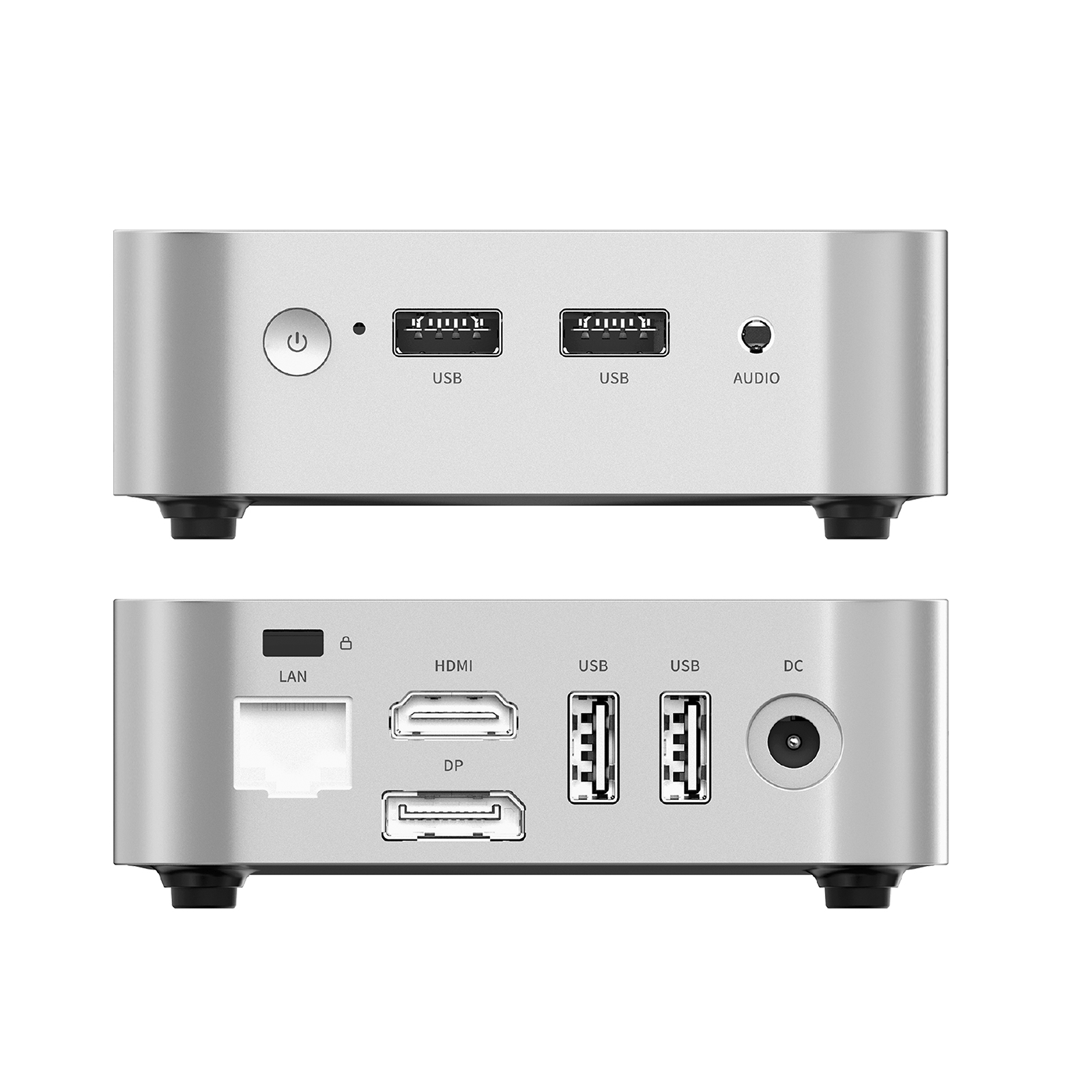
Leaderhub LP1C Mini PC
Intel N100, 8GB RAM, 512GB SSD. Perfectly configured for core K-12 web apps, Google Classroom, video streaming, and office suites. Low power draw keeps electrical budgets predictable.
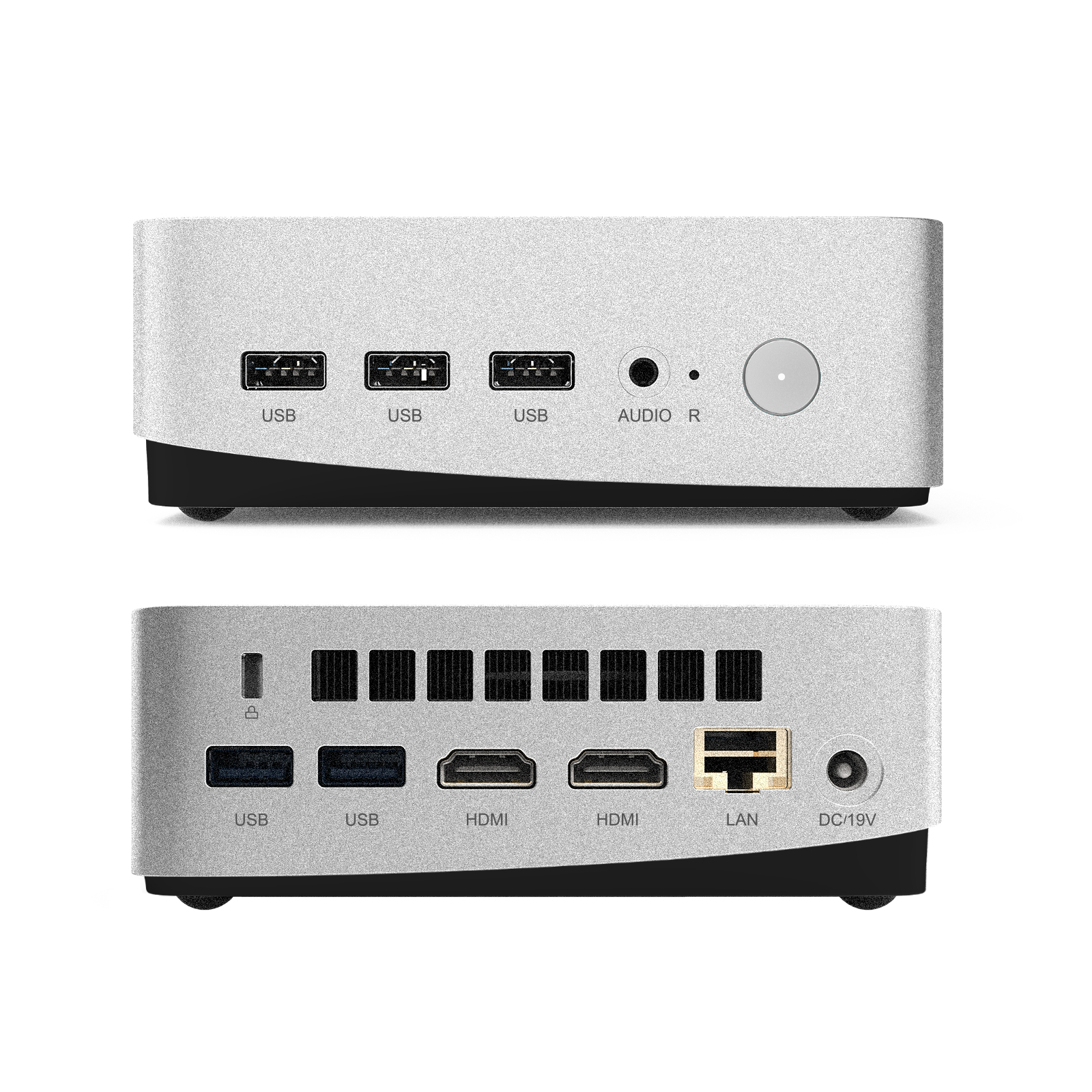
Leaderhub LP5C High-Performance
Intel i5-12450HX, 16GB RAM, 512GB SSD. Tailored for higher education STEM labs, secondary physics simulators, CAD instruction, and high-bitrate multi-stream hybrid classrooms.
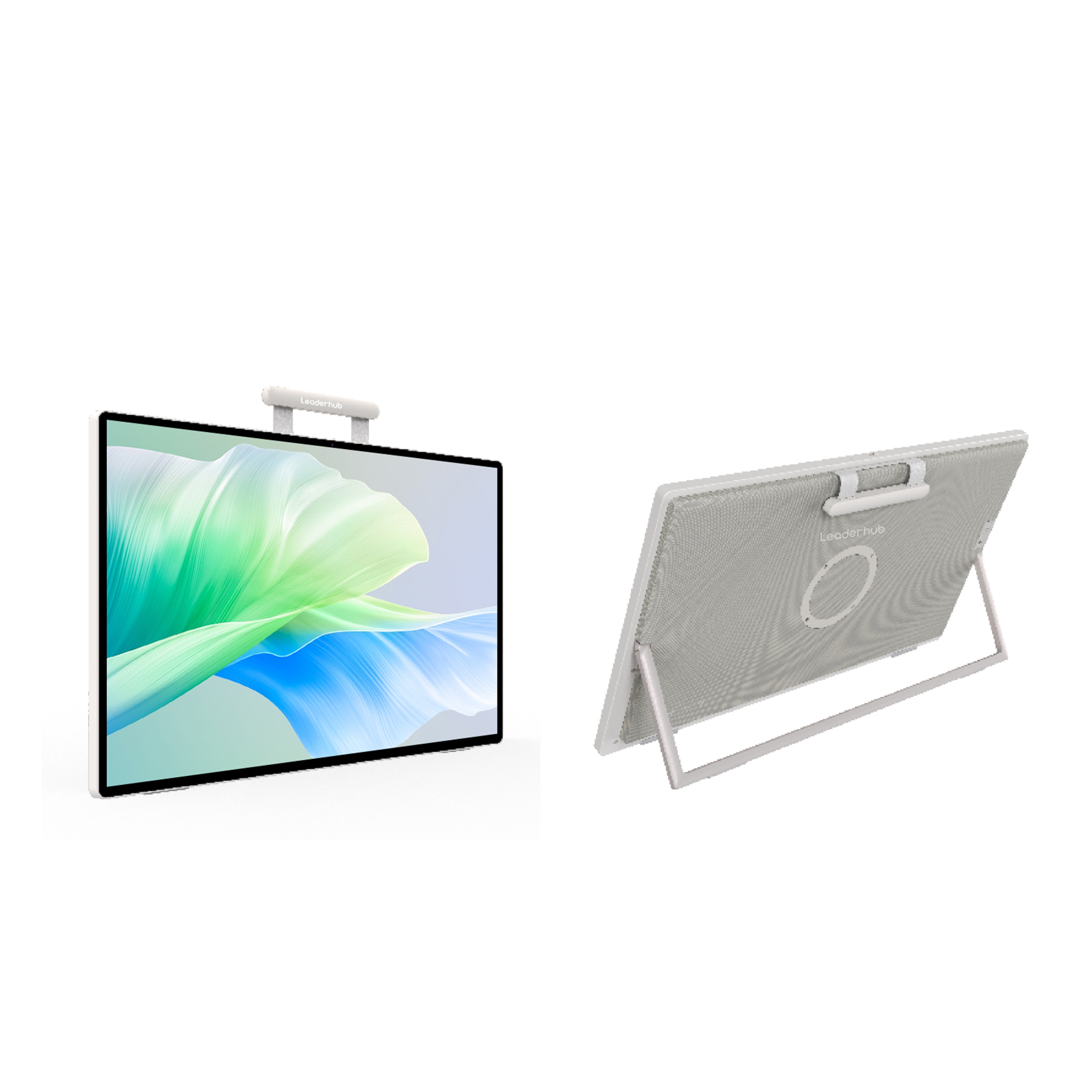
Leaderhub U24M Podcasting Screen
24.5″ Handheld Smart Screen running Android 14 with internal battery. Excellent companion device for teacher podiums, student group projects, and mobile reading stations.
Phased Rollout: 3-Year District Fiscal Blueprint
District-wide technology implementation across hundreds of classrooms requires staged rollouts to avoid budget overruns, operational friction, and staff fatigue.
Proof of Concept & Infrastructure
- Deploy 5–10 pilot units across varied disciplines (Math, Language, Special Ed).
- Audit building electrical circuitry and Wi-Fi 6 saturation capacity.
- Establish baseline teacher feedback metrics aligned with ISTE Education Technology Standards.
- Formulate procurement benchmarks for bulk bidding.
Core Standard Classrooms
- Roll out primary screen sizes (such as the 75″ Leaderhub L75ZM) to 50% of instructional spaces.
- Implement Centralized Mobile Device Management (MDM).
- Conduct specialized, peer-to-peer train-the-trainer workshops.
- Retire high-maintenance legacy projectors to trim maintenance costs.
Scale & Specialized Spaces
- Complete remaining standard classrooms and media centers.
- Deploy 86″+ models or ultra-large formats in auditoriums and lecture halls.
- Incorporate modular OPS mini PCs for STEM simulation computing.
- Initiate initial hardware review for future replacement schedules.
Trusted by Educators in Over 82 Countries
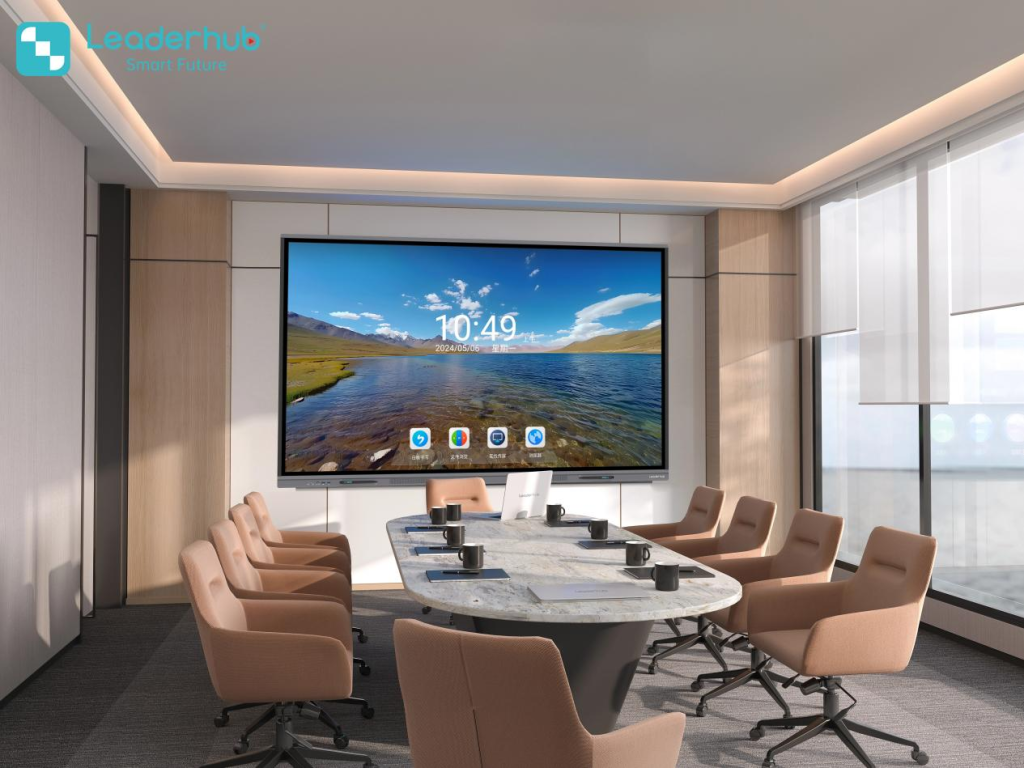
Backed by 16 years of manufacturing precision and top-tier standing in global interactive display categories, Leaderhub equips schools with reliable, value-driven technology ecosystems.
Maximizing EdTech Grants and Privacy Compliance
Public and private academic grants provide critical capital for modernizing school technology. Ensuring device compliance with federal, national, and privacy guidelines protects both your funding and your students.
Securing National & Regional Subsidies
Whether drawing from US Title I, ESSER funding transitions, European Recovery Initiatives, or UK Capital Allocations, grant evaluators prioritize bids that establish concrete operational longevity.
- Highlight clear pedagogical gains backed by empirical literature such as the Smart Board Academic Achievement Meta-Analysis.
- Demonstrate support for equitable digital learning, aligning with the UNICEF Digital Education Strategy.
- Incorporate verified sustainability practices: panel recycling, low standby power consumption, and RoHS certification.
Student Data Privacy & Network Safety
School technology deployments carry strict obligations regarding data harvesting and local student protection regulations.
- Verify compliance with FERPA Education Technology Guide provisions and GDPR youth protections.
- Ensure the display’s integrated OS features sandboxed local user profiles and robust content filtering.
- Require over-the-air firmware security protocols to protect internal school networks from unvetted applications.
The District IT Director’s 10-Point Pre-Purchase Checklist
Confirm each checkpoint below before committing public capital or issuing Requests for Proposals (RFPs).
Frequently Asked Budgeting Questions
Key insights addressing procurement cycles, software lock-in risks, electrical loads, and multi-year lifecycle governance.
How long should a school expect an interactive panel to remain pedagogically viable?
A commercial-grade panel rated for 50,000 operational hours delivers an active life cycle of 7 to 10 school years when paired with decoupled or modular computing. Standard all-in-one architectures with non-removable processing units typically slow down around year 4 or 5 due to Android OS application bloat. Selecting displays compatible with external mini PCs preserves panel utility for up to a decade.
Are proprietary software ecosystem licenses worth the annual recurring fees?
In most district rollouts, closed proprietary ecosystems prove expensive and lock teachers into rigid software stacks. Modern educational guidelines from the UK School Technology Infrastructure Plan emphasize non-proprietary, open hardware platforms. These integrate smoothly with existing Google Workspace for Education, Microsoft 365 Education, and web-based open educational resources (OER), avoiding annual per-room recurring licensing fees.
What electrical and network infrastructure adjustments should be factored in?
An interactive display typically consumes 120W to 280W during active whiteboarding and media playback, using under 0.5W in standby mode. This uses significantly less power than older high-lumen classroom lamp projectors. On the networking side, IT managers should budget for at least one dedicated gigabit Ethernet drop per display, or guarantee high-density 5GHz/6GHz Wi-Fi coverage with sufficient bandwidth for 4K wireless casting.
Should mobile rolling carts or fixed wall mounts be budgeted?
Fixed, height-adjustable wall mounts represent the safest, most stable, and most ergonomic configuration for primary classrooms with consistent room schedules. However, allocating 15% to 20% of your fleet to heavy-duty mobile caster stands provides key flexibility: units can move between resource rooms, serve temporary testing centers, and support special education spaces. Mobile units like the Leaderhub U55Pro Mobile Screen are ideal for agile, multi-purpose educational settings.
Upgrade Your Classrooms with Transparent, Factory-Direct Value
Consult with Leaderhub’s dedicated educational technology architects. Request customized district evaluations, volume tiered bids, and sample demo units for upcoming academic cycles.