
Best Smart Board for Kindergarten Interactive Learning Ideas
Discover how modern AI-powered interactive flat panels transform early childhood education into an immersive, collaborative, and highly engaging journey of discovery.
Why a Smart Board for Kindergarten is a Game-Changer
Early childhood education is undergoing a massive digital shift. Today, teaching kindergarten is no longer confined to static flashcards and physical blackboards. Children born in the digital era respond incredibly well to interactive, visual, and tactile stimuli. Introducing a smart board for kindergarten environments bridges the gap between play and learning, transforming abstract concepts into tangible experiences.
By utilizing interactive flat panels, teachers can capture the fleeting attention spans of toddlers and preschoolers. Whether it is tracing letters, sorting colors, or embarking on virtual nature walks, interactive screens foster cognitive development, fine motor skills, and social collaboration right from the start.
Multi-sensory interaction—combining sight, sound, and touch—has been proven to increase information retention in children aged 3 to 6 by up to 60% compared to traditional auditory learning methods.

10 Interactive Learning Ideas for Kindergarten
Unleash the full potential of your smartboard with these creative, tried-and-tested classroom integration strategies designed specifically for early learners.
1. Interactive Phonics & Writing
Use high-precision touch pens to let kindergarteners trace letters directly on the board. Interactive phonics apps can play letter sounds when clicked, helping children associate graphemes with phonemes dynamically.
2. Gamified Mathematics
Transform math into a game. Students can physically drag and drop digital objects (like apples, animals, or shapes) into groups to solve basic addition, subtraction, or sorting puzzles directly on the screen.
3. Virtual Nature & Field Trips
Take students on virtual excursions using 4K high-definition displays. Walk through the Amazon rainforest, dive deep under the ocean, or tour the solar system, making science lessons feel like a real adventure.
4. Digital Finger Painting & Art
Leverage multi-touch capabilities to let multiple students paint and color simultaneously. This clean, mess-free alternative to traditional paint teaches collaboration and develops fine motor control.
5. Music and Rhythm Coordination
Play interactive rhythm games where kids tap the screen to match a beat or play virtual instruments. It is an excellent way to introduce basic music theory and enhance hand-eye coordination.
6. Visual Coding & Logic Blocks
Introduce early computational thinking by using block-based coding software. Kindergarteners can drag directional arrows to guide a cute character through a maze, building foundational problem-solving skills.
7. Interactive Morning Circle Time
Make morning routines engaging. Have students update the daily calendar, drag weather icons to match the day’s forecast, and click on mood emojis to share how they are feeling today.
8. Storytelling & Soundboards
Bring storybooks to life. When reading a digital book, children can tap on characters to hear their voices or touch objects in the background to trigger environmental sounds, creating an immersive narrative.
Key Features of Kindergarten Smart Boards
When selecting a smart board for kindergarten, safety, responsiveness, and versatility are paramount. Young learners need durable screens with eye protection, while teachers require seamless software performance.
| Feature Focus | Why It Matters for Kindergarten | LeaderHub Solution |
|---|---|---|
| Eye Protection Tech | Protects sensitive young eyes during prolonged interactive activities. | Anti-glare 4K panel, low blue light filter, flicker-free technology. |
| Multi-Touch Points | Enables collaborative group projects and multiple kids writing together. | Up to 20-point high-precision touch for smooth multi-user interaction. |
| Durability & Safety | Withstands accidental impacts from toys, markers, or heavy hands. | 4mm explosion-proof tempered glass with high impact resistance. |
| Mobility & Flex | Allows teachers to rearrange classrooms easily for group play. | Optional heavy-duty mobile stands & portable smart screen lines. |
| Smart AI Integration | Simplifies presentation, writing recognition, and interactive teaching. | LeaderHub OS with built-in AI tools for drawing, writing, and sharing. |
Top Recommended Smart Boards for Kindergarten
Select from our range of high-performance interactive displays engineered specifically to elevate visual learning and collaborative activities in early classrooms.

LeaderHub L65HM Interactive Smart Whiteboard — 65″ 4K Touchscreen
$1299.00
LeaderHub L75HM Interactive Smart Whiteboard — 75″ 4K Touchscreen
$1599.00
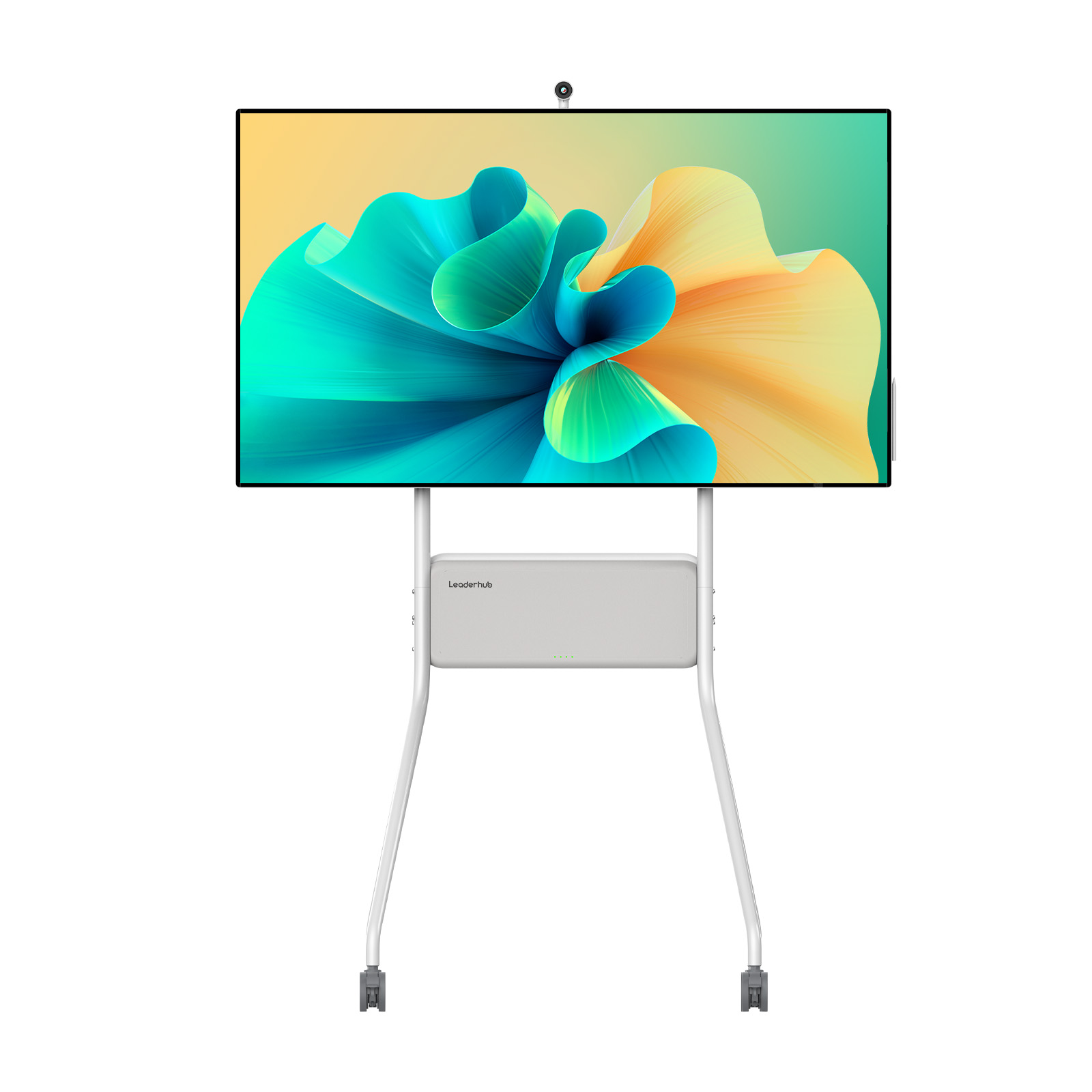
LeaderHub U55Pro Interactive Flat Panel — 55″ Mobile 4K Smart Display
$2499.00
AI Changes Life & Learning
LeaderHub is a world-class technology company with 16 years of professional experience in the interactive panel industry. Based in Shenzhen, we specialize in smart whiteboards, interactive flat panels, mini PCs, and portable smart screens. Our products are delivered to 82 countries worldwide, empowering schools, businesses, and creative communities with state-of-the-art visual collaboration tools.
By combining hardware innovation with artificial intelligence, we continuously optimize classroom interaction, making lessons more effective, accessible, and delightful for young learners and educators alike.

LeaderHub at Global Electronics Exhibitions



Ready to Upgrade the Way You Meet, Teach and Create?
Partner with LeaderHub to bring high-definition, AI-driven interactive flat panels to your educational institution and create a brighter future for early learners.
