
Best Smart Board for Kids Interactive Learning and Creative Play
Empower the next generation with AI-driven interactive screens. Discover how smart boards transform early childhood education, spark artistic creativity, and make learning an immersive adventure.
Explore Smart BoardsWhy a Smart Board for Kids is a Game-Changer
In an increasingly digital world, the tools we provide our children shape how they perceive, interact with, and understand the universe around them. Traditional chalkboards and static whiteboards served their purpose for decades, but today’s digital native children require dynamic, sensory-rich environments to thrive. A smart board for kids bridges the gap between physical play and digital exploration, turning passive screen time into active, collaborative, and cognitive-building experiences.
Whether it is through high-precision touchscreens that mimic real paintbrushes, interactive learning suites that turn math into a game, or global virtual classrooms that connect young minds across borders, these displays are transforming modern homes and preschools. By combining advanced hardware with intuitive, child-friendly software interface capabilities, interactive flat panels stimulate both hemispheres of the brain—fostering logical reasoning alongside free-flowing creative expression.
💡 SEO Insight: The integration of interactive flat panels in early childhood development has shown a 40% increase in engagement and retention rates compared to traditional passive learning methods.
How Smart Boards Nurture Young Minds
Multi-Sensory Engagement
Combines visual, auditory, and kinesthetic learning styles. Children don’t just look at images; they drag, write, draw, and listen, maximizing cognitive connection and memory retention.
Infinite Creative Canvas
No more messy markers or wasted paper. Digital whiteboards offer unlimited space for finger painting, sketching, and writing, allowing kids to experiment without boundaries or cleanup.
Collaborative Social Play
With multi-touch technology, multiple children can draw, play puzzle games, or solve problems simultaneously on the screen, promoting teamwork, sharing, and communication skills.
Choosing the Ideal Screen for Interactive Play
| Model | Screen Size | Key Features | Best Suited For | Action |
|---|---|---|---|---|
| LeaderHub U24M Handheld | 24.5″ Touchscreen | Android 14, Built-in Battery, High Mobility | Bedrooms, Playrooms, Personal Drawing | View Details |
| LeaderHub L277M Rotating Screen | 27″ Touchscreen | Rotating Screen, Stand with Wheels, Built-in Battery | Homeschooling, Interactive Games, Art Studios | View Details |
| LeaderHub U55Pro IFP | 55″ 4K Display | Mobile Stand, 4K High Precision Touch, Shared OS | Daycares, Kindergarten Classrooms, Shared Play Areas | View Details |
| LeaderHub L65ZM Smart Board | 65″ 4K Display | Cost-effective, Large Canvas, Wall Mountable | Primary Schools, Larger Homeschooling Spaces | View Details |
Best Smart Boards & Screens for Kids
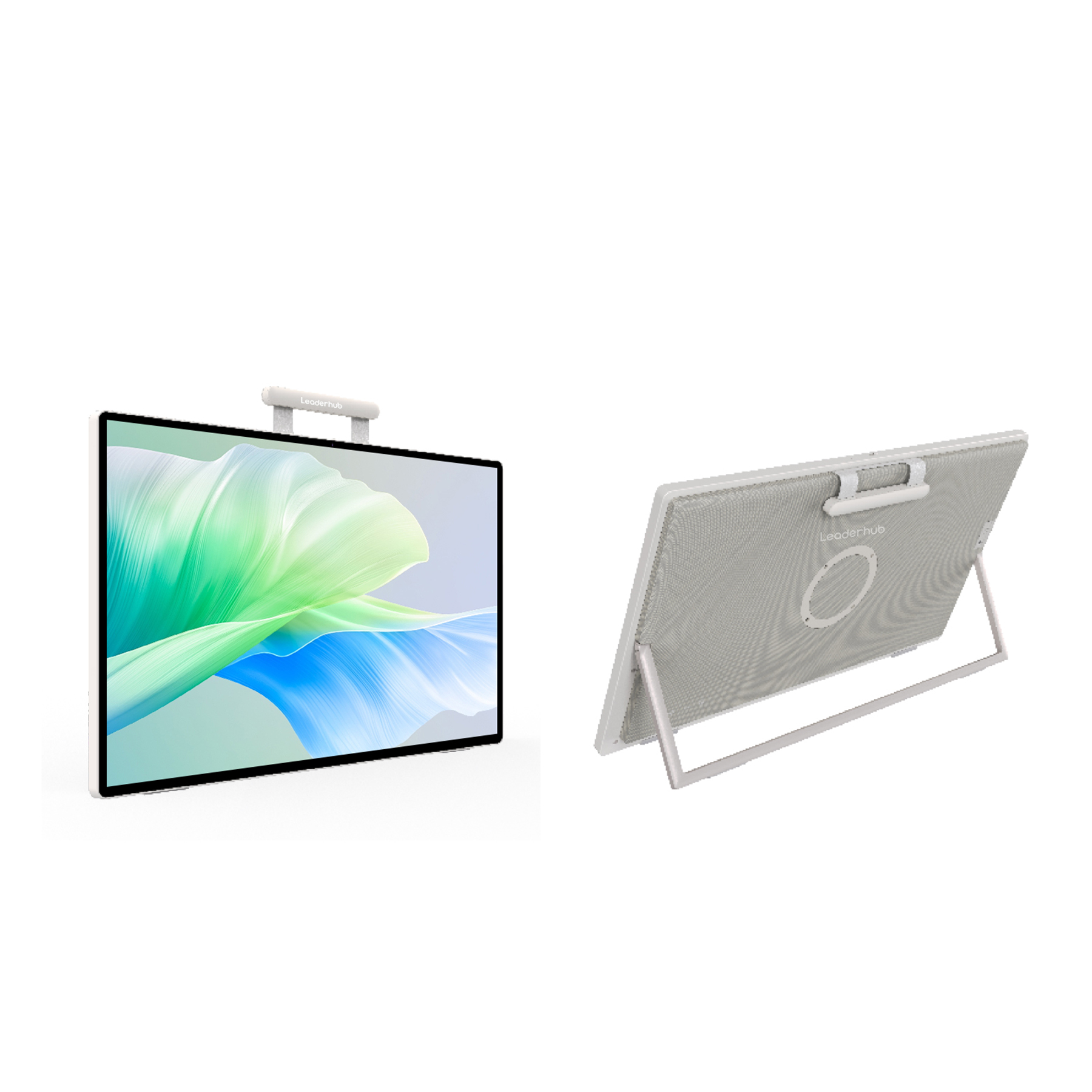
LeaderHub U24M 24.5″ Handheld Smart Screen
Equipped with Android 14 and a long-lasting built-in battery, this portable smart screen is perfect for kids. Its compact size and lightweight build allow it to be moved easily from the bedroom to the living room, serving as an interactive gaming hub or a digital drawing canvas.
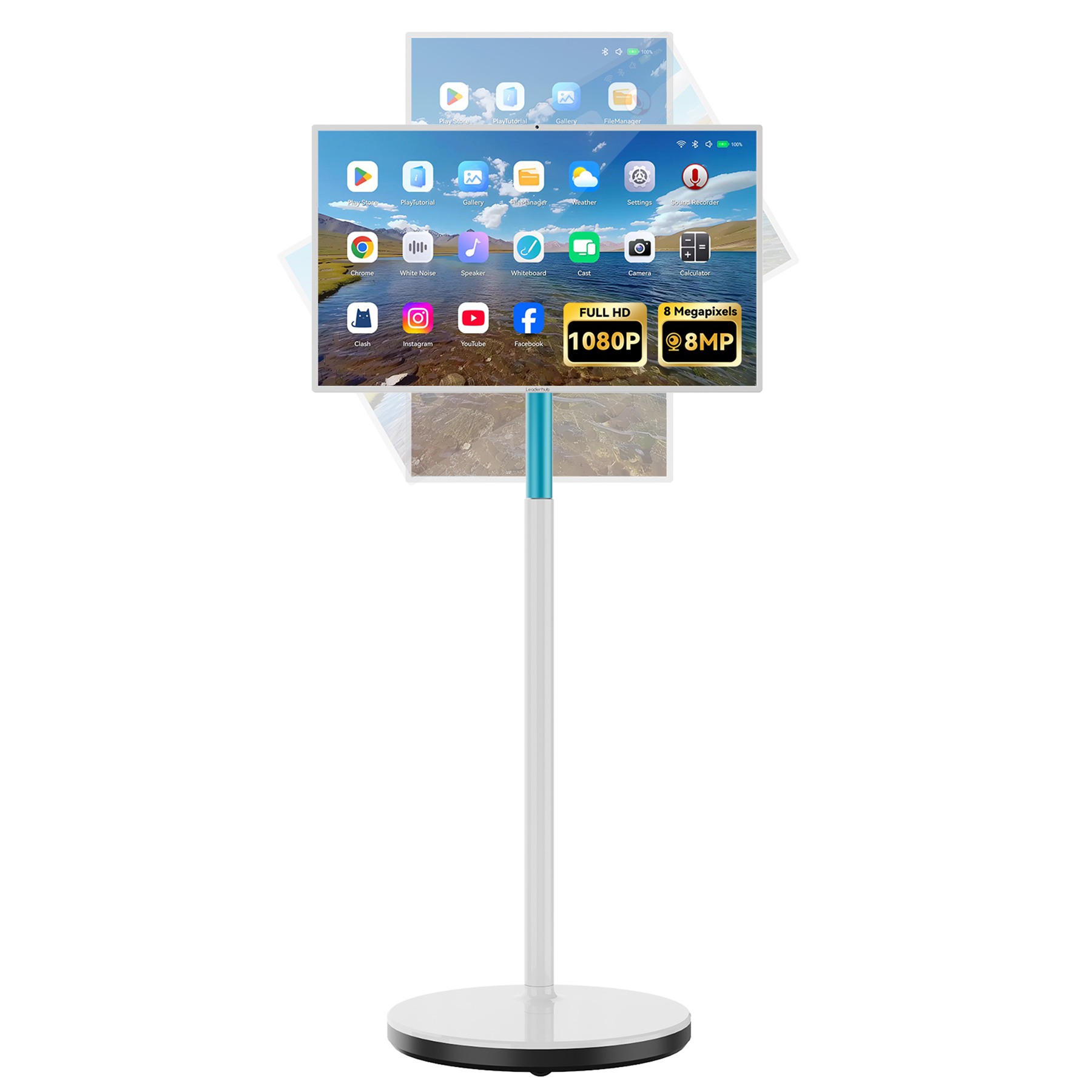
LeaderHub L277M Smart Rotating Screen
A 27-inch touchscreen on a rolling stand that rotates seamlessly between landscape and portrait modes. Ideal for kids’ learning apps, reading digital books, and interactive art classes where vertical canvases are preferred. The built-in battery ensures cord-free safety during play.
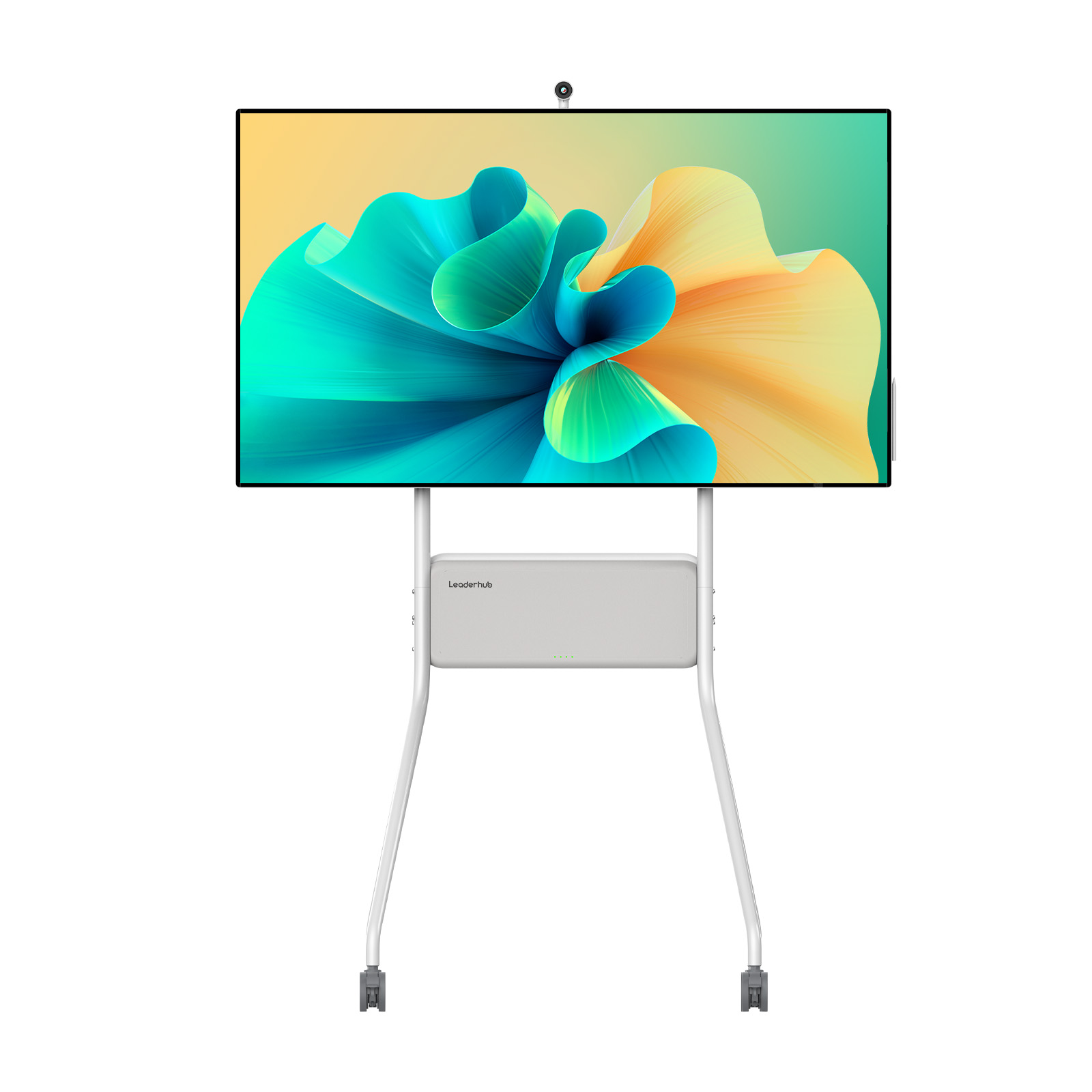
LeaderHub U55Pro Interactive Flat Panel — 55″
Bring the school experience home or upgrade your preschool classroom. The U55Pro features high-precision 4K multi-touch technology, allowing multiple kids to interact at the same time. The mobile stand makes it safe to move around and position at kid-friendly heights.
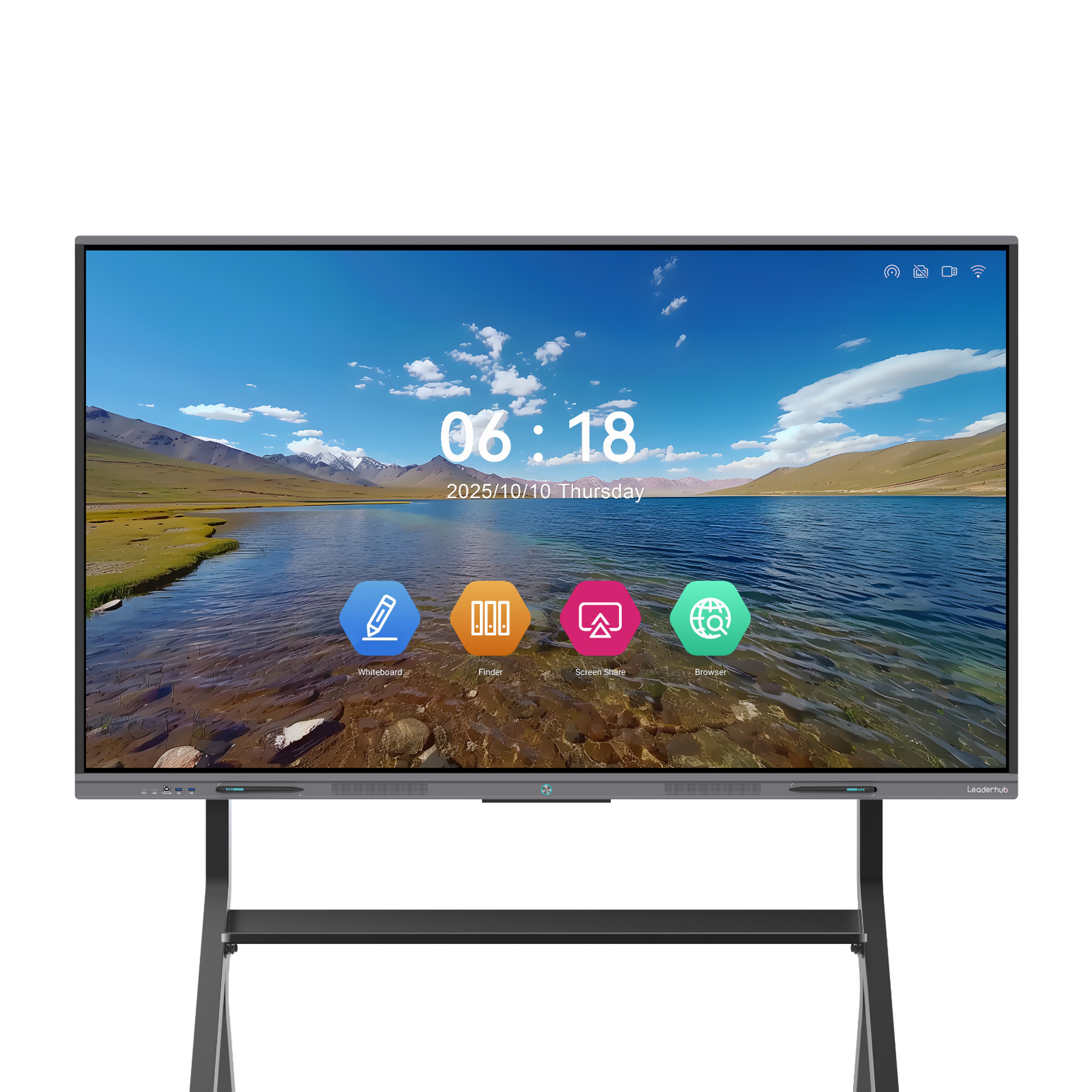
LeaderHub L65ZM Interactive Whiteboard — 65″
For dedicated homeschooling setups or larger playrooms, the 65-inch L65ZM offers an expansive 4K canvas. Perfect for displaying educational maps, hosting interactive quizzes, and letting kids create giant digital murals together. Highly affordable and durable.
How to Choose the Best Smart Board for Kids
Selecting the right interactive display for children involves different criteria than buying one for a corporate boardroom. While businesses focus on video conferencing and spreadsheet presentation, children’s spaces require safety, durability, mobility, and high-precision touch sensitivity. Here is what you need to consider before making a decision:
1. Screen Size and Room Space
The space where the smart board will reside is the most critical factor. For a child’s bedroom or a compact playroom, a handheld or highly portable screen like the LeaderHub U24M (24.5″) or the L277M (27″) is ideal. They can be tucked away when not in use and don’t dominate the room. For shared learning environments, such as home school classrooms or daycares, a 55″ to 65″ flat panel on a rolling stand is recommended to allow multiple kids to stand and play together.
2. Portability and Battery Life
Kids are constantly on the move, and their learning tools should be too. Traditional interactive panels require constant AC power connection, creating potential tripping hazards with cables in play areas. Selecting a smart board with a built-in battery (like the LeaderHub U24M or L277M) ensures that you can roll the screen onto the patio for outdoor art sessions or move it from room to room safely.
3. Operating System & App Compatibility
A smart board is only as good as the educational apps it can run. Look for displays powered by flexible operating systems like Android. This allows easy access to the Google Play Store, where you can download popular educational games, drawing software (like ibis Paint or Sketchbook), and interactive learning suites (like Duolingo ABC, Khan Academy Kids, and Minecraft Education Edition).
4. Eye Safety and Screen Durability
Children’s developing eyes are sensitive to prolonged screen exposure. Ensure the screen you choose features anti-glare glass and blue-light filtering technology to minimize eye strain. Additionally, because kids can be energetic, the display must feature toughened safety glass (at least 7H hardness) to withstand accidental bumps from toys or heavy stylus pressure.
Smart Boards in Action




AI Changes Life — 16 Years of Screen Innovation
LeaderHub is a global technology pioneer with 16 years of professional expertise in the interactive panel industry. Based in Shenzhen, we deliver smart whiteboards, portable smart screens, and interactive flat panels to over 82 countries worldwide.
We are dedicated to making advanced AI-driven display technology accessible to schools, homes, and businesses. Our child-friendly smart screens are designed with strict quality standards, ensuring safety, reliability, and an outstanding user experience for young minds.
Ready to Transform Your Child’s Learning Journey?
Explore our full catalog of smart boards and rotating screens designed for kids, classrooms, and creative playrooms. Contact our support team for bulk orders or customized educational setups.
