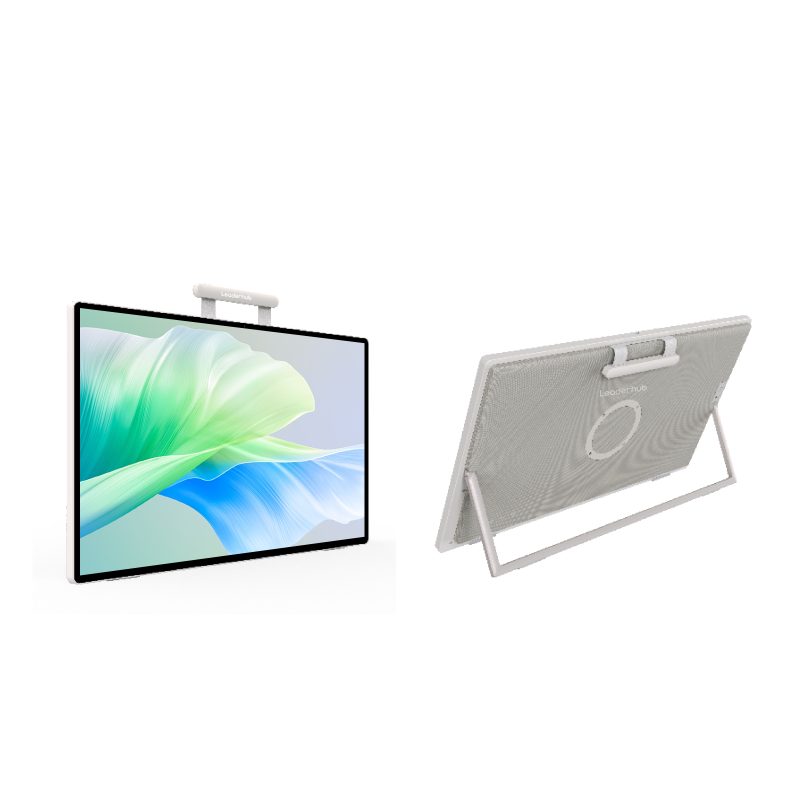
Creative work is increasingly mobile. While designers and editors are no longer tied to a fixed studio, they still demand reliable performance for large PSDs, smooth playback, and fast exports. That’s where modern mini PCs fit: compact enough for flexible workspaces, but powerful enough—when configured correctly—for serious production tasks.
The right choice starts by defining your workload, then matching the CPU, RAM, storage, and ports to those needs.Photoshop, Premiere Pro, and DaVinci Resolve do not stress hardware in exactly the same way, so “any mini PC” is not automatically a good mini PC for creative work. In the next section, we’ll break down the few specs that actually move the needle for editing—then recommend the right Leaderhub model (LP9/AD8/A6) based on workload.
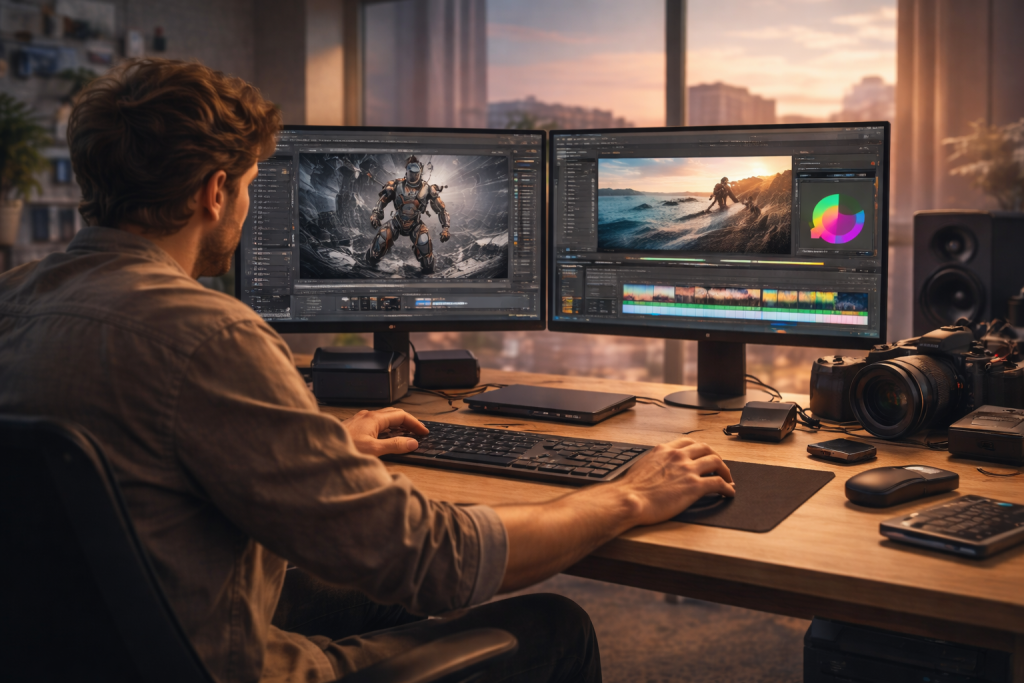
Choosing a Mini PC for Editing: 5 Must-Check Areas
1) Processor (CPU)
The CPU affects overall responsiveness, codec handling, background rendering, and export performance—especially in Premiere Pro workflows that lean on CPU decoding/encoding depending on footage formats and settings. For creators, look for:
·Strong multi-core performance for exports and rendering.
·Strong single-core performance for snappy UI and certain effects.
·A platform that can sustain performance (not just short boosts).
If your projects are frequent, multi-app (Photoshop + Premiere + browser + assets), or time-sensitive, prioritize the CPU tier first—then match memory and storage to avoid bottlenecks.
2) Graphics (GPU / iGPU)
Premiere Pro and DaVinci Resolve benefit from GPU acceleration (effects, color grading, AI features, and some playback pipelines). However, many creator workflows can still run well on strong integrated graphics—especially if you manage expectations:
·Photo work and lighter motion graphics: a capable iGPU is often sufficient.
·Heavy color grading, complex Fusion compositions, and GPU-heavy effects: consider higher-tier graphics options (or a desktop / workstation-class setup) if your workflow demands it.
A practical approach is to select the mini PC based on the “heaviest thing you do weekly,” not the “heaviest thing you might do once.”
3) Memory (RAM) and Storage
For creative apps, RAM and fast storage determine whether the system feels smooth or constantly constrained.
·RAM: 16GB is workable for lighter photo editing and basic video timelines; 32GB is a safer baseline for serious editing and multitasking. If you regularly run multiple creative apps at once, prioritize 32GB or more.
·Storage: NVMe SSDs are the default choice for active projects. If you work with large media libraries, look for expandability (additional slots) so you can separate OS/apps from scratch/media drives.
4) Thermal Design (Cooling) and Noise
Sustained creative workloads (exports, long renders, AI-assisted tools) keep the CPU/GPU active for extended periods. In a mini PC, cooling quality affects:
·Performance consistency (avoiding throttle during long renders).
·Noise levels during heavy loads.
·Overall reliability over time.
If your work includes long encodes or frequent renders, prioritize models designed for sustained performance rather than just peak specs.
5) Connectivity and Expandability
Creators rarely run “just the PC.” You will connect displays, external SSDs, card readers, audio interfaces, and sometimes high-speed networking.
·Display outputs: multi-monitor support matters for editing (timeline + fullscreen preview + assets).
·High-speed ports: fast external SSD workflows benefit from higher-bandwidth USB-C implementations.
·Ethernet: stable uploads, NAS workflows, and studio environments often benefit from wired networking—especially if you move large files frequently.
Now that you know what to look for, here are three Leaderhub models, each tailored to a different creative workflow.
Three Leaderhub Options, Three Creator Workflows
With the checklist above, here are three concrete picks—each one optimized for a different creator workflow.
1) Leaderhub AI LP9 Mini PC (Intel Core i9-13900HK)
Best for: heavy multitasking, demanding productivity, and creator workflows that prioritize CPU strength and high-speed connectivity.
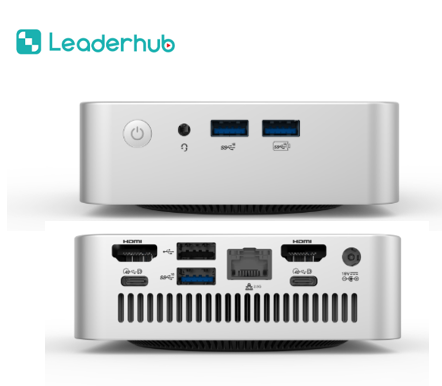
Specs at a glance:
·CPU: Intel Core i9-13900HK
·RAM: 32GB DDR4 (up to 64GB)
·Storage: 2TB PCIe Gen4 NVMe SSD + 1× M.2 2242 SATA slot (up to 2TB)
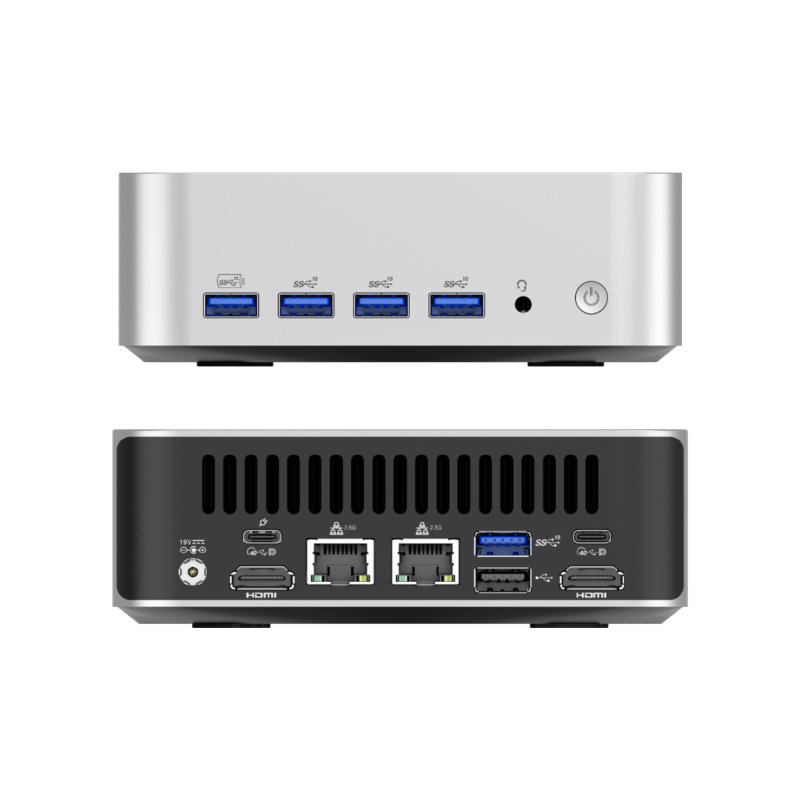
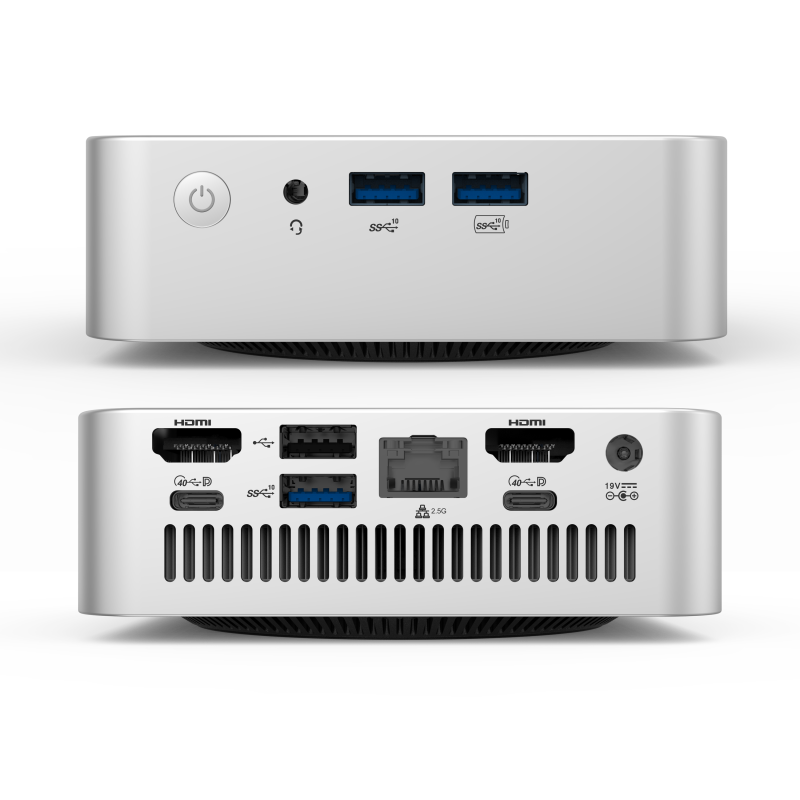
·Ports: Dual USB4 Gen3 full-featured Type-C
·Displays: up to 4 displays (Dual HDMI 2.0 + Dual USB4 Type-C with DP Alt Mode)
·Wireless: Wi-Fi 6E + Bluetooth 5.2
·OS: Windows 11 Pro
Why it fits creators: If your creative workload is “everything at once” (editing + design + asset management + multiple browser tabs + meetings), LP9’s CPU class and expandability make it a strong anchor system. It’s also well-suited to fast external storage workflows due to its higher-end Type‑C connectivity.
2) Leaderhub AI AD8 Mini PC (Ryzen 7 H 255 + Radeon 780M)
Best for: creators and power users who want strong integrated graphics, multi-display flexibility, and robust wired networking.
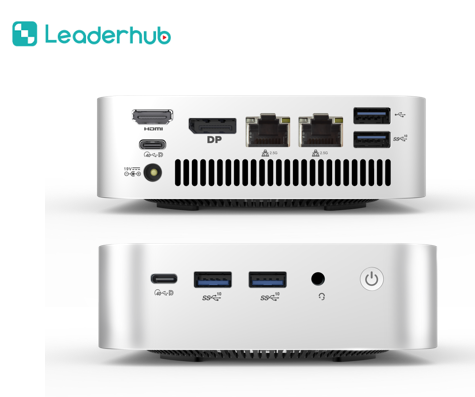
Specs at a glance:
·CPU: AMD Ryzen™ 7 H 255
·GPU: AMD Radeon™ 780M Graphics
·RAM: 32GB LPDDR5X (onboard)
·Storage: 1TB Gen4 NVMe SSD + 1× M.2 2280 NVMe slot (up to 2TB)
·Network: Dual 2.5GbE Ethernet
·Displays: up to 4 displays (HDMI 2.0 + DP 1.4 + 2× USB 3.2 Type‑C with DP Alt Mode)
·Wireless: Wi-Fi 6 + Bluetooth 5.2
·OS: Windows 11
Why it fits creators: For many Premiere/DaVinci workflows, the Radeon 780M-class iGPU is a practical advantage—especially when you want smoother playback and GPU-assisted features without stepping into a larger discrete‑GPU system. Dual 2.5GbE is also a clear benefit if you work with NAS storage, shared drives, or large media transfers.
3) Leaderhub AI A6 Mini PC (Ryzen 7 6800U)
Best for: balanced creator workflows, smooth day-to-day productivity, and multi-monitor setups with high-speed Type-C connectivity.
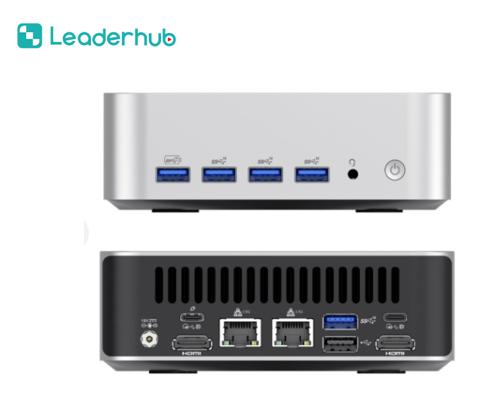
Specs at a glance:
·CPU: AMD Ryzen™ 7 6800U (28W platform)
·RAM: 32GB DDR5 (up to 64GB)
·Storage: 1TB PCIe Gen4 M.2 SSD (up to 2TB)
·Ports: Dual USB4 full-featured Type-C
·Displays: up to 4 displays (Dual HDMI 2.0 + Dual USB4 Type-C with DP Alt Mode)
·Wireless: Wi-Fi 6E + Bluetooth 5.2
·OS: Windows 11 Pro
Why it fits creators: A6 is a strong “do‑it‑all” option when you want consistent performance for typical photo/video workloads, plus modern connectivity for multi-display and fast peripherals. It’s particularly suitable if your creative work is frequent but not always maxed‑out (for example: mixed photo work, light-to-moderate video editing, and office productivity).
Specs at a Glance
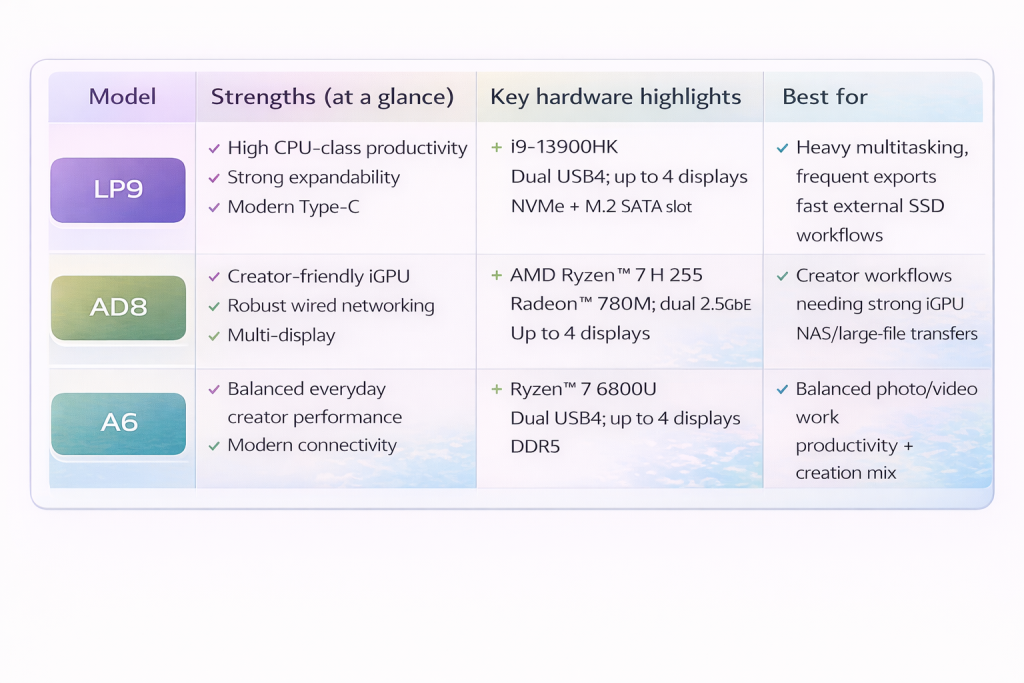
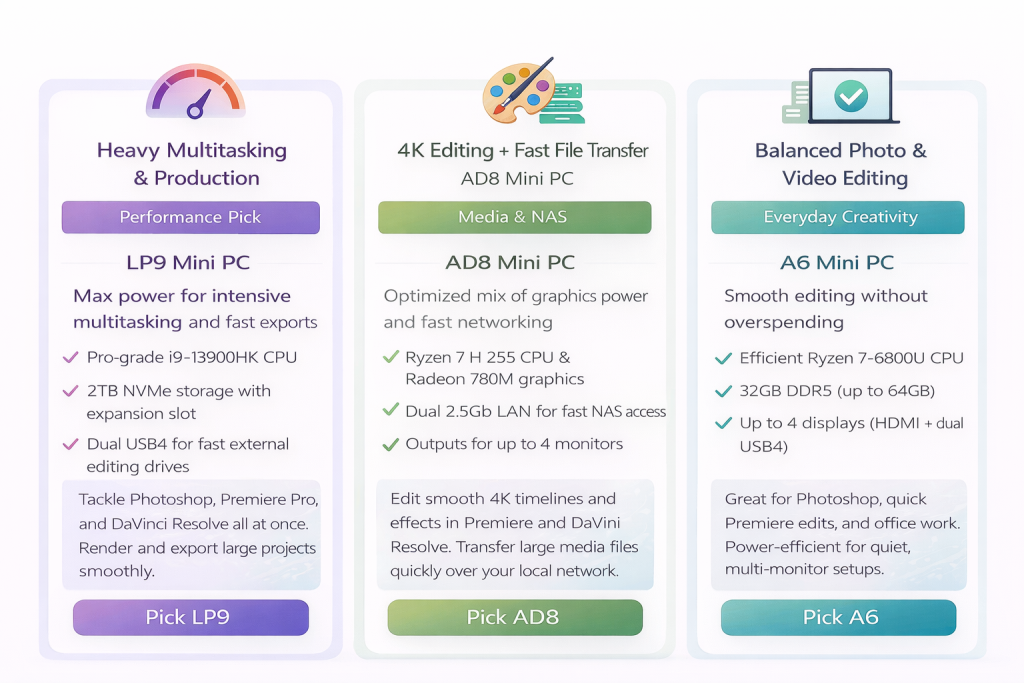
Not Sure Yet? Choose by Scenario
Here’s the fastest way to choose—based on how you actually work:
Conclusion
For editing and design, the winning formula is simple: the right CPU tier, enough RAM, NVMe speed, and I/O that matches your peripherals: what you edit most often, how many displays you use, how you store footage, and how long you render. LP9 is the best fit when CPU-driven productivity and high-speed connectivity are your priority. AD8 is the creator-leaning choice when integrated graphics strength and wired networking matter. A6 is the balanced option for consistent everyday creative performance with modern ports.
Ready to find your perfect match? Contact Leaderhub today for a personalized configuration recommendation, pricing, and current availability.